
Apps on macOS: from interesting to the best. 20 apps worthy of any Mac
Content
Desirable minimum
CleanMyMac 3 (39,95 $)
The coolest harvester for cleaning your computer. Scans and finds system junk, cache, old and large files, empties the recycle bin, completely removes programs and much more. There is a convenient widget for the menu bar, where in one click the trash or RAM is cleared, and the battery charge is also shown.
Tuxera NTFS (1550 ₽)
The first application I installed, but the second one on this list. Logics? She's not there. By default, macOS fully works only with media on the FAT file system, which has the opposite write restriction – the file must be no more than 4 GB. NTFS does not have this, but Apple only allowed reading of such partitions, but not writing. The problem is solved with the invisible utility Tuxera NTFS – once installed and forgotten forever. Bonus: disk formatting in NTFS. There is an alternative in the form of Paragon NTFS.
CleanMyDrive 2 (free )
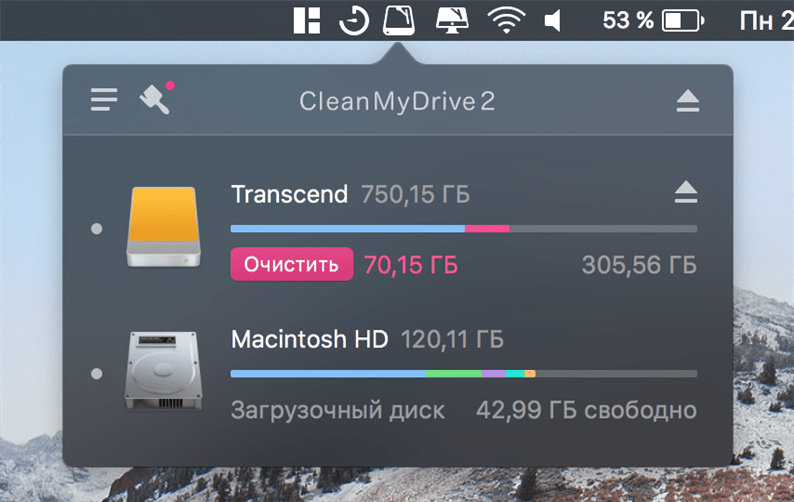
Free application to manage external and internal drives. Shows concise statistics on memory size and allows you to safely remove media. But most importantly: removes system residual junk. It happens that after macOS the flash drive connected to Windows will be occupied by invisible files – the program removes them.
VLC (free )
Simply the best cross-platform media player. Free.
Transmission (free )
Torrent client. Compact, free and ad-free. Allows you to download files even if a part has already been deleted.
Useful utilities
Paste 2 (749 ₽)
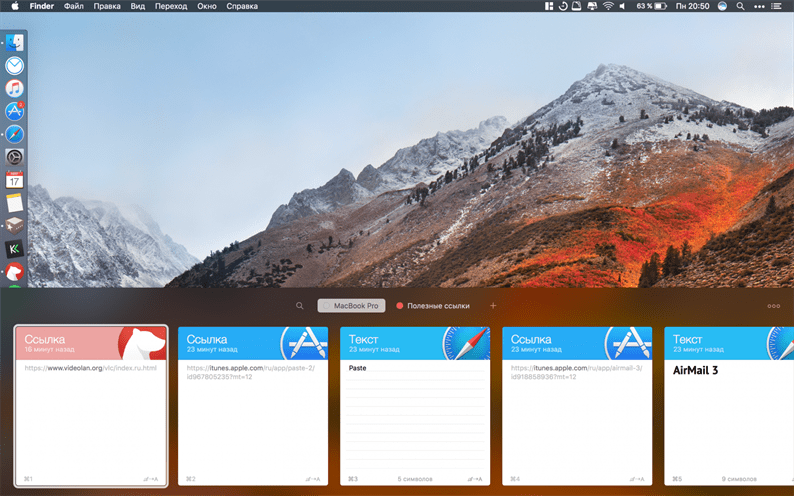
Clipboard manager. I tried a lot of similar programs and settled on it. A pleasant interface that does not stand out from the general style of the system played a decisive role. Paste performs one simple task: it stores the history of what was copied for later access to it. There is a search. If you often have to use the combination “cmd + c” for work, then it is mandatory to install.
Quitter (free )
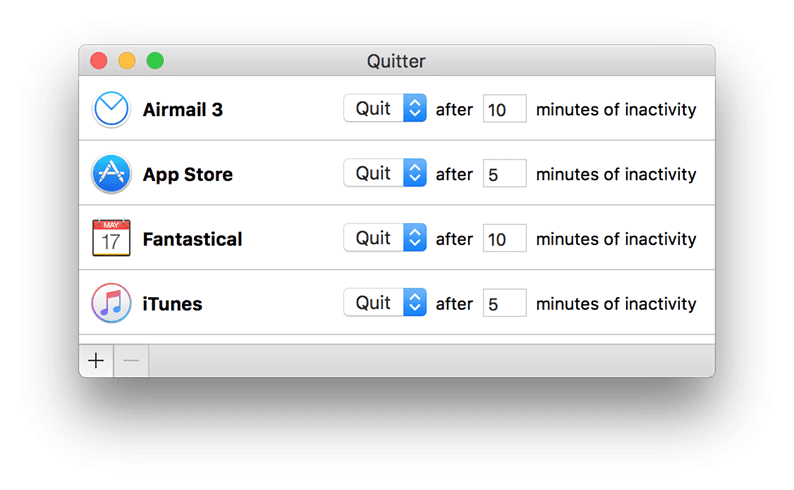
A small utility for saving RAM and computer battery. It sets an inactivity timer for any application. For example, if I don't use iTunes for five minutes, it will automatically close.
Magnet (75 ₽)
A chic Windows-style window manager. Allows you to modify and dock windows for convenient workspace organization. It works very simply: drag the window with the cursor to the desired corner of the screen and you're done. I use it constantly. There is an alternative to BetterSnapTool.
PiPifier (free )
Includes any HTML5 video from Safari in Picture-in-Picture mode. Verified on YouTube and Twitch. Works.
Gestimer (229 ₽ )
A nifty timer for the menu bar. You need to drag the icon down and measure out the required number of minutes. Useful if you constantly work at the computer.

MonoSnap (free )
Screenshot app. Usually, the standard macOS combinations are enough, but in MonoSnap you can immediately make notes, upload to the cloud and get a link to the clipboard.
PopClip (749 ₽)
Powerful utility that brings command popup menu from iOS. Works throughout the system and depending on where the text is highlighted, the application offers different commands. The list of such commands is customizable and the developer has a whole section with extensions for this, which is constantly updated. You can create a reminder in one click, translate the text, find it on the map and much more. Lots of popular applications are supported.
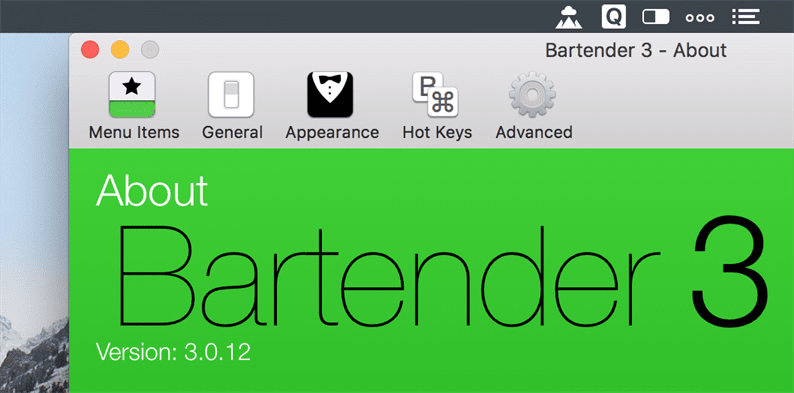
Bartender (950 ₽)
Almost every software has its own icon in the status bar. For some, it can be hidden, but in most cases it cannot. Bartender will come to the rescue. It frees up space on the menu bar and makes your Mac a little cleaner. You can choose which applications to hide, customize shortcuts and the icon of the application itself.
All the rest
AirMail 3 (749 ₽)
Mail client. I use it in conjunction with the iOS version. There are a lot of functions, most of which I did not even understand. Conveniently, all mailboxes are saved to iCloud. Another option is Spark. On iOS, it did not take root for me, and on the MacBook there was no application initially. Now it came out and many praise it. Try it. It's free, unlike AirMail.
Pixelmator (2290 ₽)
Graphic editor with ample opportunities. It can do a lot of what Photoshop, but it takes up much less space. The only negative is that there is no Russian language.
Fantastical 2 (3790 ₽)
I bought it first on iOS because of the cool widget for the notification center – it fits a whole month there. The application combines calendar and reminders. There is a widget for the menu bar.

CCleaner
While using the programs, some of the data is stored in the memory of your computer. Often this is completely unnecessary information: application cache, installation files and other garbage. It not only clutters up the device, but also significantly slows down its operation.
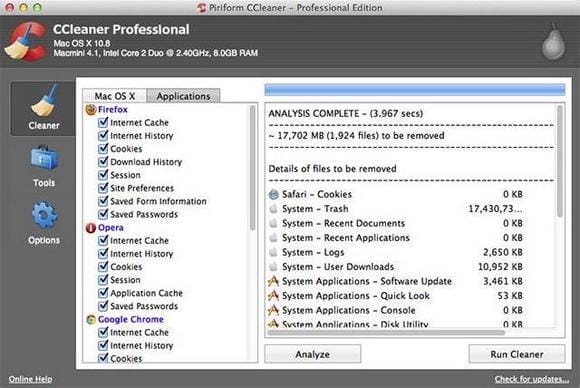
CСleaner can clear unnecessary data. This utility performs the following functions:
- deleting browser cache, bookmarks, downloads and other information;
- uninstalling installed programs;
- setting up autostart applications at login;
- emptying the recycle bin.
Transmission
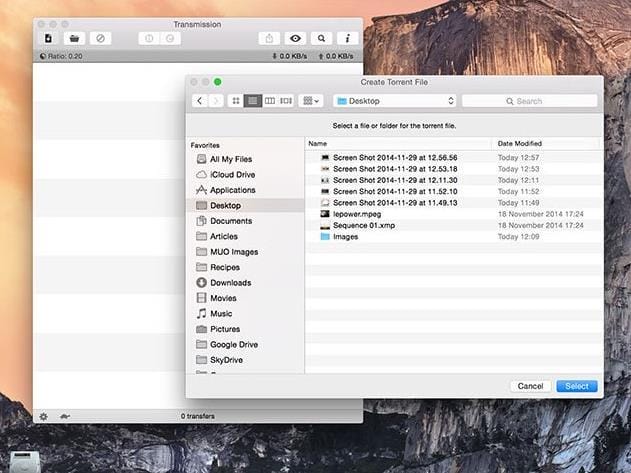
Transmission is the Mac OS version of the torrent tracker. It is distinguished by its laconic design, ease of use and many useful functions. With Transmission you can:
- create torrent files;
- broadcast download speed;
- control the speed of file distribution;
- automatically remove downloads after they are installed;
- sort torrents by groups.
Bear
Bear is a text editor made in the best traditions of minimalism. It allows you to create both long notes and short notes. The program allows you to format the text as needed: arrange paragraphs, lists, headings, and so on. The records are sorted using tags that the user assigns to each document.
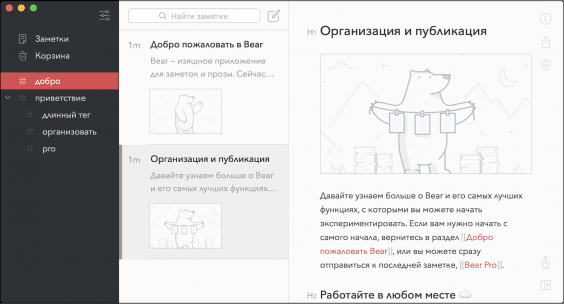
An important advantage of Bear is synchronization with the mobile version. You will be able to open and edit files simultaneously on your computer and on your smartphone or tablet.
Duet
If you are like us, you will hate working with a single monitor or screen. Portable monitors are still quite expensive (and not to mention bulky), and thankfully, you can use your iPad instead using a great app called Duet. Developed by former Apple engineers, it works by tying your iPad to a Mac with an Apple Lightning cable and running the app on both devices.
You can then drag apps and windows onto the iPad screen just like you would with a second monitor, and if you have a new iPad with Retina display, you can enjoy all those beautiful pixels.
VOX
VOX is a music player that allows you to listen to music online without saving it to the device's memory. It also works with the iTunes data library, so all files can be imported directly from it.
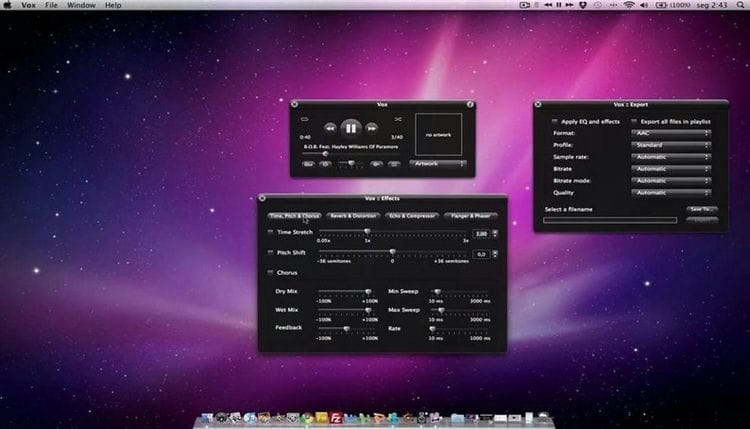
The main benefits of the VOX media player include:
- simple and intuitive interface in laconic black and white;
- support for many music formats, including – ALAC, FLAC, OGG;
- fine tuning of the sound using the built-in equalizer;
- control of applications by swipes, and not by pressing buttons.
Paste 2
Paste 2 is a clipboard between a Mac computer and an iOS mobile device. It works in the background and allows you to instantly copy the selected object simultaneously on two gadgets.
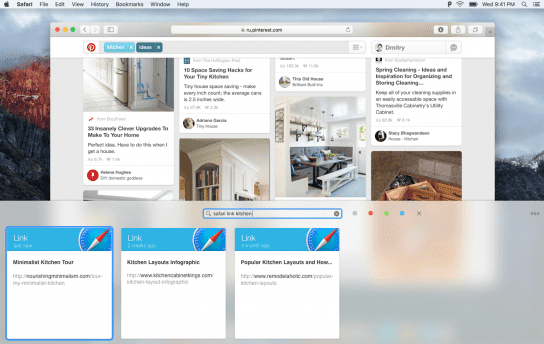
The buffer storage is unlimited, you can move even heavy files. Selecting and copying is done in any convenient way: with a keyboard shortcut, drag and drop, and so on.
Atom
Atom is a text editor primarily aimed at programmers, but its flexibility and customization make it a good option for different types of users. This is due to two reasons: firstly, you can load various plugins – plugins. It can be converted into an editor for writing blog posts, for example, you can connect it to Evernote to store your notes in the cloud.
GIMP
There are no good quality image editors preinstalled on the Mac, so GIMP will take over. It retains all the basic functions of Photoshop, but at the same time the application is completely free.
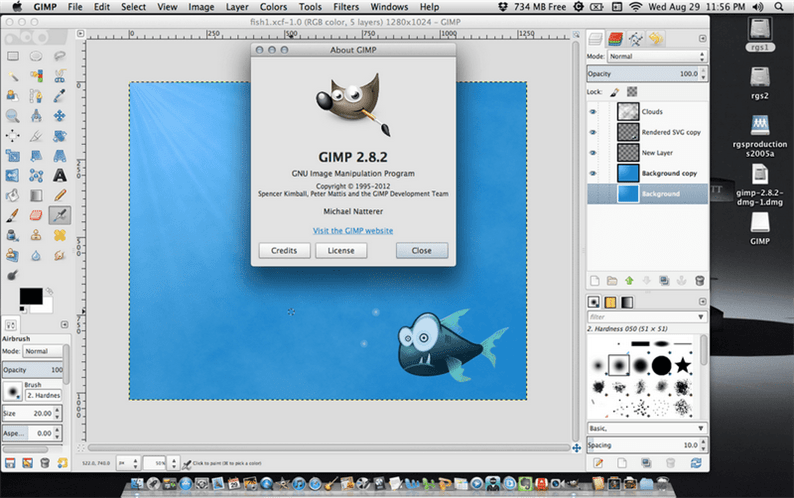
GIMP opens up such possibilities:
- creation of graphic images of any type (drawings, logos, and so on);
- processing photos and other images using color correction, filtering, cropping and distortion;
- drawing from scratch – for this, brushes of the most different shapes and thicknesses are available, managing layers, their transparency and position, and so on;
- support for scanners and tablets for creating graphics;
- creation of animation files and much more.
Betternet
In connection with the closure of access to some programs by law, programs that provide a secure and closed connection have become popular today. Betternet is considered the most popular for Mac.

The functionality of the application allows you to:
- download apps that are not available in your local region;
- open web pages that are blocked;
- use public networks safely;
- maintain complete anonymity while searching the Internet.
Libre Office Writer – Best Free Text Editor
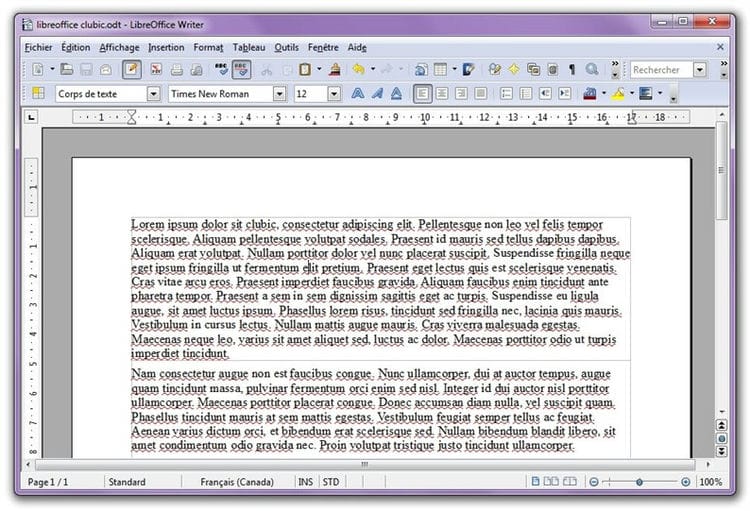
Writer is a word processor element of the free office suite Libre Office. It will open the .doc and .docx files and offer all the styling and formatting tools you would expect, and you will be able to merge documents by mail. There are also downloadable extensions that add functionality to Writer.
Lightworks Free – Best Free Video Editor
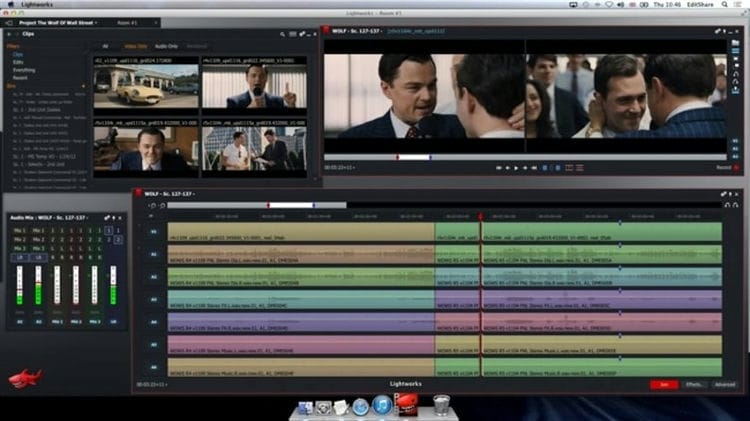
Films edited in Lightworks include Pulp Fiction, The Confidential Life of Los Angeles, The Kings Speech, and The Wolf of Wall Street, so we're not talking about an unsightly app here. Lightworks is billed as “the professional video editor for everyone” and is available as a free download for the Mac.
The free version offers a seven-day renewable license that you can activate immediately after registering and installing the software; you just need to login and you can start editing. The license supports the import of a full range of video, audio and still images.
Lightworks Free offers some powerful editing features typically found only in expensive professional editing systems; including real-time effects, titles and even multi-camera editing. The free version can import and work with high-resolution footage (up to 5K), but one of its limitations is that you can only export HD videos up to 720p with additional uploads to YouTube. (You can export up to HD 1080p resolution, but only if you also upload directly to Vimeo, Lightworks' “preferred uploading partner”).
Radio myTuner
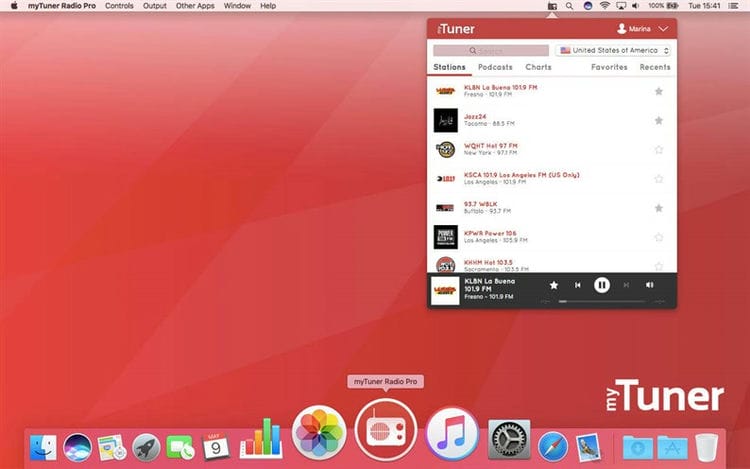
If you love listening to radio stations, try the myTuner Radio app. Save your favorite stations – from anywhere in the world. You can also listen to your favorite podcasts. You can also see the latest information about the graphics and listen to previews of the tracks.
Photo Effects (Lite)
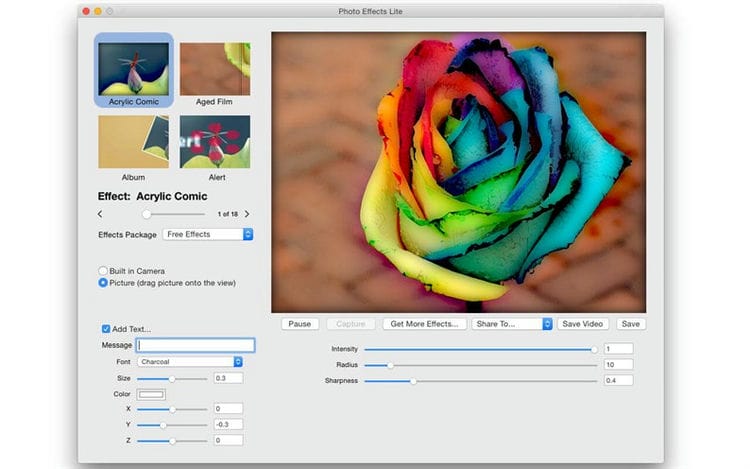
There are a number of effects you can add to your photos in the Photos app, but if you need a few more, the light version of Photo Effects offers several. Fun effects include Acrylic Comic, Blue Print, Pop Art, and lots of animated effects. You can increase or decrease the intensity of the effects and save the result.
PreSonus
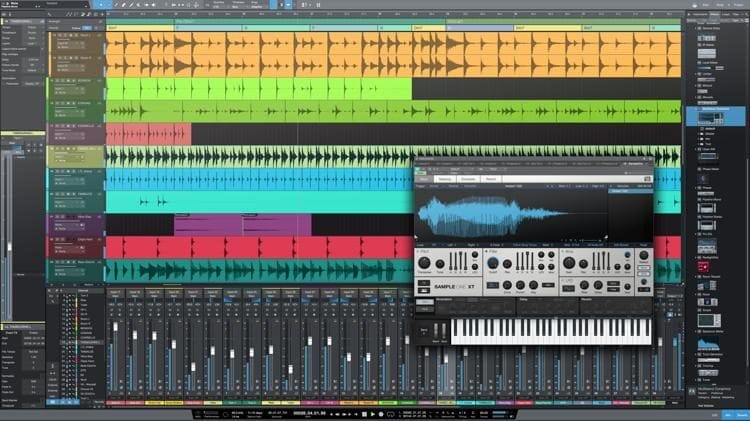
If you're creating music on a Mac, you have two options: use a free but limited tool like GarageBand, or spend a small fortune on a full-featured digital workstation (DAW) like PreSonus Studio or Logic Pro X.
Now, however, there is a third option, PreSonus Studio One Prime, a stripped-down version of the company's flagship DAW. And shutting down doesn't mean easy. It is important to note that this is not a demo version and does not expire. It also doesn't annoy you to update or limit the number of songs you can create.
There is a 1.5GB sample library and nine effect plugins, although you cannot add your own third party plugins. You can record and mix an unlimited number of tracks, and easily extract background tracks, virtual effects, and plugins from the Studio One browser.
Among the best DAW features are real-time stretching, resampling and normalization; compilation of one or several tracks; and multitrack conversion.
Studio One Prime has more learning options than GarageBand, but is much easier to master than a professional-grade DAW, and is ideal for those who grew up with an Apple app.
Shazam
You probably use this amazing app to find out which track is playing on your iPhone, but there is also a Mac version of Shazam.
The advantage of the Mac app is that you can set it to Auto Shazam so that it always listens to music, so when it hears a melody, it identifies it for you and you can always browse the tracks it finds. later.
Of course, with Apple buying Shazam, it's possible that this functionality will be built into the Mac in the future.
SketchBook is the best free Photoshop alternative
If you're feeling artistic, Autodesk's SketchBook is a great sketching app. Unfortunately we're not particularly artistic, but now that this app is free (Autodesk stopped charging for it in April 2018), we thought we'd give it a try.
You will find much more than drawing and painting tools. You can also drag and drop the images you want to record and, most useful to us, customize the size as well as save in various file formats. You can also use it to create animations.
Smart Converter
We live in a world of confusing media file formats, and iPad, iPhone, and even QuickTime Player require MP4 video and MP3 audio when it comes to content that you manually download.
If you want any other file format, the free Smart Converter converts it quickly and easily using drag and drop, and can even convert files for non-Apple devices such as (don't care!) Samsung phones and tablets and game consoles.
Slack
We use Slack at work, so the Mac app is a must. If you're not already using Slack, it's a great way to communicate and collaborate with your peers through project-specific channels.
Download Slack, sign in to your workspace using your Slack workspaces URL, as well as your email and password, and you're good to go.
Sophos Anti-Virus – Best Free Antivirus
Of course, Macs don't have a big problem with viruses, but you won't get popular if you redirect one to a friend who owns a PC, which is why we recommend a free antivirus app for Mac.
Sophos Antivirus for Mac costs nothing, but it detects 99.17% of threats. However, this has little performance impact. Sophos antivirus also only requires you to hack some personal data.
Speed test from Ookla
If you don't have the most reliable broadband connection, this Speedtest tool is right for your Mac. You can see your upload and download speeds and determine if you are paying for it.
Thunderbird – Best Free Email App for Mac
This open source email client from Mozilla allows you to use add-ons, potentially extending their functionality depending on what you need.
It also offers a number of useful features by default and is built into the instant messaging system, offering support from multiple networks including Facebook, IRC, Twitter, and others.
Total VPN is the best free VPN
If you are looking for a way to access web content blocked in certain countries (like iPlayer when you are on vacation in the US), a VPN is the tool for you.
The free version of Total VPN is limited to three locations and has limited usage, but you can use TotalVPN on your Mac, iPhone, iPad, Apple TV, Windows, Android and more.
The Total Premium Plan allows you to access over 30 locations with absolutely unlimited viewing.
MacID
MacID is a useful utility for those who want to automate password entry. The only limitation is that an iPhone is required for this program to work. You also need to download a similar paid application to it. The version for PCs and laptops is free.
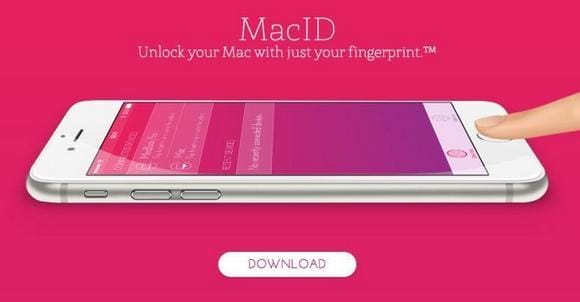
MacID works as follows. After installing the program on your computer and smartphone, both devices are synchronized. When you move away from the PC, it will lock. For authorization in the system, you need to go to the computer and unlock the iPhone. Mac will be unlocked automatically.
With this application, you do not have to constantly remember and enter complex passwords, just take care of the security of your gadget. You can log into the system with just one touch of your finger on your smartphone.
Magnet – simplifying window management

Who's it for: For MacBook owners and active iMac users.
This application once became a real discovery for me, so today I recommend installing it to literally everyone who uses Mac more or less actively.
It is designed to quickly change the position of windows on your computer screen with a simple keyboard shortcut that you can customize.
With it, you can expand the current window to full screen, instantly take it to the left or right side of the operating system interface, and this is just the beginning.
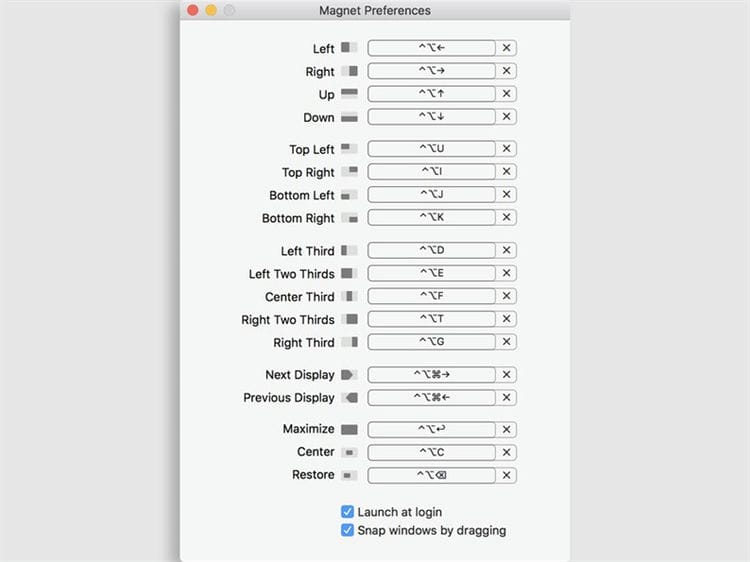
Why do I recommend using this utility specifically on the MacBook? The fact is that Apple mobile computers (this especially applies to 12- and 13-inch models) have too small screens for full-fledged simultaneous work with multiple windows.
It is better to use programs on them only in full screen mode, and you can quickly deploy them (in my case) with the сочетControl + ⌥Option + ↩︎Enter keyboard shortcut. But that's just one scenario, and you can think of dozens of others.
Punto Switcher – automate language switching

For whom: for those who work a lot with text in any form.
Many started using this application on Windows, and then it successfully migrated to every new Apple computer. It happened to me too, and it hit all my Macs right after I bought it.
The application is more intended to automatically switch keyboard layouts if you forgot to do it manually. This greatly speeds up the work in any of the scenarios.
To be honest, I have no idea how you can use a Mac without this program. As an experiment, I turned it off several times to see if it was that useful. The result surprised me myself.
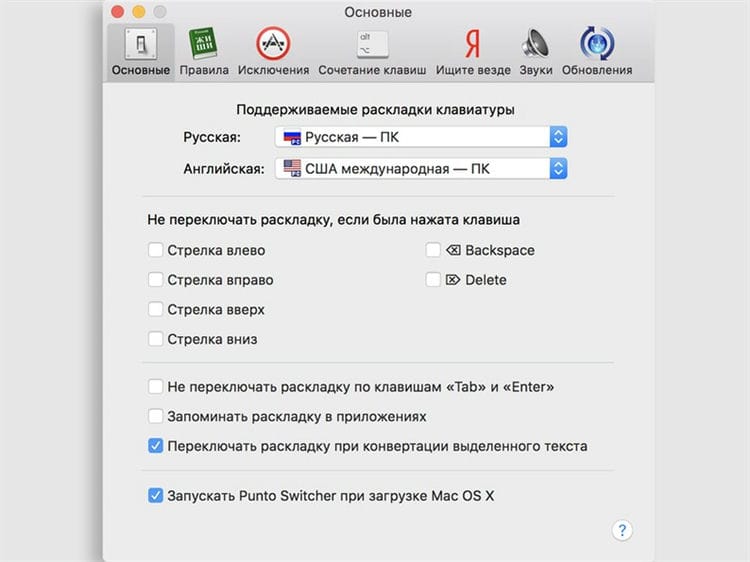
It turned out I hardly ever switch keyboard layouts on my own. This is always done automatically for me by a small utility, and it's super convenient. I'm not even surprised that this cool software was bought by Yandex in due time.
ExpanDrive – changing access to cloud storage

Who's it for : For those with a Mac with a small SSD.
One of my most useful finds. I first stumbled upon it when I wanted to clear up hard drive space on one of my past 128GB MacBook Pros. And she became one of the decisive tools in this matter.
Many people naively believe that cloud storage will so easily expand the hard disk space of their computer. They install their proprietary apps on their Macs and get the opposite effect.
Dropbox, Google Drive and other such programs are designed not just to access cloud storage, but to synchronize their data with a computer. Therefore, they download all their content to the device's memory.
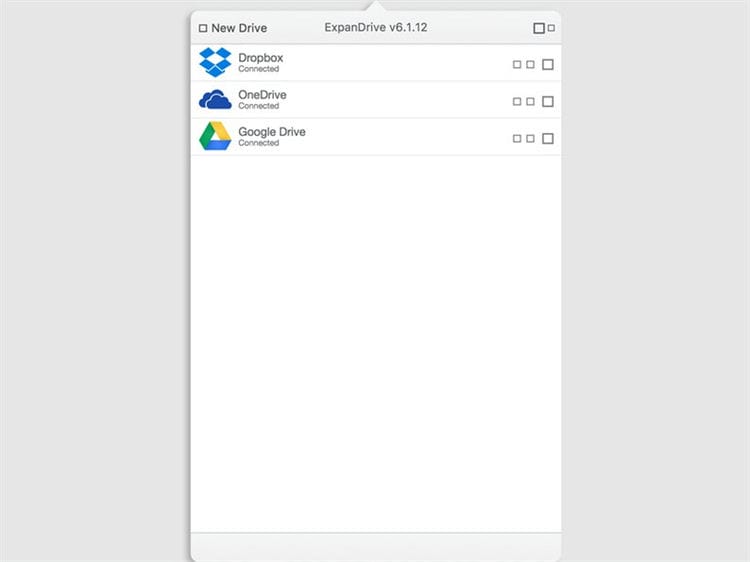
To prevent this from happening, you can access the clouds through the web interface, but I would not call this method particularly convenient. At least you have a dedicated utility that leaves clouds in your Finder but doesn't download files.
This program turns clouds into external drives. You can still use the files on them through any application, but they will not download to the device.
Amphetamine
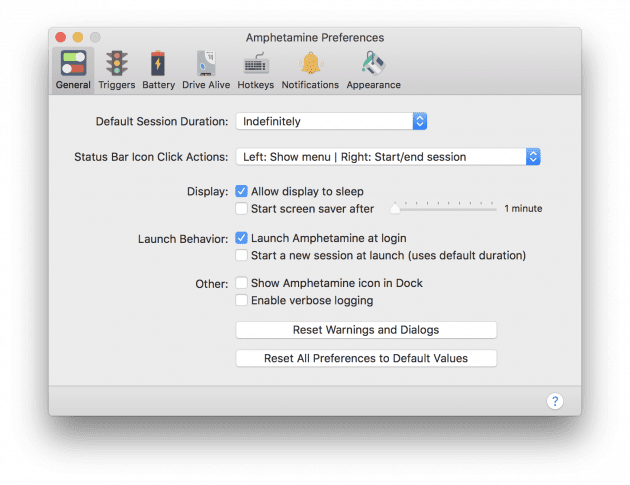
A functional tool for flexible configuration of how your Mac goes to sleep. It is enough to set a time or trigger, for example, launch a certain application, and Amphetamine will not allow the computer to fall asleep. In the settings, there are many options for displaying and behavior of the utility.
DaisyDisk – looking for extra data on the hard drive

Who's it for: Active Mac owners with small SSD storage.
The utility, which not least attracts with its appearance, is perfect for those who are used to keeping their Mac clean. It is designed to find and delete unnecessary data if your computer's hard drive is running out of space.
Immediately after launch, the application automatically scans the primary and secondary disks and shows how much of their total volume is actually occupied.
It allows you to navigate through the different sections of the storage to understand where the largest and most useless data is stored.
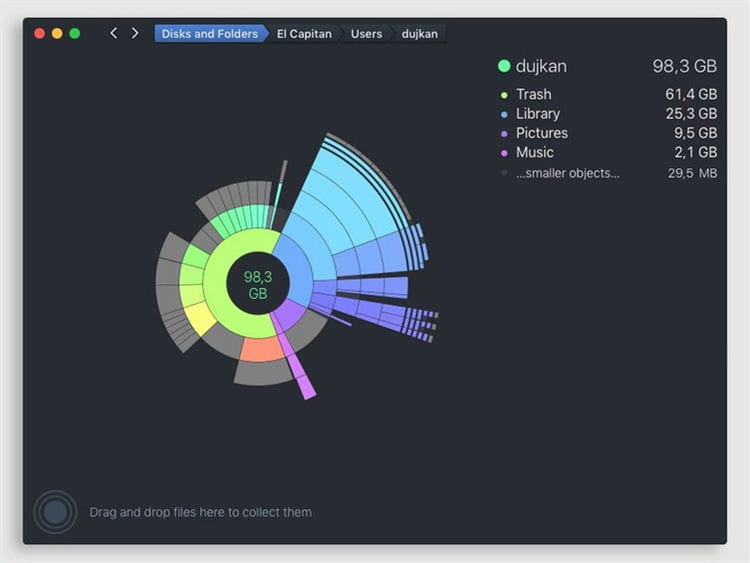
It is not for nothing that the file structure in the program is shown in the form of a diagram on several levels. You can simply click on any of them to instantly jump to it and analyze it.
I guess you can hardly find anything better for cleaning your Mac. The program does not work automatically, so you will know exactly what data has been deleted from your computer, and which data you have to get rid of.
Pixelmator
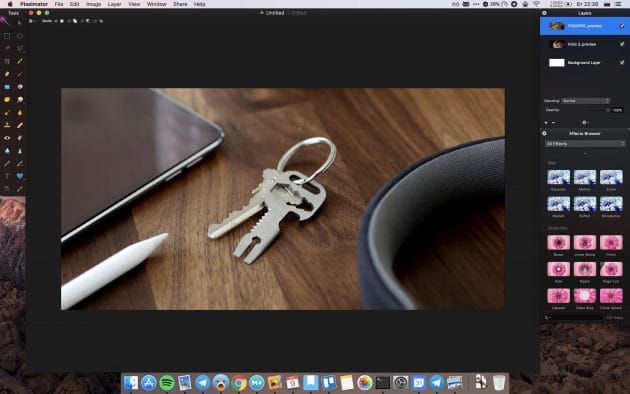
An advanced graphic editor with a great design, not inferior in terms of the capabilities of Photoshop. It features a more user-friendly interface that allows you to easily do complex things. Pixelmator boasts a rich set of retouching tools, many effects and easy-to-use controls.
Paste 2
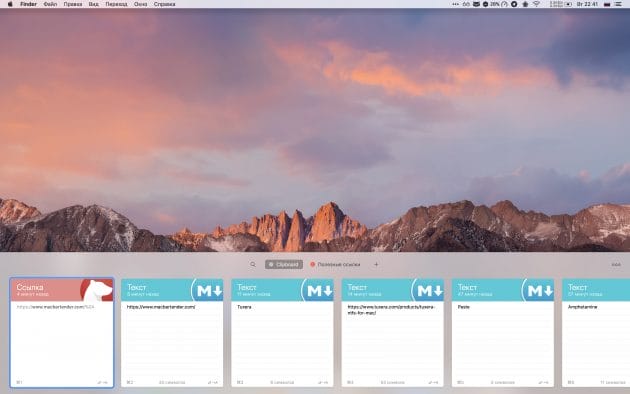
A useful application that extends the meager capabilities of the standard macOS clipboard. Paste integrates seamlessly with the system and allows you to store an unlimited history of copied items. With a keyboard shortcut, you can invoke a pop-up menu and instantly paste text, image, file and any other content that was copied earlier.
CleanMyMac 3
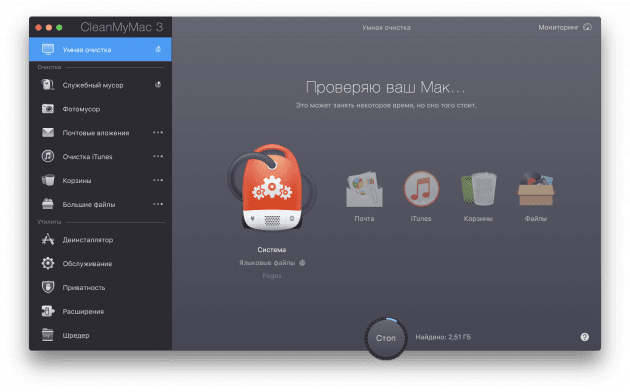
A versatile digital garbage cleaner that takes up precious disk space and slows down your system. With CleanMyMac, you can clean your computer of unnecessary temporary files, software cache, unused app localizations and other system junk in no time.
Tuxera NTFS – adding normal NTFS support to Mac
Who's it for: For those who use more than just the Apple ecosystem.
By default, macOS can only work with the NTFS file system in read mode. If you only use Apple devices, you are not particularly interested. You can easily move files between any drives you like.
However, things change when you have to work with flash drives and hard drives that were used with Windows. There, this file system is held in high esteem, and you will only be able to copy information from them.
Previously, you had to look for alternatives, shared file systems, and other ways of exchanging information. But with this utility, everything falls into place. It adds full NTFS support to the Mac.
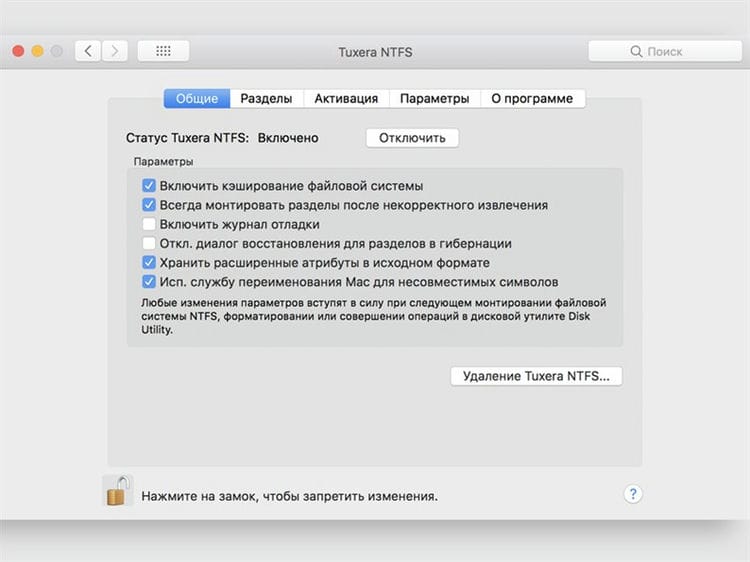
Consider that this program installs a dedicated driver to support this file system. It replaces the cropped standard one and makes your life easier.
IINA
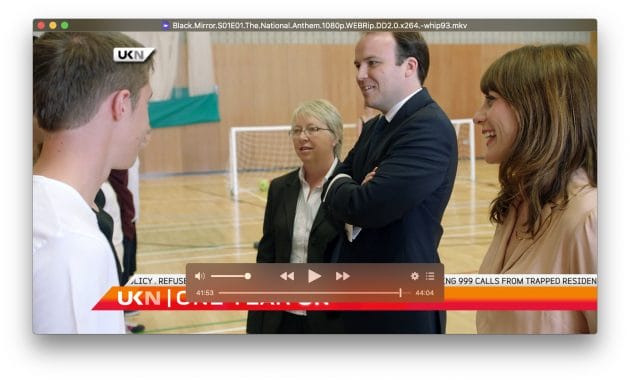
A functional open source media player designed to replace the popular but outdated VLC. IINA has a modern Apple-style design and supports all macOS features such as Force Touch gestures and Picture-in-Picture. The player can play all popular media file formats locally and via stream, understands chapter markup and has a lot of useful settings.

Who's it for: Anyone looking to customize macOS more precisely.
For those who are skeptical about such software, I would like to emphasize: the application does not change the components of the operating system, therefore it does not affect the speed of the computer and the further installation of updates.
I get the feeling that the utility simply opens system settings, which Apple programmers simply hid from us when working on macOS.
Judge for yourself, it makes it possible to fix the size of the Dock so as not to accidentally change it during active work. It can be used to disable Launchpad effects and animations, and change the Finder context menu.
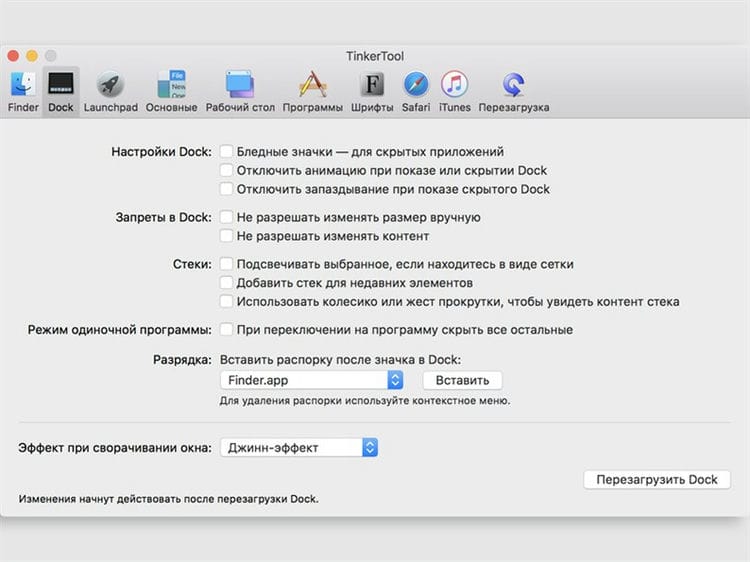
Most of the settings that you make through this program will take effect only after restarting your computer or individual applications. But you won't be poking around in it too often, so it's not that critical.
Feel free to experiment. All settings that you change here, you can reset to standard in just a couple of minutes.
Little Snitch – disable network connections

For whom: for everyone who actively works with the Internet and the corresponding software.
Check out the Austrian firewall for Mac with a fun logo. This application is designed to block any internet connections of built-in and third-party applications on your computer.
You have the ability to create rules based on ports, domains and connection protocols, as well as painstakingly monitor any program traffic on your computer.
Of course, you will not restrict the browser, email client and instant messengers through this application. But it will be very useful for you to find out which applications clog the Internet channel and prevent you from fully working.
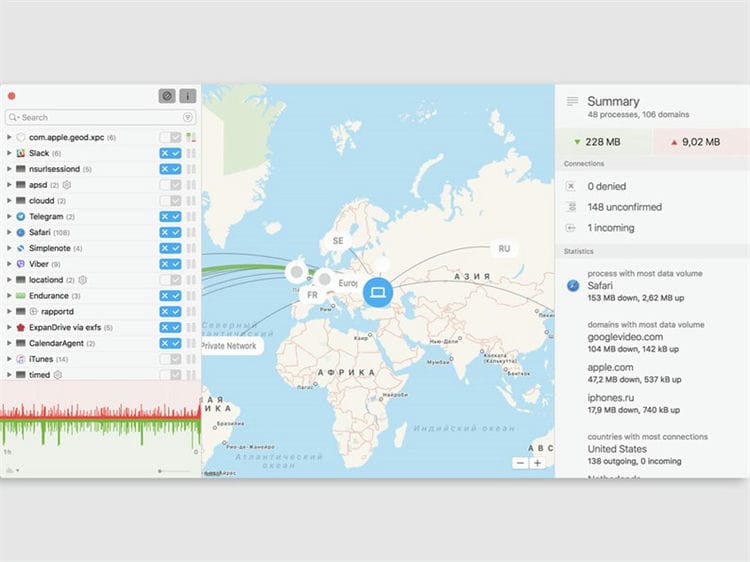
For example, cloud storage suddenly decided to sync a gallery of photos that you took from your last vacation, and do not allow you to read iPhones.ru. In this program, you will see and stop this.
If you understand the application, you can set up multiple profiles for different conditions. For example, it can be very helpful to turn off most internet connections when you are using a poor cellular signal.
Text Wrangler
Need to write or edit code or script? Then you will know that word processing tools like Word and no-frills word processing applications like iAWriter are not up to the job.
The de facto standard tool for the Mac has been BB Edit from Bare Bones Software for several decades. And while other tools like Panic's Coda have done an excellent job of providing alternatives, BB Edit continues to be popular with many Mac programmers.
Text Wrangler is a free stripped-down version of BB Edit and offers many of its best features. It includes syntax coloring, code folding – where you can show and hide code snippets – and direct access to files stored on FTP servers. Need to edit the CSS file on your site? You can do this right on the server using the FTP application and TextWrangler.
One or two tools are missing; For example, you cannot read and write files to and from Zip archives, but Text Wrangler is a powerful and free text editor.
VLC
VLC is an essential tool for watching all those videos that QuickTime refuses to play, including the WMV and AVI formats. It supports many audio formats that neither QuickTime nor iTunes can play. These include Ogg and FLAC.
The key to VLC is the decoding and encoding libraries, which provide support for a wide variety of video audio formats across multiple platforms, including OS X and iOS.
The iOS version, which is also free, allows you to play videos and files in a variety of formats not natively supported by iOS. It can sync with cloud storage like Dropbox or streaming from a NAS device or from a remote server.
The OS X app itself allows you to create and save video playlists. And there are several controls for fine-tuning video playback, including: brightness; contrast; gamma; and saturation. You can even crop videos, add text to them, or enlarge an image to a specific part of the screen.
VLC is by no means the only free media player for OS X. We already mentioned MPlayerX, which is very good. And Switch, which has several features aimed at professional users, is strong as well. But VLC's versatility and support for a huge number of formats is hard to beat.
HyperDock
We can snap programs to the edge of the screen in Windows since Windows 7, Apple didn't have this feature until OS X El Capitan. Moreover, even then, he lacked some of the Microsoft chips. Luckily, HyperDock gives us the functionality we wanted so badly, allowing anyone with a Mac to apply it to both applications and windows.
On Windows, you can drag an app to the left or right edge of the screen (or corners) and it will automatically fill that space. This makes it much easier to work on the desktop without wasting time dragging and dropping windows.
Tuxera or Paragon NTFS: make friends with flash drives for Windows
No matter how much you surround yourself with apple technology, you still have to work with NTFS. The Apple operating system perfectly reads data from another file system, but cannot write without additional software.
In order not to rush in a hurry in search of the best utility for working with NTFS, select the appropriate option in advance.
The recognized leaders in this niche are Tuxera and Paragon NTFS. Each application has its own army of fans who extol the advantages of the program and ignore its shortcomings.
In most cases, the utilities do the same job and do not differ much from each other.
Weather Map
Wondering where to go on vacation to avoid cold weather? This handy map will show you the temperature at various weather stations around the world. Or just zoom in to see what the weather is like.
The only downside is that this map is in real time, so you can't see what the weather will be tomorrow – obviously – but it will help you decide if you need a jumper.
WhatsApp Desktop – Best Free Messaging App
If you use WhatsApp on your smartphone, you will benefit from installing the free WhatsApp Desktop app on your Mac.
Once you've downloaded it, you need to open WhatsApp on your iPhone. Then tap Settings and select WhatsApp Web / Desktop, then type your phone on the screen to scan the code – you may have to tap to reload the QR code.
Your WhatsApp messages will now be viewable on your desktop.
Parallels Desktop 13
If you've bought a Mac and want some of your old Windows programs, don't worry – Parallels Desktop 13 will be able to bring them back. Instead of booting your Mac into a Windows partition, Parallels Desktop 13 lets you run Windows and macOS Sierra at the same time, you can even run only Microsoft programs like Visual Studio or Windows versions of Office 365 applications alongside macOS applications.
All you need is a Windows 10 license, so get ready to buy one if you haven't already. Or you can use Parallels to try out several free operating systems, including Chromium or Linux Debian. The latest version of Parallels includes improvements such as support for the Touch Bar, improved resolution scaling for Retina displays, and picture-in-picture for use with other operating systems in conjunction with macOS.
Who Is On My WiFi
With a great descriptive title, Who is On My WiFi tells you which devices are using your WiFi connection. Useful for finding out if kids actually turned off their computers before going to bed, or to find out if someone else's passwords have cracked your WiFi, this is essentially a network scanning app.
However, it is much easier to use than most, and you can mark discovered records as known or unknown, and give them names. The Dock icon shows how many devices are found, so you can leave it on to keep an eye on what's going on. (Set the scan interval in the application settings dialog).
Logic Pro X
Whether you are a super popular DJ or lock yourself in a room making beats all summer long, Logic Pro X is one of the best music creation apps on the Mac. Designed by Apple itself, the accessible interface hides a ton of advanced features. The latest version also features a new design and 64-bit architecture.
It also works in conjunction with the iPad to provide a touch-based songwriting method for dragging and dropping blocks in the main visual editor. Whether you're a seasoned producer or looking to switch from Garageband, Logic Pro X most likely has what you need.
AppCleaner: clean up junk from programs
A simple utility to completely uninstall applications on Mac. A banal drag and drop to the trash does not delete system data, cache and program settings, and all unnecessary will be deleted from AppCleaner.
Programs can be uninstalled both through the utility interface, and AppCleaner can be configured to launch during the uninstallation of any program in the usual way.
Everything is very simple without unnecessary effects, animations and absolutely free.
Ulysses
Unlike Word or even Apple's own apps, Ulysses has almost no interface. This allows you to write without being distracted by many buttons and menus. The app uses its own version of Markdown, a type of text formatting that allows users to highlight their text in a way that makes it easier to navigate, and a large number of styles make it attractive.
On the right, there is a handy app drawer that has a word counter and note-taking box to help you write body copy.
Dr. Cleaner
The market for disk optimization apps is neither empty nor complete, especially on the Mac, where Apple has handled it well on its own. However, for a program that is much more intuitive and user-friendly than, say, the built-in Macintosh HD storage management software, it's best to turn your attention to Dr. Cleaner.
Dr. Cleaner will label all junk files on your Mac with shortcuts like Junk Files and Large Files, instead of listing 30 GB of documents and 10 GB of files like on iOS where you don't understand anything. Then you can look at the names of the files yourself and decide if you want to keep them on your computer or delete them. You can also use Dr. Cleaner for monitoring CPU, network and RAM usage.
GIMP
GIMP is one of the best free image editing apps. It is a great alternative to Adobe Photoshop and has a massive set of features that allow you to edit images saved in various formats or create new ones from scratch. Features of the app include layers, customizable brushes, automatic image enhancement tools and filters. You can add even more with the plugins available for download from the GIMP Plugin Registry.
Wunderlist
Describing Wunderlist as a task manager would be a disservice. But even then, compared to apps like Things, with which it shares many features, it offers the same capabilities for free.
What's more, while other apps charge you extra if you want to sync tasks on your Mac with those on your iOS device, Wanderlust does it for free.
You can create lists and tasks, decide how to view them, add subtasks and notes, reminders, and repeat tasks. Wanderlust is built around a working Getting Things Done (GTD) system, but you don't need to stick to GTD and you can use it as a dedicated task manager or basic project management tool.
You can share to-do lists on Facebook or via email, and the only thing you'll ever have to pay for is if you want to collaborate with large groups of other people.
On top of everything else, it's super easy to use, syncs instantly across all your devices, and looks great – even letting you choose from a variety of background images.
CheatSheet: memorize keyboard shortcuts
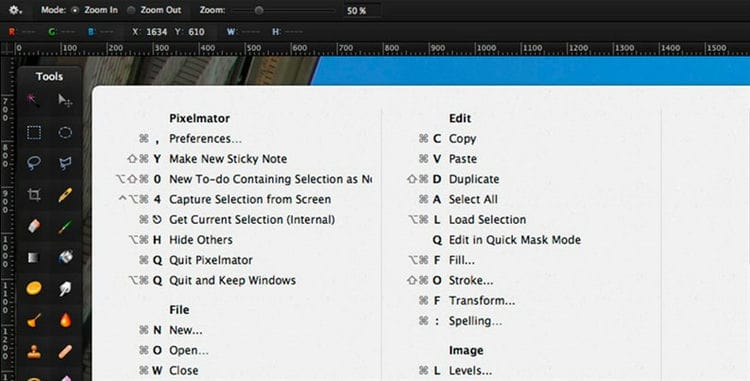
The utility will definitely come in handy for novice Mac users. Advanced owners of apple computers can also learn something new with its help.
The application is launched together with the operating system and at any time displays a list of all hotkeys for the active application. You just need to hold down the Command (⌘) key for a few seconds.
This is much faster than looking for the action you want in the menu bar and stimulates you to remember useful shortcuts.
Franz 5 or All-In-One Messenger: all messengers in one
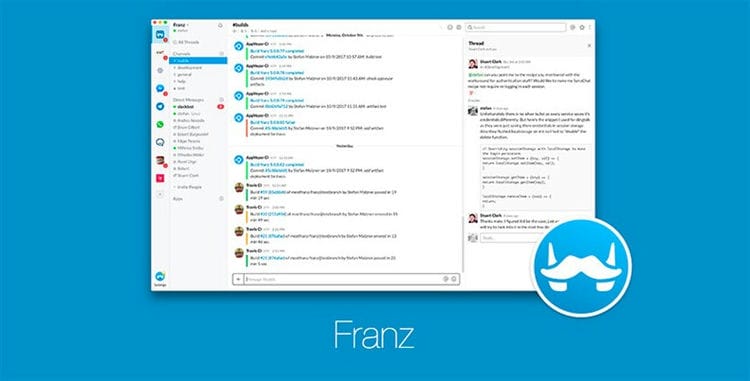
Anyone who uses several different messengers and applications to communicate will need one of these programs.
The utilities combine multiple user accounts into a single tabbed interface. So one program can easily fit: Skype, Telegram, Slack, Twitter, Gmail, Facebook Messenger and other communication services.
Franz 5 is a standalone app and All-In-One Messenger is a Chrome browser extension. The rest of the programs are pretty similar.
The tools I use in the terminal:
- Z Shell with Solarize color scheme and iconic monospaced fonts. Installed according to this instruction. The plugins can be found here.
- Fish shell is also praised. The free Cool Retro Terminal and the paid Cathode are beautiful, but useless in my opinion, since they don't support modern icons in their fonts designed for legacy monitors.
- lc, or Сolorls. Unearthly beauty.
- You-get – for downloading videos from YouTube.
- Aria2 – for downloading torrent files.
- M allows you to find out the system information about the Macbook from the terminal. For example, “m trash clean”. Sometimes useful.
- J remembers the history of navigation through the directory tree and sometimes, literally one letter at a time, guesses where you want to move: “jd”, for example, throws me into ~ / Documents. Fasd is also praised, but, for my taste, it is some kind of completely “coder”.
- Fuck corrects a mistake in the command you just typed.
- Brew tap caskroom / fonts installs and removes fonts based on requests like “brew cask install font-inconsolata”. Convenient when working with Google Fonts.
- Imagemagick. Many experts resize, optimize and experiment with pictures in every possible way with the help of this fairly well-known package.
Listening to music
And again about media content. Many Mac users will agree that iTunes is not an ideal option for playing a collection of audio recordings. A free Vox player is a good alternative. The application features a simple interface and support for additional codecs (FLAC, ALAC and others), as well as the ability to sync with the iPhone.
Editing video
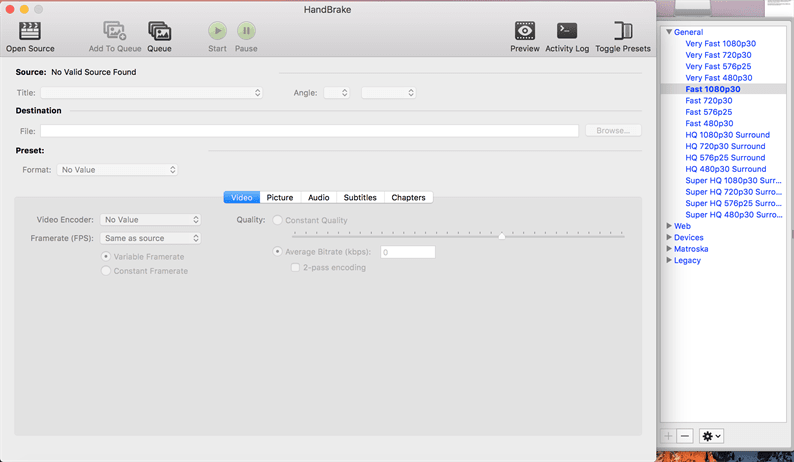
Taking into account the popularity of shooting videos on iPhone, action cameras of GoPro format and other video content, it is worth getting a convenient editor program for converting and processing them. We recommend installing the free HandBrake program – this multifunctional converter will be easy to use even for a beginner.
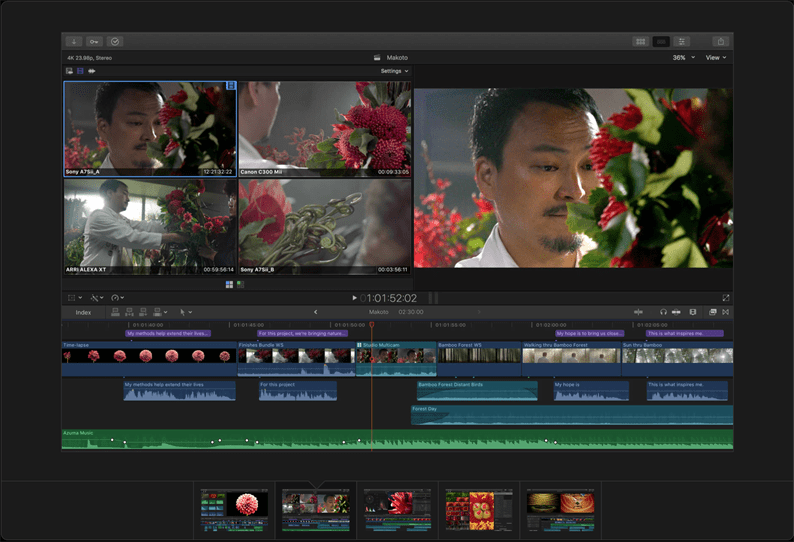
For advanced users, Apple's own Final Cut Pro is one of the best options. The program is distinguished by an impressive price tag (23 thousand rubles), but if you have to constantly work with video, then the functionality and usability of the interface are worth it. You can try the app for free for 30 days. If the video editor is used on occasion, then you can limit yourself to the regular iMovie, which comes free with new Macs.
Design applications
A lot has changed in the world of digital design in five years. For example, Adobe has died out almost completely like a dinosaur. Of course, the kit is still used by inertia, but Sketch and Figma are winning.
Sketch is pretty cool in general. We recently made a “smart” Sketch-template for the Ionic mobile development platform: there are both nested symbols and tricky auto-alignment – in general, we used the functionality to the fullest.
Sketch is paid, so it has recently become fashionable to use tools like Craft, Zeplin or Avocode when transferring designs to programmers .
ImageOptim, ImageAlpha, Pngyu and JPEGmini PRO optimize images of all types, colors and transparencies. But in general, SVG strides across the web planet, and Sketch does a great job with it, and practically nothing has to be optimized. Adobe products still have to be launched occasionally, but they are like Microsoft's office suite – becoming more alienated every day.
post office
This is a sore subject. The standard email client is frail. I used to get used to Sparrow, but Google bought it and killed it. Then there was an attempt to get hooked on Airmail, but it soon became too complicated. Then there were a few happy years with Mailbox, but Dropbox killed it.
As a result, Polymail appeared to replace everyone, and soon it will be a year since I am very glad and happy that I switched to it. Here is the activation code for the free PRO version: 3E2JEN.
Browser
The main browser is Google Chrome. Neither Safari nor other alternatives like Vivaldi have caught on. Chrome is heavy and large. Someday I'll write a separate article with a list of extensions that help to overcome it. In the meantime, a brief summary:
- OneTab collapses all tabs into one, groups, stores history.
- WhatFont shows what font is used in this or that page element. Similar to Fontface Ninja.
- AdBlock Plus and Disconnect. For many, many years, I have not seen a single banner on the Internet. I even forgot that they even exist.
- Grammarly checks English grammar. Very convenient service.
- Bitly shortens links and allows you to monitor statistics. For example, the link is my personal calendar.
- Awesome Screenshot can not only take a screenshot of the entire page, but also record a video.
- The Great Suspender pauses tabs that you rarely look at. Saves tons of memory.
- Tab Copy copies several links to the clipboard at once based on the selected tabs.
- Karmabot Dashboard – Karmabot's full-screen statistics dashboard. Allows you to see who is doing what in the company.
Putting it off for later
An update to the stock Notes application on Mac has significantly expanded its functionality for saving and copying content for deferred viewing. However, the free Pocket application has a more user-friendly interface and allows you to save photos, videos and articles from the Internet in a single feed. The content is available for offline viewing, and when you download the application to your smartphone or tablet, it allows you to sync the saved items.

Text and office applications
I said goodbye to MS Office. I continue to use the standard iWork suite (Numbers, Pages, Keynote). Works great in conjunction with online Google Docs. Something problematic has to be converted very rarely – only once or twice a year.
Sublime Text 3 is suitable for coding. Now I can't imagine editing the code without multiplying cursors. I recommend that you understand the built-in Package Control plugin system and read this tutorial.
For lyrics: The same Sublime, Notes and still Ulysses III. The simplified Markdown text markup format defeated HTML. I don't remember the last time I wrote “<a href =”. The best documentation software is Dash.
Sources used and useful links on the topic: https://rozetked.me/articles/550-must-have-apps-for-mac https://UstanovkaOS.ru/instrument/programmy-dlya-mac-os.html https: //zen.yandex.ru/media/mobilenews/luchshie-prilojeniia-dlia-mac-luchshie-prilojeniia-na-macos-dlia-vashego-kompiutera-5b447d2d6218b900aaae2354 https://elgrelooat.com/softe-dware/bespliyoz -macos https://www.iphones.ru/iNotes/10-zhiznenno-vazhnyh-utilit-bez-kotoryh-Mac-nelzya-ispolzovat-07-11-2018 https://Lifehacker.ru/11-must-have -macos-apps / https://www.iphones.ru/iNotes/10-prilozheniy-kotorye-nuzhno-ustanovit-na-mac-posle-pokupki-01-22-2019 https://vc.ru/flood/ 26567-macbook-apps https://www.dgl.ru/articles/30-prilojeniy-dlya-mac-bez-kotoryh-vam-ne-oboytis_11236.html
Post source: lastici.ru