
Programs for keeping records of personal finances. Best home bookkeeping software

Complete control over home finances!
- Simplicity – No special accounting knowledge required
- Benefit – Keeping records of household finances will help in achieving financial goals, provide full control
- Benefit – By analyzing your budget, you can avoid unnecessary costs
- Practical – Complete set of functions needed to control home finances
- Security – Password protection of records and database backup function
Home Bookkeeping Lite
Version 7.1
Compatible with Windows 10, Windows 8, Windows 7, Windows Vista, Windows XP
Size: 9.5 Mb
Home bookkeeping for family budget planning
Keep track of the personal finances and finances of all your family members. To ensure confidentiality, each user's records can be password protected.
To keep track of personal finances, expenses and income
Enter all your expenses and income into Home Bookkeeping to keep your finances in full control. Build your financial plans and make a budget, keep track of income and expenses.
Add your loans and borrowed money to Home Bookkeeping
Full control of loans and money given in debt, including control of their return with the functions of calculating the payment schedule and reminders.
Maintain your home budget in any currency of the world
All currencies of the world are in the list of currencies of Home Bookkeeping. Select the currencies that you use to keep track of personal finances.
Use Home Bookkeeping on a variety of devices
The synchronization function allows you to exchange data with Home Bookkeeping installed on another computer or on an Android mobile device, iPhone, iPad.
Visual reports and charts – a simple and convenient tool for analysis
Home bookkeeping helps you analyze your finances with a variety of reports and visual charts.
Data import and export
Import your bank statements into Home Bookkeeping. If you need to transfer data from Home Accounting somewhere, then the export function will help.
Your data is under reliable protection
With a reliable backup system, you can be sure that your data is always completely safe and you will never lose it.
PC (desktop) software
Family
It can be safely called the best option among programs for monitoring the budget of an individual user or a group of people. The application provides for the accounting of financial investments and securities, loans and deposits. The categories are prescribed in which the user's property is taken into account.
There is a synchronization of the computer version with the application on the phone. However, the connection between the two programs on different computers is not well thought out. This feature can be inconvenient when considering Family as a multiplayer option. The developers of the project made it such that it will not be possible to switch to another product without losing data. The system of export and import of information is not well thought out Therefore, starting to work, you will have to fix income, expenses and invest from scratch.
Installing the full version on a computer will cost $ 14.95-29.95. The mobile phone app will cost the user $ 4.95. Conveniently, you can download the program and use its free trial version for a month.
Keepsoft.ru (home accounting)
Designed to monitor the financial condition of the entire family. In this case, a password can be set on the record of each individual user. The rules for the formation and maintenance of the list of sources of personal income are described in detail in the instructions, so all family members will be able to deal with them.
And the synchronization function between computers and smartphones will allow you to simultaneously work with keepsoft.ru on different devices. For the convenience of analyzing the family budget, visual graphs and diagrams are provided here .
Your sources of personal income and monetary transactions can be recorded in several currencies at once, if necessary. Monitoring of loans and money that you borrowed or lent is provided. There is a timely system of reminders for this category of funds. The application allows you to import and export information.
Accounting for finances in the Housekeeper program
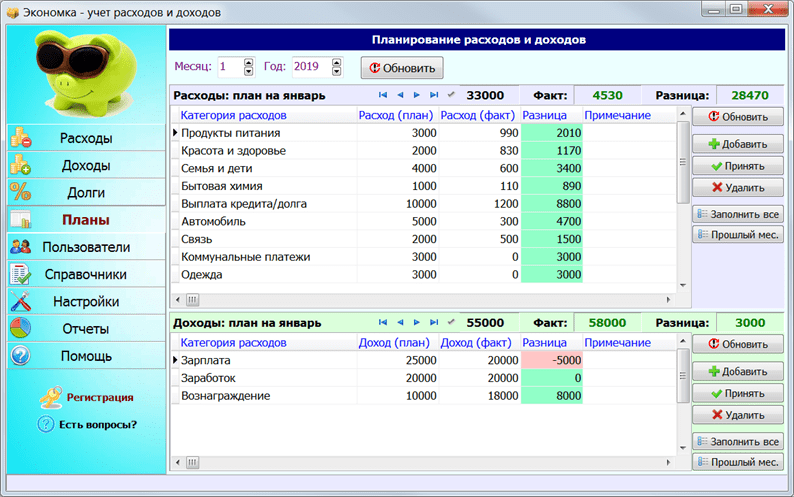
For those new to personal finance, it is important that the program they are going to use combines two qualities – simplicity and functionality. These are the characteristics the Housekeeper possesses.
Advantages:
- The program has a clear logic – all operations related to financial accounting are divided into sections. For example, “expense” includes all expense transactions. The “users” section is responsible for the accounts, and in the “plans” the structure of future expenses and income is set up.
- There is a section responsible for budget planning. You can make plans for the future – a very useful budgeting tool.
- Support for multiple users and unlimited multicurrency accounts.
- Multiplayer mode. You can take care of accounting for finances with the whole family.
- The housekeeper also knows how to work with loans and debts – there is support for monthly payments on loans and a reminder of the delay in the next payment.
- Flexible directories – you can edit and add any number of categories and subcategories. There is also a system of reminders, backups, work from a “flash drive” and much more.
Disadvantages:
- No mobile version. Although they promise that it will appear soon.
- There is no export of reports to Excel.
2 Home finance
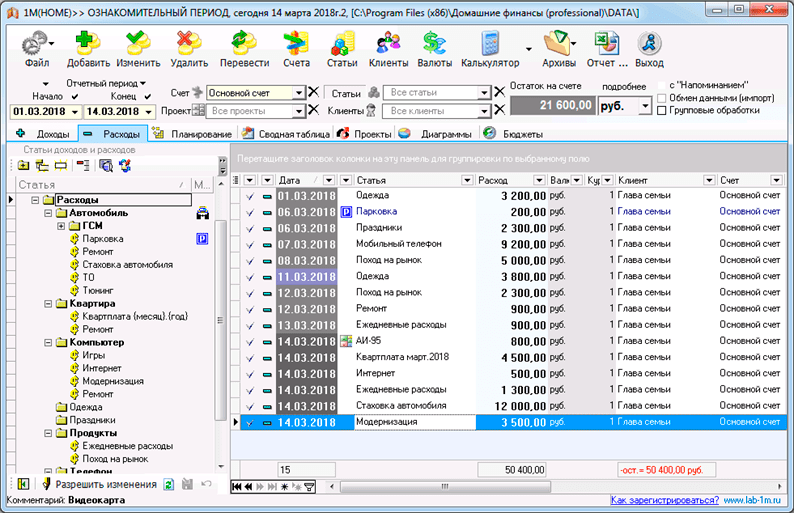
This is a simple financial accounting program. There is a complete set for controlling the family budget. The interface and logic are a bit confusing, but over time you can get used to the features of the application.
Advantages:
- An interesting approach to the formation of directories – the categories of expenses and incomes are taken into account in a single tree-like directory.
- It is possible to use the program for accounting in a small company.
- Users can create posting scenarios (finance movement).
- A powerful built-in diary will be useful for business people.
- There are functions for forecasting and planning.
Disadvantages:
- There is no normal demo base.
- The reporting system can hardly be called simple (the abundance of options is distracting).
- A complex mechanism for adding new elements to the directory.
- The high price of the Home Finance application (the business version costs 800 rubles).
Financial accounting applications that are always at hand
The simplest is the Wallet
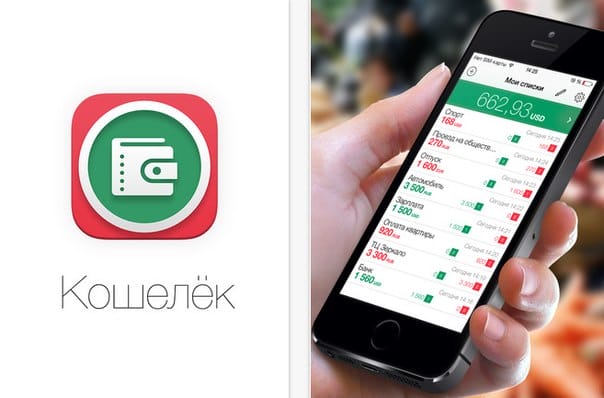
A very simple application, made in a minimalist style. It is convenient and easy to use. If you have money – press “plus” and enter the required amount, spent – select “minus.” The amount in the middle is the total for the current account. You can create any number of such accounts. The program is perfect for beginners.
Pros:
password protection
quick accounting of expenses and income
ability to add photo, audio and location
many categories and lists
clear summary balance
Minuses:
– there is no distribution of funds by day
– no detailed statistics and graphs
– only available on iOS, no version for Android
Supports: iOS
The most caring thing is Zen-Mani
The app will help you plan payments, make a budget and set financial goals. The main difference from others is that it recognizes sms from banks.
Pros:
recognizes SMS messages from banks, while you can enter transactions manually
integrates with electronic money systems like Webmoney and Yandex.Money
can work offline, and download changes when connected to the network
there are categories “I owe” and “I owe”
Minuses:
– does not show the total costs for the current day on the “statistics” tab
Supports: Android, iOS and PC.
Most Advanced – EasyFinance
The service makes it possible to create several accounts, link them to bank cards. Category lists and currency are customizable. Allows you to set financial goals (“apartment”, “car”, “rest”) and control their implementation: the service gives recommendations if you too rarely save money for one of the planned large purchases.
Pros:
automatic synchronization of transactions via SMS
convenient planning of the budget and goals
you can enter the operation offline
there is a tab “loans”
Minuses:
– most useful services are paid
– no multiplayer mode
Supports: iOS, Android
The most intuitive – Where is the Money
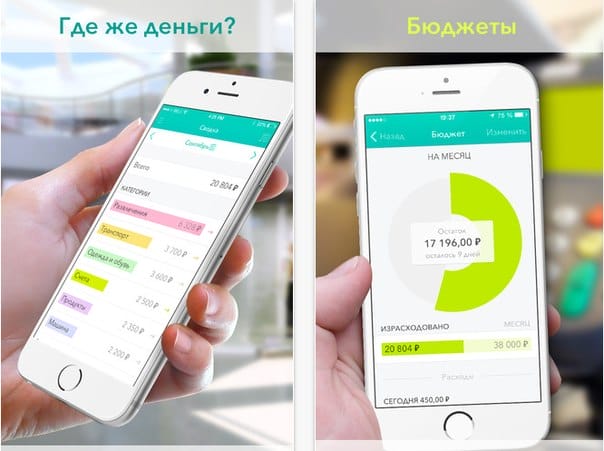
A beautiful animated application, before using it, it offers to familiarize yourself with the demo version of the wallet, which is very convenient for beginners. There are popular categories, but you can create your own.
Pros:
unlimited number of accounts
quick overview of the current period on the summary screen
protection of access to data through a password (support for touch ID)
Minuses:
– full control over the creation of categories and subcategories
Supports: iOS only
Most playful – CoinKeeper
An application for personal finance accounting with large colorful icons, convenient statistics graphs and an intuitive interface. Costs are set up in this way: you need to move a coin on the screen from one field to another. The “automatic budget” function allows the program to calculate the main categories of expenses for the month.
Pros:
you can set reminders for recurring expenses
family access from multiple devices
sends reminder notifications
beautiful statistics, bright and clear diagrams
financial goals help you save up for what you dream of
Minuses:
– the interface seems complicated at first glance
Supports: iOS, Android
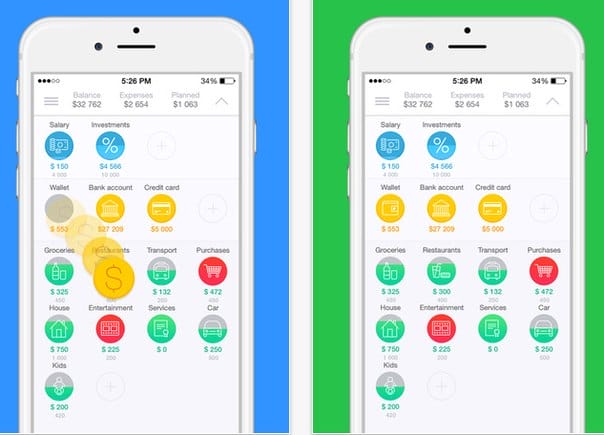
The funniest thing is Toshl
Spending can be tracked by category, which is self-configuring using a tagging system. There is an assistant in the application, a three-eyed alien, he gives rather amusing hints, warning of a possible budget exceeding: “There may not be enough money! Pull yourself together. “
Pros:
reminds you daily that you need to keep a budget at a certain time, which you can set yourself
beautiful graphics, funny characters
supports data export
Minuses:
– registration is required, but it is simple and fast
– tags are entered manually
– many additional features are paid
Supports: iOS, Android, Windows Phone
The most convenient is Budget
The application differs from all others in that it allows you to specify the monthly income and displays the remaining amount for the day, taking into account constant and planned payments. If the amount per day is exceeded, the remaining money is recalculated, respectively, the amount per day is reduced. Very clear. Disciplines to stay within the daily budget.
Pros:
nothing superfluous, the application is not overloaded
it is clear exactly how much is left for the day
you can enter all your monthly expenses, the application will calculate everything automatically
sends reminders
Minuses:
– does not allow you to set the dates of receipt of salaries
Supports: iOS
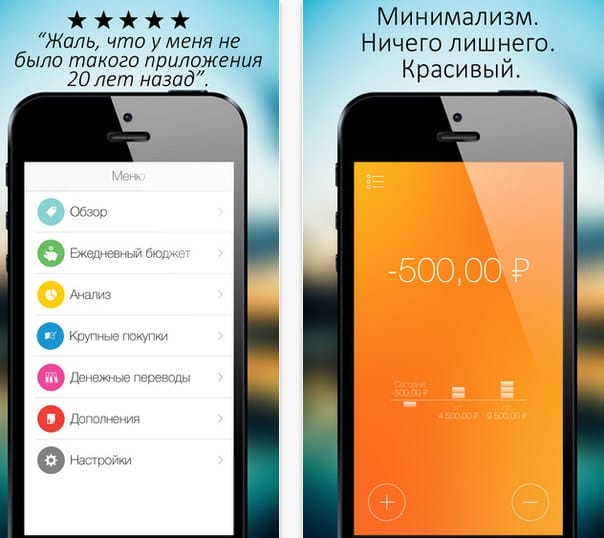
The most visual – M8 – my money
Are you used to spending several hundred rubles a day on various nonsense? Using this application, you will understand that by saving on chocolates, you could buy yourself something more or less worthwhile. Minor expenses add up to a large figure. The pie chart clearly shows what you spend most of your income on: transportation or, for example, food.
Pros:
clear and simple interface
many categories of expenses
Minuses:
– there is no option to specify expenses for the last month
– no income accounting, only expenses
Supports: iOS, Android
Cubux
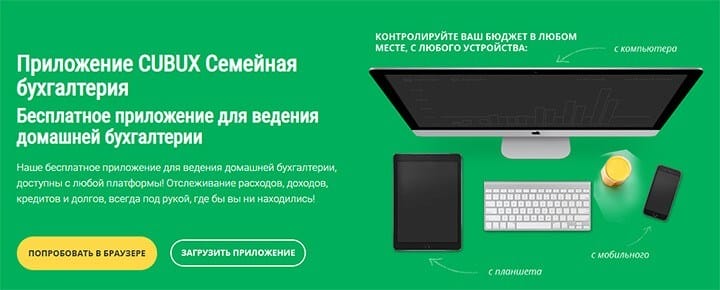
Cubux (www.cubux.net) is a fairly convenient service for managing income, expenses and debts online. Whether you use a gadget or just a computer, the data is synchronized and saved from all devices in one database.
Keeping a common budget for the whole family is quite possible with the help of the function “Joint accounting”. Leaving the store, you can quickly and easily create an expense transaction thanks to the “Multi-consumption” function. The action is performed in three clicks: Account, Category, Date and after entering the amount, the expense is saved.
The report on your finances is reflected monthly in statistics. The section “Debts” will help you not to forget about your debts, as well as about your debtors.
Use the instructions for using the service or contact the technical support service to resolve your issue. Don't worry about the data, you can download it as an Excel file and save it to your computer.
Supported platforms: Windows, IOS, Mac Os, Android.
HomeBank
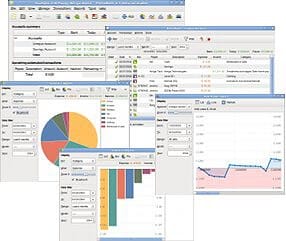
HomeBank (http://homebank.free.fr/) is a completely free application that allows you to organize your home budget – keeping track of expenses and income. A distinctive feature of this program is that it supports data exchange with the Microsoft Money service, as well as Quicken and some other applications. Works using the following formats:
- QIF;
- QFX (OFX);
- CSV.
Features of work :
- the ability to break down expenses and incomes by category;
- data output in the form of diagrams;
- planning for future expenses;
- the ability to create transactions in automatic mode;
- visualization of current operations;
- import of data into certain formats with which the program works.
AbilityCash
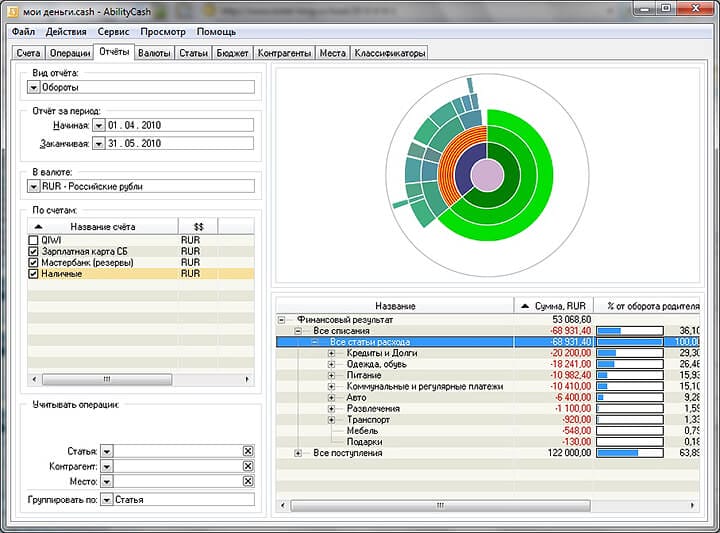
If you decide to download AbilityCash for free (https://dervish.ru/ ), then opening the program for the first time, its interface may seem too simple, uncomplicated and not attracting attention to you, but do not rush to close the newly installed application. If you stay in it for at least 20-30 minutes, you will understand that it is unique and a lot of opportunities open up before you completely free of charge without registration.
With AbilityCash, you can:
- create a variety of accounts without limiting their number and currency;
- work with popular formats. xls and .xml;
- print different versions of reports on paper;
- use some rare languages (Ukrainian and Lithuanian);
- customize the appearance to suit your preferences: add options hidden by default (“price”, “quantity”), use a tree structure with the ability to add an unlimited number of subcategories, make notes and important notes to specific cells.
By default, only the Russian ruble is preinstalled, but you can expand the list of currencies by using up-to-date data from the Central Bank of the Russian Federation website.
Family budget
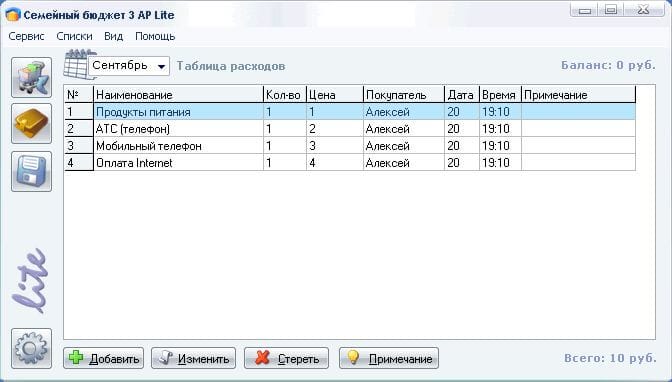
Another program released entirely in Russian (http://www.softportal.com/software-4910-semejnij-byudzshet.html ).
Among the advantages of the Family budget are the following:
- can keep records of income and expenses for several accounts at once;
- the function of auto-selection of categories is available, i.e. starting the entry of a specific product, it will automatically be sorted into a specific category;
- the ability to create a report of 8 points by clicking just one button;
- use of popular formats .bmp, .txt, .xls, .doc;
- printout of reports;
- the ability to use the program by several people at once, and registration is free for each user with the creation of his own username and password, which must be entered when entering.
Family accounting
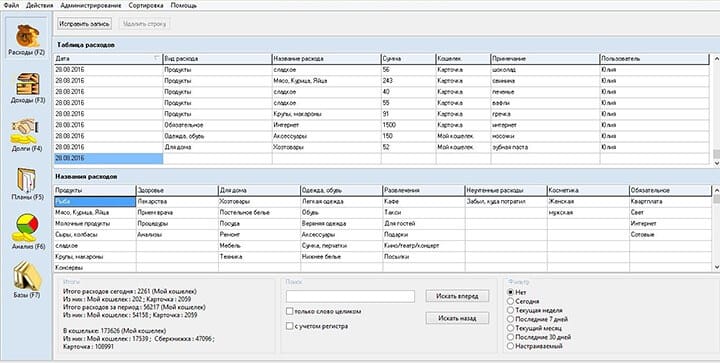
Family accounting (http://myhomesoft.ru/ ), in addition to the standard features for accounting for income and expenses, family budget planning, has some individual features that distinguish the program from its analogues:
- the ability to create multiple accounts.
- not only cost analysis is available, but also their control, i.e. upon reaching a certain maximum set by you, the program will notify you about approaching the mark;
- the ability to account for debt obligations, both your own and those who owe you;
- use of different currencies;
- creating backup copies of the database, which can later be restored or downloaded to Microsoft Excel.
DomEconom
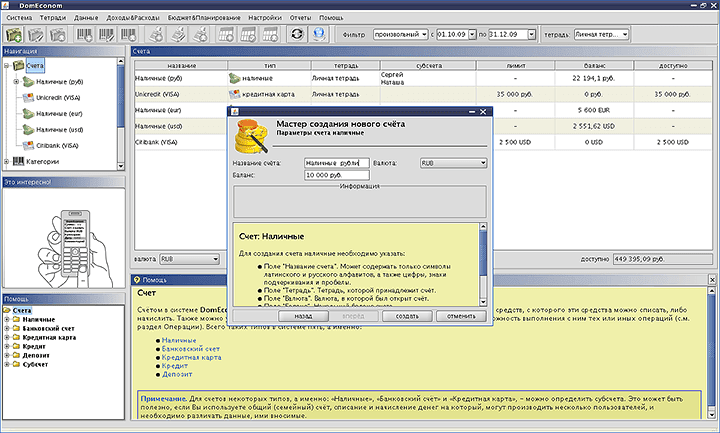
DomEconom (http://www.domeconom.ru/) refers to free programs without registration for home accounting, so it can be downloaded from both the official and any other site.
The program allows you to work on multiple devices at once, and through automatic synchronization.
The functions of this utility are otherwise completely identical to those similar and standard for similar programs (for example, Home Bookkeeping, and other free programs).
What is noteworthy is that the help is quite competently and clearly implemented here, so if you do not know where to start or how to organize work with the utility, then after reading the corresponding section, you can easily figure out the problem.
Your money
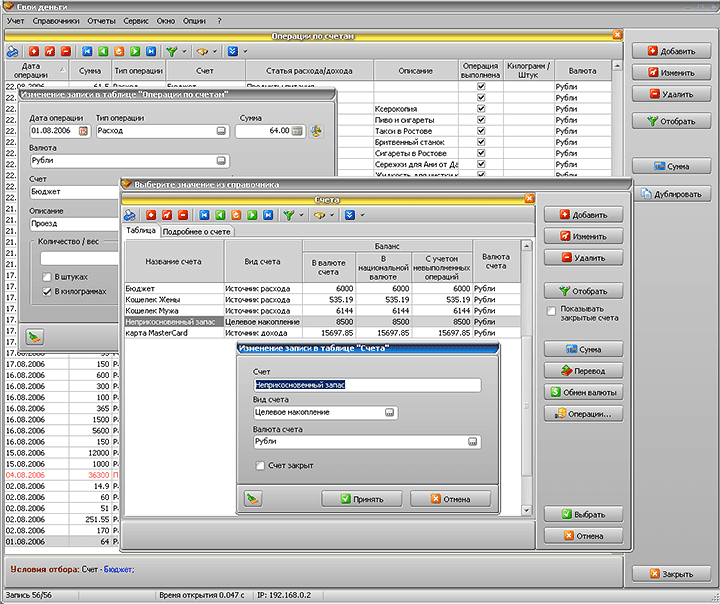
Own Money (http://www.ownmoney.org/) is a completely free application with great features:
- accounting of income, expenses, including those that you plan in the future;
- multicurrency, unlimited number of accounts and accounts;
- tree structure with various sub-items and branches;
- transfer of funds between accounts;
- automatic updating of exchange rates;
- accounting not only for purchases, but also for their weight;
- the ability to schedule some operations in automatic mode, as well as temporarily disable such payment;
- work with counters, as well as accounting for benefits and discounts.
CashFly
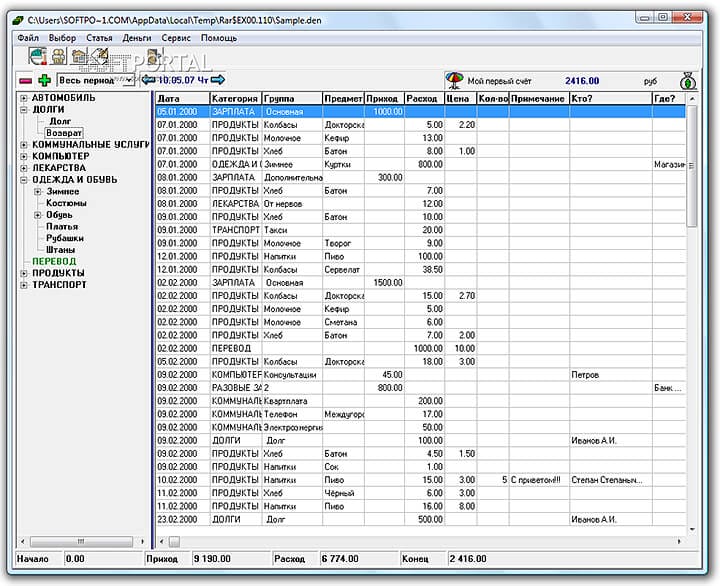
CashFly (http://www.softportal.com/software-1128-cashfly.html) is free home bookkeeping that allows you to calculate complex transactions related to income and expenses for various items. Among the main advantages are:
- the ability to archive data;
- password protection;
- preparation of planned operations;
- construction of graphs and diagrams according to various parameters;
- the ability to print data;
- address book for recording data of individuals and organizations;
- the ability to keep a diary and set up notifications about memorable dates.
Personal Finance
Platforms: Windows, Android, iOS.
Cost: 890 rubles – personal license, 1490 rubles – commercial. Basic functionality is free.
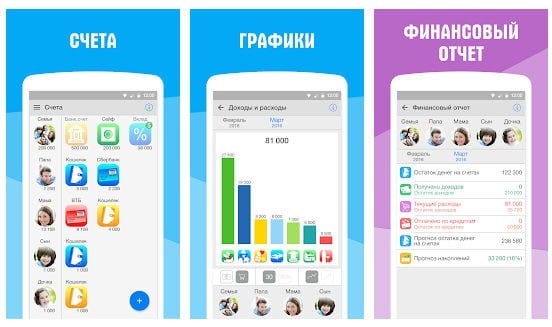
This is a special program for maintaining a family budget, as it allows you to maintain two types of budget: personal and joint (family). You can connect personal accounts of family members to the application and keep records both joint and separate. As a result, it becomes clear who earned how much and who spent how much.
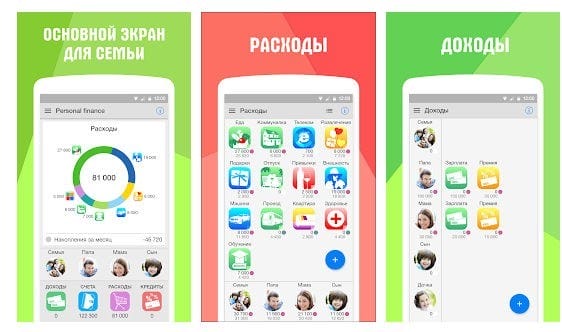
Supports automatic loading of data from bank SMS, you can scan QR codes. All purchases and earnings are divided into categories and subcategories, the number of which is customized by you as needed. More pluses:
- the application is able to predict future expenses and incomes, make up the budget for the next month;
- multicurrency;
- there is a record of debts and loans;
- a lot of graphs and visual diagrams.
There is synchronization with all devices – you can keep personal records on your mobile phone, and general records on your family computer. In general, it is convenient.
Donation
Android
IOS
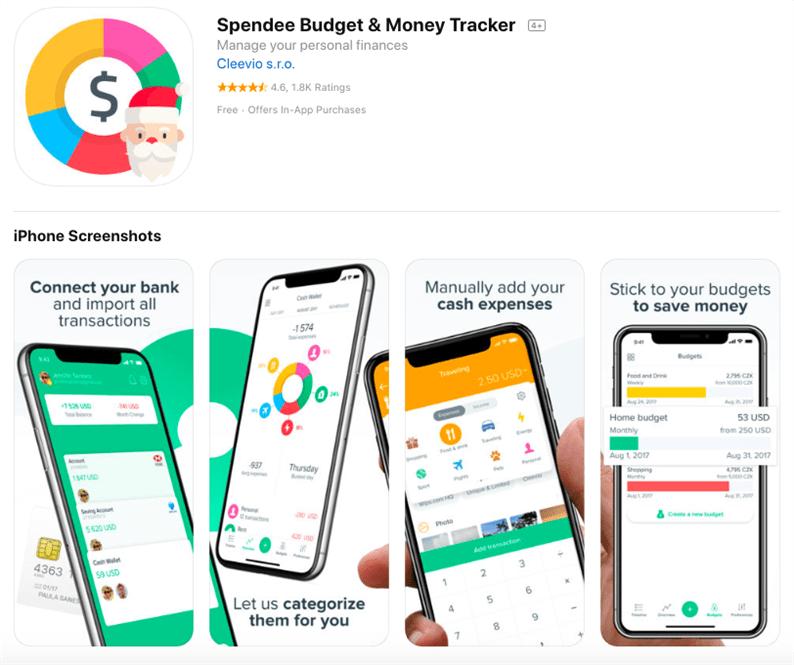
Spendee is a multifunctional personal finance and accountant application that displays expenses in the form of reports and visual charts. The program takes up a couple of tens of megabytes in memory, therefore it is quickly installed and offers a choice of the preferred currency at the time of the first launch.
Application advantages:
-
There is a Russian-language interface.
-
Costs are displayed in handy infographics and diagrams.
-
Income and expenses are marked in different colors according to the configured transaction categories.
-
You can take notes with transactions and attach invoices and receipts in the form of photos.
-
You can customize notifications about planned spending.
Displaying information on costs in a pie chart shows which categories of services and goods are the most costly for the user.
Unfortunately, Spendee does not have functionality for importing receipts and receipts from SMS messages. Another disadvantage is that this is an exclusively postpaid service – there is no way to download a check and pay with a bank card directly from the application.
One of the most important features is the automatic export of expenses by card or bank account. Add them to the application, authorize, and you see the actual data on the withdrawal of funds without manual dialing. This, by the way, is convenient for controlling expenses on the child's card.
The home
Android
IOS
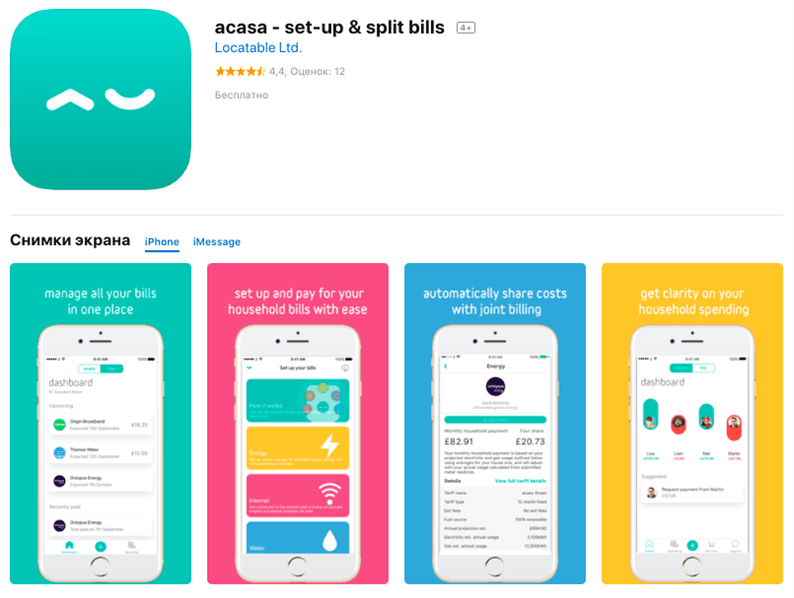
Acasa is a mobile application of the service of the same name for tracking the costs of shared goods or housing. From the very beginning, the UK startup was launched as a convenient platform for those who rent a shared living space with someone or live in a hostel. Basically, the app allows you to understand who has not yet paid their own share for electricity, water, rent or a new air conditioner.
A distinctive feature is the payment of bills directly from the application interface. In addition, you can transfer money to other cohabitants, if it is customary in the house for someone to pay the costs at once.
Acasa takes one of the most uncomfortable moments of cohabitation to a formal level. Each user communicates one-on-one with the service, and no one thinks that he pays for electricity or water alone.
The main disadvantage of Acasa is its narrow specialization. This application does not apply to “universal soldiers” who calculate all your expenses, synchronize data from different banks and prepare calculations on expenses for a specific period. However, in its niche, so far, Acasa is the best.
Bills Monitor
IOS
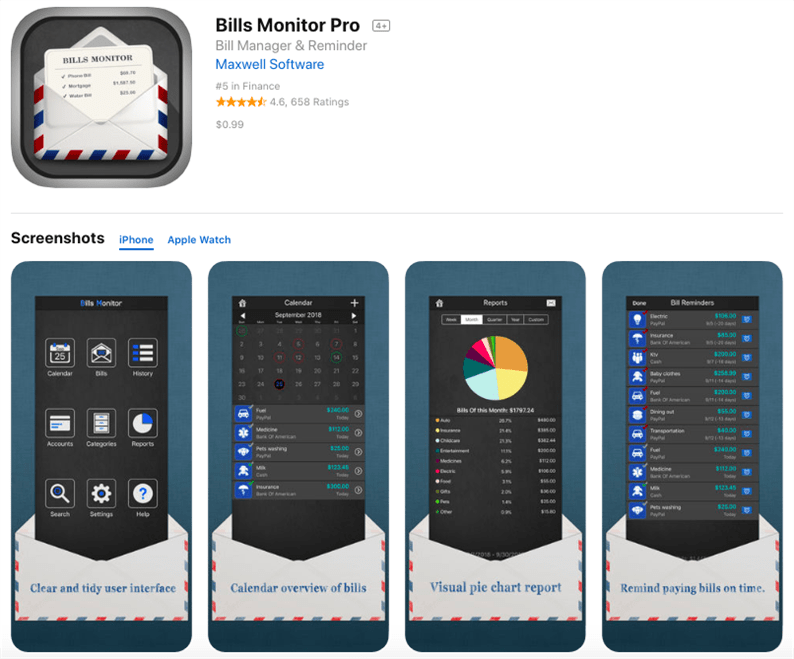
The main task of the Bill's Monitor application is to remind you to pay for any product or service. In addition, the program stores data on already paid invoices in history.
Bills Monitor advantages:
-
Convenient interface with a calendar of planned payments on invoices.
-
The ability to transfer money and pay bills from the application in full or in part (indicate the amount, date, account number).
-
User currency selection.
-
Uploading reports to e-mail in PDF, HTML or CSV format.
Disadvantages:
-
The app is not available in Russian.
-
Limited functionality and the need for manual entry of planned payments.
Thus, this application is useful for people who often miss deadlines for paying bills, but do not need more functionality such as creating reports and charts, synchronizing receipts and attaching different types of cards.
Mobills Budget Planner
Android
IOS
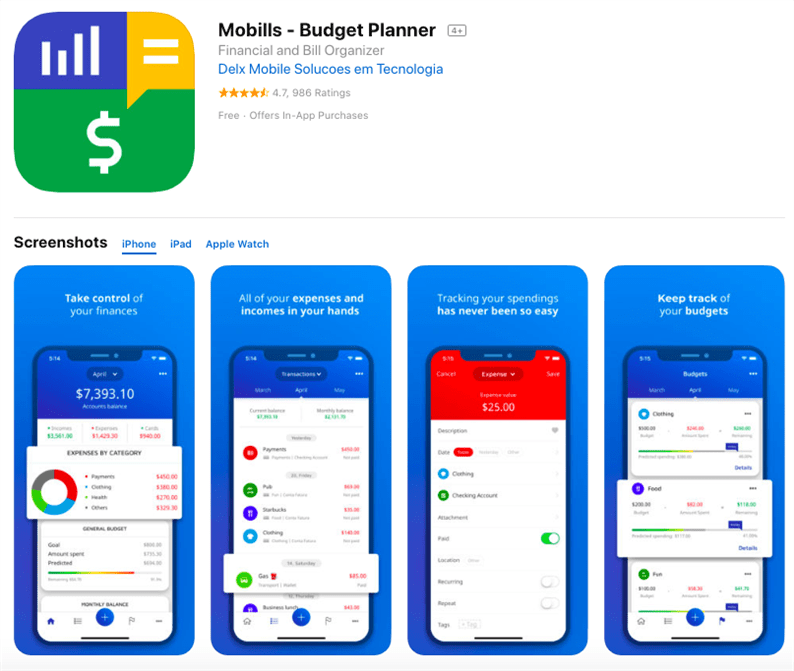
We are talking about a fairly advanced financial manager. Among the shortcomings – the lack of translation into Russian and the need to create a mandatory account with an email link. In general, the Mobills Budget Planner interface is clean and fashionable.
-
You can save data to different services, cloud and memory card to access from any device.
-
The main screen displays all the information you need – account status, charts and reports on transactions, recent notifications and data synchronization options.
-
It is possible to separately attach files and create tags, generate invoices with specific categories.
-
The developers also took care of the widgets and the computer version of the program.
Some users say the lack of detail is a disadvantage of the application. So, in each of the sections, you cannot select a subcategory in order, for example, to accurately divide your utility costs. In addition, the free trial period ends 2 weeks after downloading the Mobills Budget Planner.
Sources used and useful links on the topic: https://www.keepsoft.ru/hbk/lite/windows_hbk_lite.php https://guide-investor.com/finansovaya-gramotnost/programmy-uchet-finansov/ https: // rub21 .ru / text / programmi-dlya-ucheta-finansov.php https://platiza.ru/about/BlogArticle/116 https://equity.today/luchshie-programmy-dlya-domashnej-buxgalterii.html https: // alfainvestor.ru/luchshie-programmy-dlja-ucheta-lichnyh-finansov-top-10/ https://invlab.ru/financy/prilozhenie-dlya-lichnyx-finansov/
Post source: lastici.ru