
TOP-10 File managers for Android: choose the best one for yourself. Five file managers for Android

Content
ES File Explorer
ES File Explorer is perhaps the most popular file manager for Android, equipped with all the necessary functions to manage your files. Completely free and in Russian.
The application provides all the standard functions such as copying, moving, renaming and deleting folders and files. In addition, there is a grouping of media files, work with various locations of internal memory, preview images, built-in tools for working with archives.
And finally, ES Explorer can work with cloud storage (Google Drive, Drobox, OneDrive and others), supports FTP and local network connections. There is also an Android application manager.
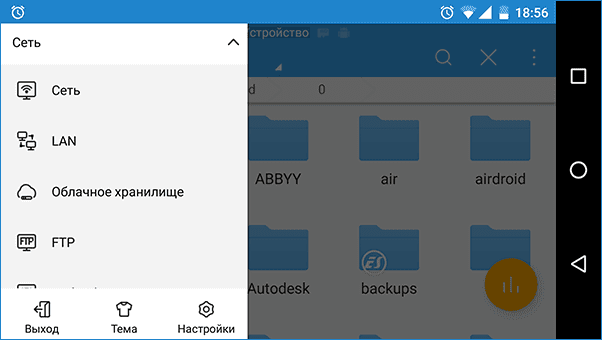
To summarize, ES File Explorer has almost everything you need from an Android file manager. However, it is worth noting that the latest versions of it began to be perceived by users not so unambiguously: pop-up messages are reported, a deterioration of the interface (from the point of view of some users) and other changes that speak in favor of finding another application for these purposes.
X-Plore File Manager
X-Plore is a free (except for some features) and very advanced file manager for Android phones and tablets with wide functionality. Perhaps for some novice users who are accustomed to other applications of this type, it may seem difficult at first, but if you figure it out, you probably don't want to use something else.
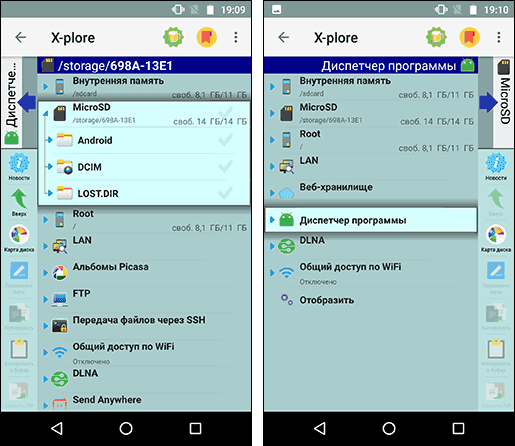
Among the capabilities and features of X-Plore File Manager
- Convenient two-pane interface after mastering
- Root support
- Working with archives Zip, RAR, 7Zip
- Work with DLNA, local network, FTP
- Support for Google cloud storage, Yandex Drive, Cloud mail.ru, OneDrive, Dropbox and others, Send Anywhere file sending service.
- Application control, built-in PDF, image, audio and text viewer
- Ability to transfer files between computer and Android device via Wi-Fi (Wi-Fi Sharing).
- Creation of encrypted folders.
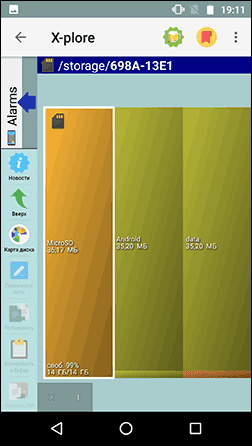
- View disk map (built-in memory, SD card).
Total Commander for Android
The file manager Total Commander is well known to old school and not only Windows users. Its developers also introduced a free file manager for Android of the same name. The Android version of Total Commander is completely free without restrictions, in Russian and has the highest ratings among users.
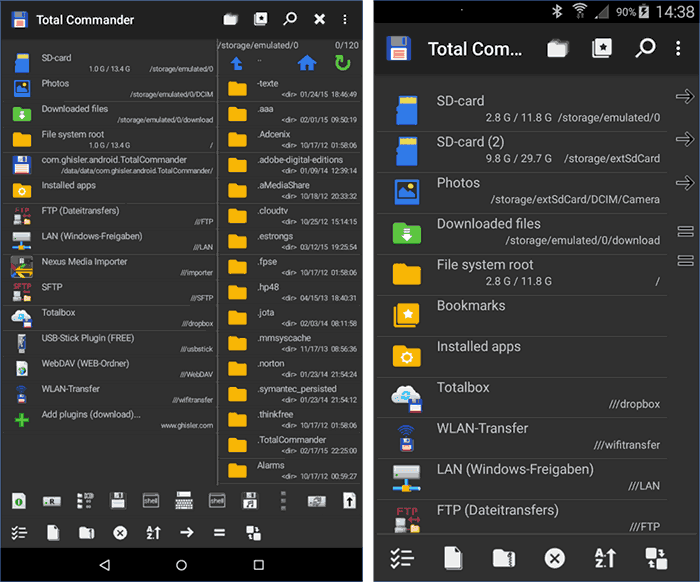
Among the functions available in the file manager (in addition to simple operations on files and folders):
- Two panel interface
- Root access to the file system (if you have rights)
- Plugin support for access to USB flash drives, LAN, FTP, WebDAV
- Image thumbnails
- Built-in archiver
- Sending files via Bluetooth
- Android Application Management
And this is not a complete list of possibilities. In short: most likely, in Total Commander for Android you will find almost everything you might need from a file manager.
Amaze File Manager
Many of the users who abandoned ES Explorer left the best comments in their reviews of Amaze File Manager (which is a bit strange, since there are fewer functions in Amaze). This file manager is really good: simple, beautiful, concise, fast, Russian and free to use.
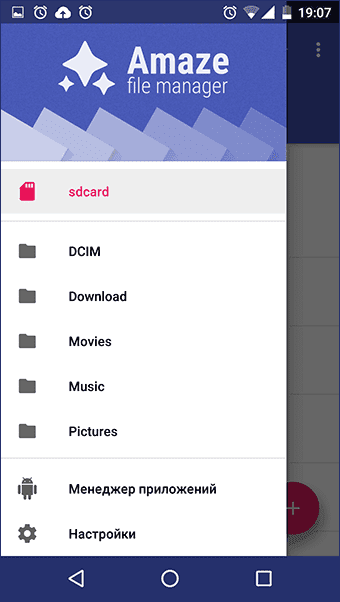
What's with the functions:
- All the necessary functions for working with files and folders
- Support for themes
- Working with multiple panels
- Application manager
- Root access to files if you have rights on your phone or tablet.
Cabinet
The free Cabinet file manager is still in beta (but available for download from the Play Store, in Russian), but already at the current time it has and performs all the necessary functions for working with files and folders on Android. The only negative phenomenon noted by users is that during some actions it can slow down.
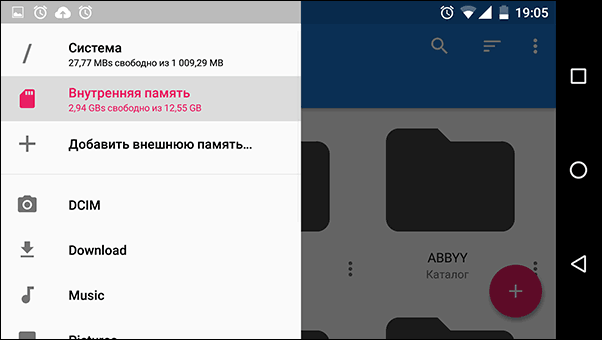
Among the functions (not counting, in fact, working with files and folders): root access, archiving (zip) support for plugins, a very simple and convenient interface in the style of Material Design. A little, yes, on the other hand, nothing superfluous and works.
Google Manager
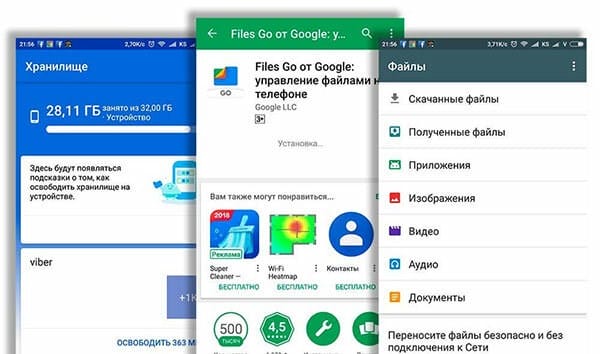
Google's own app, Files by Google, has several features that make it more useful than other file managers. In addition to the standard function of locating, renaming, deleting or moving data, the Files app also has a section that can help you remove duplicate or unnecessary files that are taking up valuable space.
If Google Photos is used to back up photos and videos, the app will tell the user which ones can be safely removed from the device, and there are cleaning functions for popular apps like WhatsApp. Useful when you are using a device with little built-in memory.
Using Files by Google, you can also quickly share files with other users of the application, even without access to the Internet.
File Manager ZenUI
Many smartphone manufacturers strive to equip their gadgets with proprietary software. ASUS software division produces quite decent applications that appeal not only to fans of this brand. Their file manager attracts first of all with a pleasant modern interface and speed of work. However, under the beautiful shell is a rather powerful program that can copy, move, create files and folders, manage cloud storage, work with archives, analyze memory usage and much more.
MiXplorer
And for sweetness, we have one of the best file managers for Android, which, however, you will not find in the Google Play store. When creating this program, the developer took the regular MIUI operating system conductor as a sample. Therefore, with the appearance of MiXplorer, as you know, everything is in order.
From the point of view of functionality, the program also did not disappoint. Even a cursory enumeration of all the features of MiXplorer would take up a lot of space, so we will limit ourselves to the statement that you are unlikely to ever encounter a task in ordinary life that this file manager could not cope with. And in conclusion, we want to inform you that MiXplorer does not contain ads, is free and, according to the developer, will always remain free.
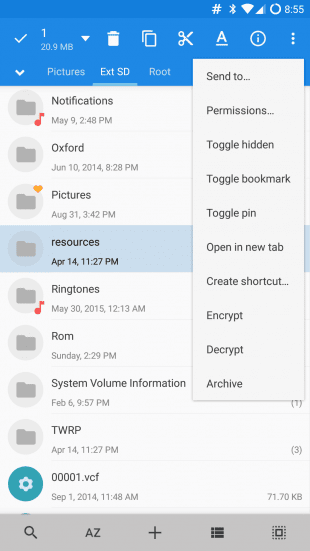
Amaze FM
This File Manager continues the current rating among the best and most demanded file managers for devices running the Android operating system.
A relatively new application that turned out to be surprisingly good, useful and functional. Available free of charge.
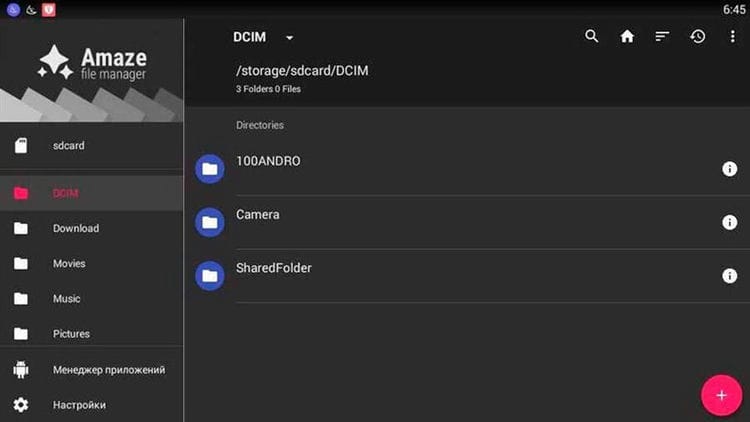
The software is characterized by open source code. It already has a modern and nice interface. An excellent option for those who mainly use conductors for viewing.
The development managed to combine the most useful and necessary functionality of the file manager, but at the same time it does not take up much space on the devices.
The app itself is completely free. But you can help the developers. All you need to do is make a purchase directly in the app.
Astro
Oddly enough, but in the top among the best conductors for the mobile operating system Android also got almost the oldest file manager that can only be found on the Internet.
Astro's story is quite interesting and rich. Dizzying successes were followed by offensive falls. But Astro was always revived and continued to enjoy well-deserved popularity.
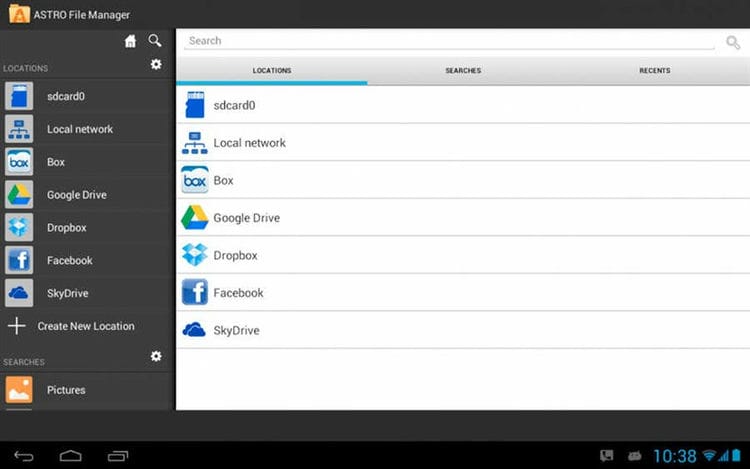
If you do not like such classics as Total Commander or X-Plore, then Astro will be a great alternative. Among the main features, it is worth highlighting the following:
- support for working with memory cards;
- cloud storage support;
- the ability to compress files;
- application control mode;
- unpacking RAR and ZIP archives.
It is also important to note the simple, but very clear interface. And here he is very, very cute. The beginning of the 90s of the last century and does not smell.
The application is distributed free of charge. Plus, the user will not see any advertising inside when working with the program.
Asus FM
Is it any wonder that in 2020 the smartphone manufacturers themselves are starting to release their own programs and applications.
So Asus has presented its own file manager, not really bothering with the name. It's just Asus File Manager. Sometimes you come across the concept of File Explorer.
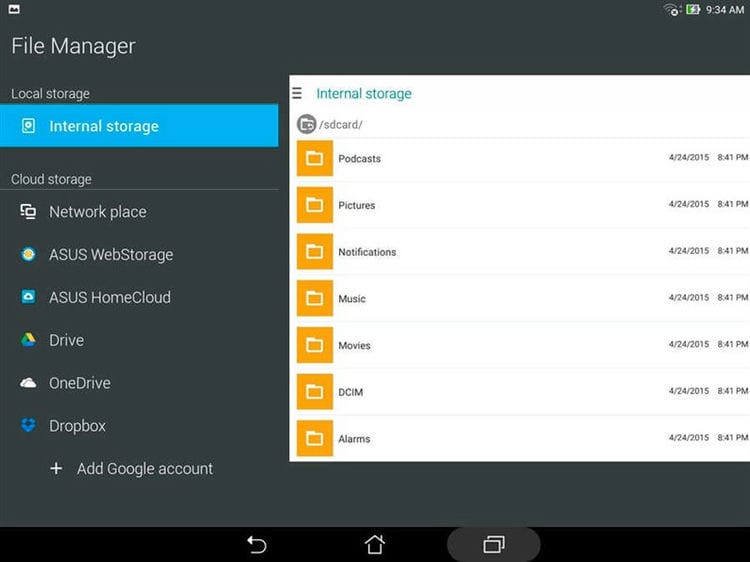
Perhaps, nothing better than the same Total Commander for beginners in the field of software development will not be able to do it. But one cannot deny the fact that the Asus conductor turned out to be very interesting and of high quality.
The user is greeted by a simple and intuitive interface. There is support here:
- cloud storage;
- a wide list of file types;
- LAN;
- SMB;
- archiving, etc.
The application is completely and completely free. There are no shopping opportunities inside either. Obviously, Asus is not just trying to make money with this manager.
There are drawbacks, but they are insignificant for many users. Here we are talking about the absent root access, as well as the fact that the developer decided to place several ad units. Here is the answer to the question of how Asus is going to profit from its free file manager.
MiXplorer Silver
One of the three file managers in this rating, for the use of which you have to pay.
This is also the newest development in its category, if we take into account the rating in question.
As for the possibilities, they turned out to be very extensive. Here we can highlight:
- viewing files of different formats;
- work with cloud storage;
- HTML viewing;
- ePub;
- MobiPlacket;
- reading PDF files;
- data encryption and much more.
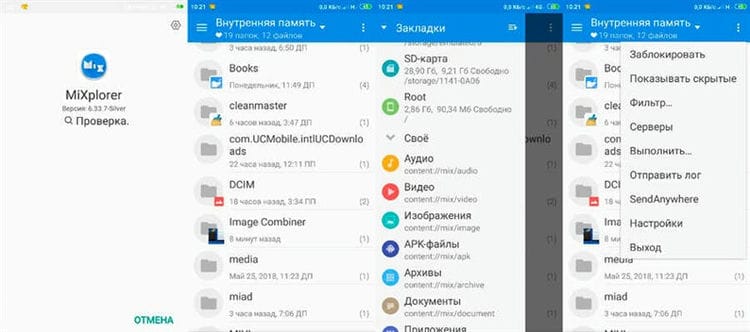
The developers offer a wide range of plugins that can take the level of functionality to incredible heights. For example, to get support for archiving, you just need to install the required plugin.
There is no free version. But there is an opportunity to download and test the manager in work during the trial period. If you like it, which is very likely, then the purchase of the program will cost 350 rubles.
Yes, some will say that there are excellent free counterparts. And in many ways they will be right. But the features that a paid file manager have are not even available for advanced free programs. Here, a lot depends on what functionality is required for a particular user.
FX File Explorer
FX File Explorer has been around since 2012. The app is available in the Play Store for free, not only has great file and app management features, but also a very attractive design. Contains a built-in text editor, media player and image viewer. For a small fee, you can upgrade to the Plus version and unblock the transfer of files to other devices.
Benefits:
- split screen mode;
- high-quality friendly interface;
- uses material design recommended by Google;
- supports many formats, including archives;
- root access.
Disadvantages:
- remote access and cloud storage by subscription only.
The Android version has all the functionality necessary for Explorer – create, rename, copy, compress or unpack .zip, .gzip, .tar, etc. For bulk copying or comparing directories, a split screen mode is provided. Not all Android browsers offer this view, which raises the FX File Explorer rating in the Play Store tops. Depending on the contents of the folder, the following view modes are available: grid, table, list and thumbnails, as well as sorting alphabetically or by date. There is a built-in full-text search based on freely configurable criteria such as storage location, file type, data or size.
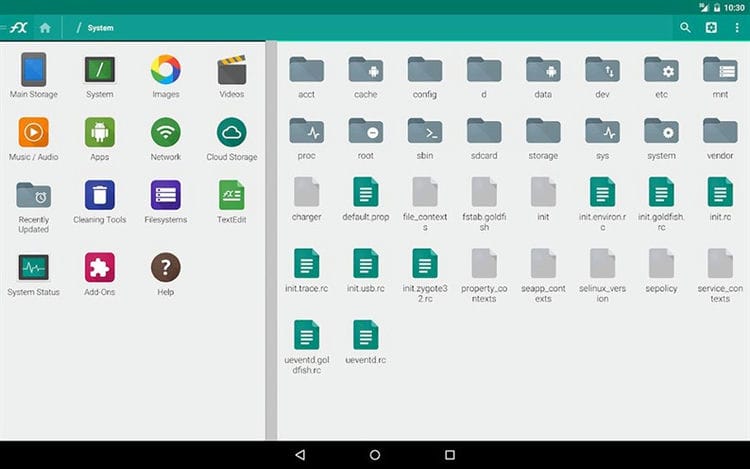
To sync FX File Explorer with Google Drive, Dropbox, SugarSync or ownCloud cloud services, you need to purchase a subscription. Provides remote access via SSH, FTP, HTTPS or the WebDAV web interface, which is not available in the free version. All “chips” of the Plus version of the function can be tested for free for 7 days.
MK Explorer
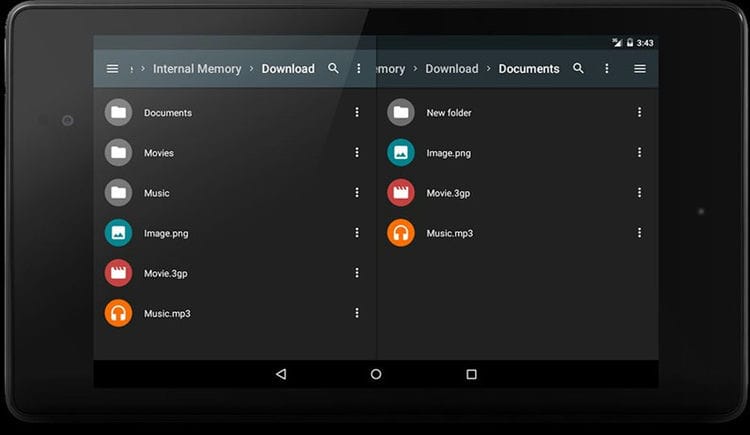
Another simple file manager with an attractive interface. Has all the basic functions of a good explorer, including split screen, search, archiver, root, SD card support and more. Besides the file manager, there is also a built-in gallery, audio player and text editor for viewing all your documents in one program. There is support for hot keys.
Root Explorer
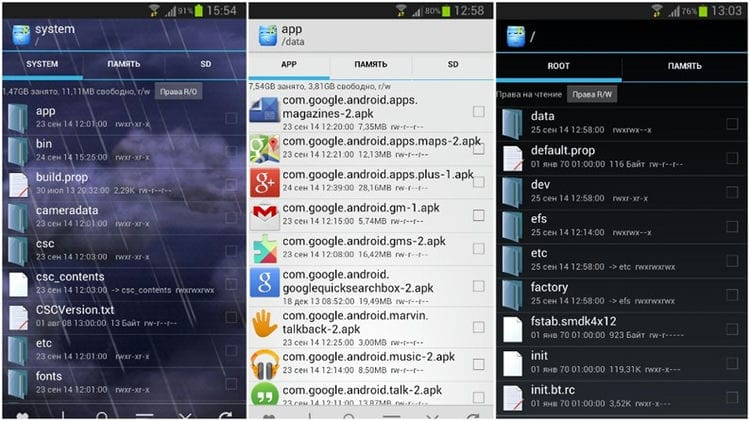
Root Explorer has long been popular with root users. It is not the most up-to-date application, but it is updated frequently. These updates include a new interface, new features and stability improvements. With this manager you will have root access to the partition (if your smartphone is rooted), which allows you to do whatever you want. The app has tools like a binary XML viewer, the ability to change the owner and groups of a file, MD5 support, and more.
Solid Explorer
Solid Explorer is gaining popularity and it's clear why. It has a Material Design interface, cloud support, Roo access, FTP, SFTP, WebDav, SMB and CIFS support, archiving and compression support, Chromecast support, and even themes. This is the absolute leader in the number of functions that can only be in a file manager. You can try it for free for two weeks. Then you have to pay 99 rubles. I recommend this manager first of all. I think it is the best for Android.
File Expert
One of the rare file browsers that provide the ability to view the contents of the built-in memory in the form of a tree. At the same time, there is a full-fledged player that allows you to refuse to launch other applications for the sake of viewing or listening to media files.
And this is just one of the advantages of File Expert! It also has a built-in SQLite database editor. All sorts of protocols are supported here, allowing you to view the file system of a remote server. For example, you can even watch videos using FTP and SMB!
This file manager also contains such a simple thing as a text editor. It can save and open files with the extensions .conf, .config, .log and many others. Another interesting feature of this “guide” is the presence of a shredder.
This function allows you to delete a file and overwrite it – recovery after that becomes impossible. Of course, there is also support for cloud storage – including almost all of the most popular. And if you subscribe to the appropriate subscription, you will receive 10 TB of space in GCloud.
Surprisingly, we haven't listed even half of File Expert's features! This must be one of the best guides. But you will have to pay for all the functionality – this will scare off some smartphone owners.
Root Browser
A free explorer for Android called Root Browser should be downloaded only by those who have root rights. This file manager is designed to give you access to hidden sections of the file system. You need to be extremely careful – deleting some important files can damage the operating system and “scorch” the device!
Unlike other browsers, Root Browser can be called a professional application. It even has the ability to execute script files! Of course, the utility is able to work with archives of different formats – it can even unpack an APKS file.
You can change access rights for any folders and files using the Root Browser. There is also a SQLite explorer here. Almost any file can be edited, and they can be sorted not only by name, but also by date.
In general, the application evokes only positive emotions. However, you should remember that it is tailored only for viewing the file system of a smartphone or memory card. There is no way to connect to cloud storage and carry out other similar actions. But if you have root access, then in any case you need to install this file manager.
Material Files
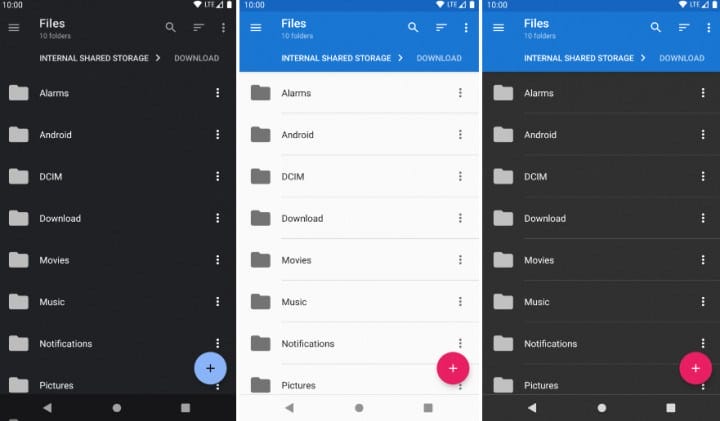
This manager is based on open source code, which can be important for those who are worried about their security. He has a very laconic interface, made in full accordance with the canons of Material Design with convenient controls and navigation. There are two skins: dark and light, and custom colors can be customized.
External simplicity, however, does not affect functionality at all. In terms of the set of functions, it has everything a full-fledged file manager needs: file cataloging and management, built-in archiver, root support, FTP access and much more.
The application is distributed free of charge and does not contain ads.
File Manager HD

File Manager HD
Another laconic name. True, already from other developers and with a small addition in the form of “HD”. You shouldn't think for a long time why exactly these letters – it is said about the quality, but it is here for all 5 with a plus.
Of course, it also supports such functions as communication with cloud storage or working with archives of different formats, and all the standard options necessary for a manager: sorting documents, renaming them, deleting, transferring, moving …
But this is not the highlight of the application. After all, it's not for nothing that high quality was indicated in the title? The “HD File Manager” is one of the few representatives of its kind that can display widgets on the workspace.
That is, a mini-version of the program will appear on your screen, with which you can launch it, whip up the most necessary functions or follow the process of unpacking or moving. And this is very convenient.
The program is paid, very convenient and relatively inexpensive, in addition to this functionality, it has support for many languages and the ability to view files in its own player.
But very few applications can boast of such a set of functions, options and plugins, and all this does not take up much space and does not give a malfunction.
File Manager от Cheetah Mobile
Interestingly, there is the usual File Manager, which is most often installed on phones by default. Most likely, File Manager will be your first file manager.
But the File Manager from Cheetah Mobile is very different from the standard File Explorer.
And it also differs quite strongly from all the similar programs described above.
At the same time, up to one of the latest updates, the File Manager from Cheetah Mobile was a standard explorer, in which a minimum of functions were collected.
Today, this program is a very functional explorer, which is pleasant to install and which is pleasant to use.
File Manager appearance by Cheetah Mobile
The differences lie in appearance. The main screen contains a library of categories, where all files are distributed.
Search for files is available, and this applies both to the shared library and to individual folders.
There is a slide-out panel on the left side, which presents the same file library and the “Shortcuts” section.
It's worth noting that everything here is very conveniently divided into categories. In the library, for example, there is a folder called “New files”, where everything that was last in the phone's memory is presented.
There is also a folder “apk files”, where the installation files are collected.
There is a section called “Bookmarks”. The user can independently enter his favorite folders and files into it.
There are, of course, many additional elements as well. All of them are placed in a separate section.
Among them is a memory analyzer and checking the so-called garbage files, that is, those that are not needed, but only clutter up the memory.
Most importantly, archive files are supported, that is, those with the .zip and .rar extensions. The settings in this file manager are also very convenient.
In general, everything is created, as they say, for people.
Outcomes
So, above we examined 6 file managers that are very popular among users from all over the world.
They are most often written about by users on social networks, on forums and they have the highest rating on Google Play.
Of course, all of them have certain problems and shortcomings, but this does not prevent them from occupying very high positions in the ratings of “audience sympathy”.
What is the best manager?
The subtotals are as follows:
- In favor of ES File Explorer, the absence of advertising and payment for the program's services, as well as reliability in work, proven over the years.
- Many people like X-plore File Manager for its well-designed two-window mode. In principle, otherwise it is the most common conductor.
- Total Commander is intended for advanced users only, beginners can simply get confused by such a variety of functions. On the other hand, if you figure it all out, Total Commander simply cannot be exchanged for anything else.
- Solid Explorer contains all the most basic and necessary for working with files. File Manager by
- Cheetah Mobile will appeal to those who want everything to be sorted and structured. Otherwise, it is also a normal conductor.
- Finally, ASTRO File Manager also boasts a friendly interface, beautiful design and the ability to create installation files (in other managers it is also there, but here it is much better worked out).
And the bottom line from all this is this: most often users in their comments mentioned ES File Explorer. And the main reason for its unchanged popularity over the years is its reliability.
This program very rarely crashes.
Therefore, the yellow jersey of the leader today goes to ES File Explorer. Although, if you have time to figure out the functionality, try Total Commander.
If everything works out, you definitely won't trade it for something else!
For more information on our today's winners, check out the video below. There is also the opinion of one of the users about which one is better.
Sources used and useful links on the topic: https://remontka.pro/android-file-managers/ https://zen.yandex.ru/media/softgayd/luchshie-failovye-menedjery-dlia-android-5c6e8724acf80d00b2277617 https: / /Lifehacker.ru/alternatives-es-file-explorer/ https://nastroyvse.ru/opersys/android/kakoj-provodnik-luchshe-dlya-android.html https://protabletpc.ru/programs/luchshiy-provodnik- fayl-menedzher-dlya-android.html https://xpcom.ru/luchshiy-faylovyy-menedzher-dlya-android.html https://SmartBobr.ru/programmy/fajlovyj-menedzher/ https://pdalife.info/ luchshie-faylovyie-menedjeryi-dlya-android-2020-6753p.html https://geekhacker.ru/top-10-fajlovyh-menedzherov-dlya-android/ http://geek-nose.com/luchshij-fajlovyj-menedzher-dlya-android/
Post source: lastici.ru