
Do you need antiviruses on Mac or not? About wormy apples. Do i need an antivirus program for mac os x?

Does MacBook need antivirus software installed?
Macs are not immune to viruses, but they also don't target intruders. The platform simply does not have a large enough user base to allow attackers to customize special attack packages for the unique features of the operating system.
The Unix-based macOS operating system fundamentally differs from Windows in several ways, which means that any attacker hoping to infect Mac computers will have to create their own code specifically targeting the operating system.
In addition, macOS operates in an isolated environment, making it difficult for erroneous programs to take control of your system.
Due to its smaller market share and incompatible software environment, Mac does not require antivirus software, as is vital for Windows computers.
Important! Any computer running Windows needs a well thought out and updated antivirus software.
The above does not apply to devices running macOS. But then again, if the Mac were more popular, it's more likely that such devices would need reliable antivirus software.
Is Mac Vulnerable to Hacking and Other Attacks?

While Macs do not require antivirus software, they are still vulnerable to other attack vectors. Other attack vectors include email-based phishing attacks or browser-based cross-site scripting or man-in-the-middle attacks. And Potentially Unwanted Programs (PUPs) like Mac Defender are voluntarily installed by the user, but include malicious features and cannot be easily removed. Mac users are not immune to threats from the Internet, and still need to be wary of viruses entering their devices.
Are there viruses on Mac devices?

If you are a Mac user, this does not mean that hacker attacks will not affect your device and personal data.
Back in 2014, a hacker was able to create a botnet of about 20,000 bits with iWorm malware.
In 2012, the Java Flashback vulnerability affected more than 500,000 Mac computers, prompting Apple to publish a security update to OS X Lion to fix the vulnerability.
More recently, encryption malware known as KeRanger has been distributed inside the popular BitTorrent client for macOS. And according to Malwarebytes, malware on Macs increased 230% in 2017 over 2016.
Macs can certainly get viruses, and Mac-specific viruses and malware do exist. They are much less common than on Windows devices.
How you can reduce your risk of infection
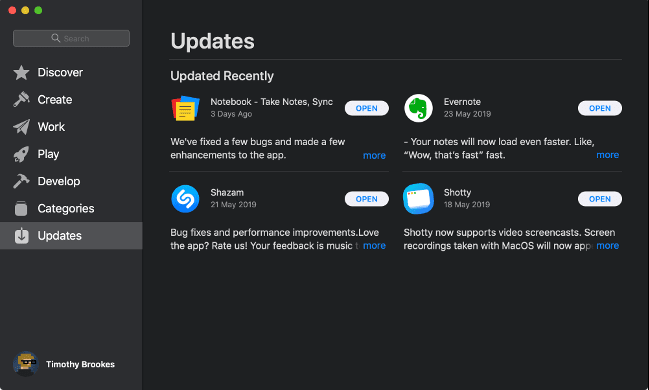
The single best thing you can do to protect your Mac from security vulnerabilities is to keep it up to date. Apple responds to security vulnerabilities with small security fixes and larger OS updates. To do this, go to “System Preferences> Software Update” to check for updates. It's best if you set your Mac to automatically install updates.
Installing software from unknown sources can also lead to infection. For best results, use only software that is either from the Mac App Store or signed with a legitimate developer certificate.
As mentioned above, even if you do this, the system is not completely protected, but it provides a good level of security. If you need to install an unsigned app, be sure to download it from a trusted source. Some Mac app installers include unwanted software, just like they do on Windows.
Adobe Flash is another source of malware and browser exploits. If you don't use it a lot, remove it from your system. Most websites have already stopped working with Flash and will disappear by the end of 2020. If you really have to use it, install Google Chrome and enable the sandboxed version of Flash.
Public unsecured wireless networks also pose a security and privacy threat. Man-in-the-middle attacks happen through public access points, and they can allow someone to monitor your traffic. If you must use an unsecured public network, do so through a VPN.
Finally, for added protection, you can install antivirus or antivirus software to monitor your system. Although this is an odd decision, the author tastes
How macOS protects your computer
Your Mac has many built-in security features to keep you safe. The basis of macOS (formerly Mac OS X) is Unix. It is the same operating system that BSD and Linux known to many were built on, and has earned a reputation for reliability and security thanks to its robust permission system.
Each Mac uses a set of proprietary technologies to keep the platform secure. It may surprise you that the Mac – in fact – runs an antivirus scanner in the background called Xprotect.
That is, whenever you open a file on your Mac, Xprotect scans and checks it for known macOS malware definitions. If he finds something suspicious, you will see a warning that the file is nasty, harmful and in general. By the way, when your Mac installs system updates, it also updates the malware definitions.
Another technology called Gatekeeper tries to prevent unknown applications from causing harm. By default, macOS blocks all software that is not signed by an Apple-issued developer certificate or downloaded from the Mac App Store.
Yes, not all unsigned applications are harmful. Developers who create free open source applications often cannot “justify” the $ 99 required to sign in to the Apple Developer Program and issue certificates. To bypass Gatekeeper, go to System Preferences> Security & Privacy and click Open Anyway after trying to open an unsigned application.
To prevent signed apps and apps distributed through the Mac App Store from damaging the operating system, Apple uses sandboxing. The sandbox provides the application with everything it needs to complete its task and nothing else. When you run an application in the sandbox, you restrict its capabilities and grant additional permissions based on input.
Finally, System Integrity Protection (SIP) protects some of the most vulnerable parts of your system, including the main system directories. Apple limits any potential damage from rogue software because it prevents apps from accessing these areas.
SIP also protects preinstalled apps like Finder and Safari from injecting code that could change how those apps work. If you restart your Mac and run a terminal command, you can disable SIP, but most people don't need to. Even for optimization
Never Think Your Mac Is Safe
Even if you use every security measure available to you, you should never assume that your Mac is secure. No operating system or piece of hardware is immune to attacks. Vulnerabilities can appear overnight without warning. Any system. Everywhere. And the more the risk, the more popular it is.
Determine if your Mac is infected with viruses
Never tried to slow down a Mac in casual use. If I ship with software, yes. Otherwise, no. If you are faced with something like this, you have caught a virus. Pay attention to the programs above or by running to the specialist.
Some viruses are created not for harm, but for earning money. Such people place ads in macOS places that are not intended for this – suspicious windows on top of everything, intrusive offers on YouTube and websites.
Your friends on social networks, instant messengers and e-mail will be an indicator of a Mac virus infection. If you are asked about strange messages that come from your mailbox, a “worm” has wound up in the “apple”.
Apps that work with malicious code take longer to open. They are often tied to browsers – tools for networking, shopping, and so on. If you noticed something was wrong – sound the alarm.
But there are viruses that are smarter than users. They sit in the bowels of the OS and do the dirty work of gathering information and so on. No special funds will not understand that the computer is infected and continue to lose data.
The case of a third-party antivirus. History
All of these security features help keep your Mac safe from attacks, but no platform is immune (as mentioned at the beginning of this article). New instances of macOS malware are discovered every year. Many of them are breaking through Apple's defenses by design, or they are exploiting a zero-day vulnerability that Apple was unable to fix.
In June 2019, OSX / CrescentCore was discovered, which is a disk image of the Adobe Flash Player installer. The malware installed an application called Advanced Mac Cleaner, LaunchAgent or Safari extension, checked antivirus software, and then used unprotected computers. OSX / CrescentCore was signed with a developer certificate, so it infected machines days before Apple caught it.
A month earlier, malware known as OSX / Linker took advantage of a zero-day flaw in Gatekeeper. Since Apple did not patch the security vulnerability when it was first reported earlier this year, OSX / Linker eluded Gatekeeper.
By the way, hardware is another weakness in the chain. In early 2018, it was discovered that nearly every processor sold in the past two decades suffered from serious security flaws. These flaws have come to be known as “Specter and Meltdown” – and yes, your Mac has probably suffered. The flaws can allow attackers to gain access to data in parts of the system that are considered protected.
Apple eventually patched macOS to protect against Specter and Meltdown. Exploits require you to download and run malicious software in order for it to do any harm, and there is no evidence that any Mac owners were directly affected. Specter and Meltdown highlight the fact that even hardware outside of Apple's control can pose serious security threats.
In 2016, OSX / Keydnap infected the popular BitTorrent Transmission client. He tried to steal login credentials from the system keychain and create a backdoor for future access to the system. This was the second handover incident in five months. Again, since the infected version was signed by a legitimate certificate, the Gatekeeper did not intercept it.
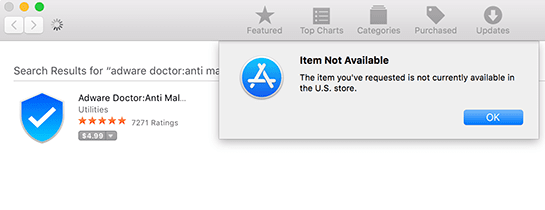
While the Mac App Store hopes to catch any unscrupulous apps, Apple tested several malware in 2017. Applications such as Adware Doctor, Open Any Files, and Dr. Cleaner are marketed as legitimate antivirus programs. However, they sent information – including browsing history and current processes – to servers in China.
Because Gatekeeper implicitly trusts the Mac App Store, the software was installed without further verification. Such an application cannot do too much damage at the system level thanks to Apple's sandboxing rules, but stolen information is still a major security breach.
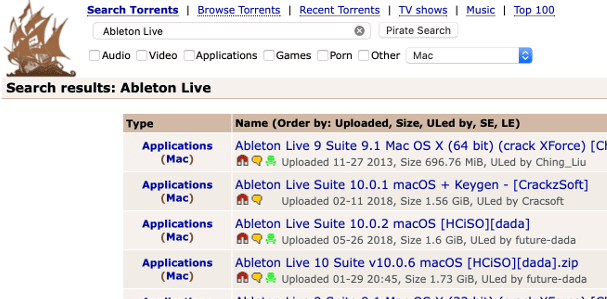
In August 2018, LoudMiner was found in pirated copies of VST (Virtual Studio Technology) and Ableton Live 10 plugins. LoudMiner installs virtualization software that runs a Linux virtual machine and uses system resources to mine cryptocurrency. The exploit affected both Mac and Windows computers.
These are just a few examples of recent macOS security issues. Third-party antivirus software will not be able to catch all of them and will not lead directly to treatment (especially Meltdown and Specter).
What Mac security software should I install?
Let's be clear: Antivirus software is not necessary for your Mac. If you follow the basic “common sense” principles outlined above, the likelihood of infection remains low. Even with antivirus available, your system can fall prey to a new unreported infection. When one Mac is compromised, everyone is compromised, whether or not you are using an antivirus.
That said, if you're more comfortable (safer?) Having an antivirus on your Mac, that's great, and there are a few we recommend.
For the ultimate malware removal tool, try Malwarebytes (yes, we already wrote about it on Windows). With the free version, you can scan your Mac for malware and delete whatever it finds. If you want real-time protection (and, again, you probably don't), we recommend Malwarebytes Premium.
We did not run our own tests to find the “best” Mac antivirus. But the following tools received top marks in the June 2019 MacOS AV-Test Review:
- Bitdefender Antivirus for Mac
- Norton Security
- Trend Micro Antivirus
- VIPRE
Another useful malware detection tool is Objective-See's KnockKnock. KnockKnock does not specifically target malware, but permanently installed software. Because malware often uses aggressive tactics to stay installed on a computer, KnockKnock detects and analyzes these processes.
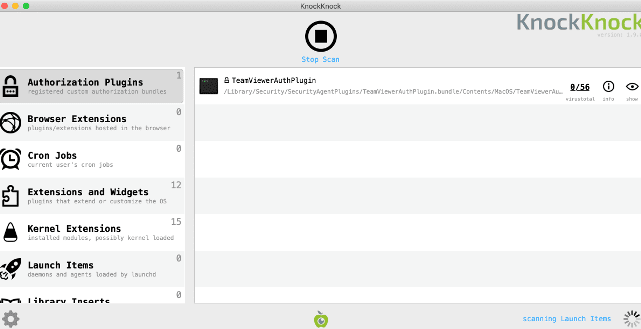
KnockKnock is completely free to download and use. However, it does not uninstall tools and may flag some known safe processes. It checks processes with VirusTotal and highlights all known malware in red.
Security-minded Mac users should also check out Little Snitch. Basically, it is a firewall that prompts you every time an application tries to connect to the Internet. You can then approve or deny these requests to limit the number of apps that can send and receive data, and the app remembers. Little Snitch is available as a free trial and the full version is $ 45
Protect your computer with macOS
Today Apple offers two ways to install applications on macOS: using the Mac App Store and downloading the distribution of a game or program from the Internet. On iOS, the situation is different from birth – the company has left one App Store.
At the Apple software distribution sites, meticulous moderators work who do not let malicious code through using automatic and manual testing. And therefore, there are no and never will be viruses on iOS.
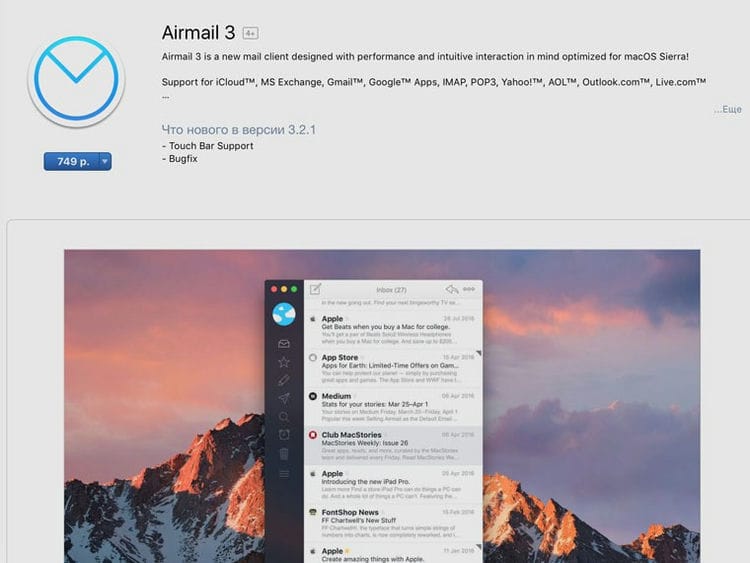
If you download software on your Mac from the App Store, don't worry. Do not pick up malicious software here. But the app store does not have a number of useful programs, so you cannot get by with this platform alone.
To avoid viruses, do not download programs from sources you are not sure about. I explain that all applications that were not downloaded from the site of a popular developer are in doubt. Be careful.
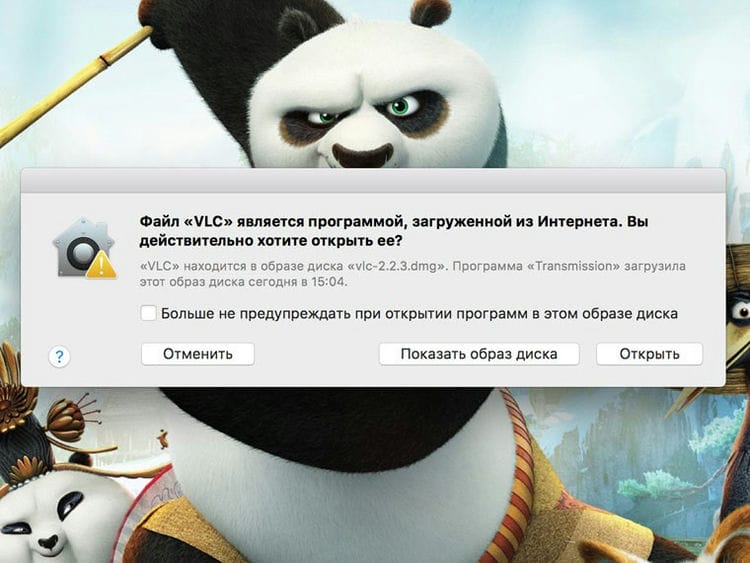
When you confirm your intention to run a program from a third-party source, you accept the risk of infecting your computer with a virus. But this applies more to fans of pirate assemblies – be on a special check with them.
Experience life on macOS without antivirus
As the popularity of the Mac grows, so does the number of malicious software. But today it does not compare with the amount of such software on Windows, which is still out of reach for macOS.
And yes, viruses for Mac are created. But picking up at least one in everyday life is not an easy task. They live on resources that are not visited by ordinary users, and advanced ones bypass.
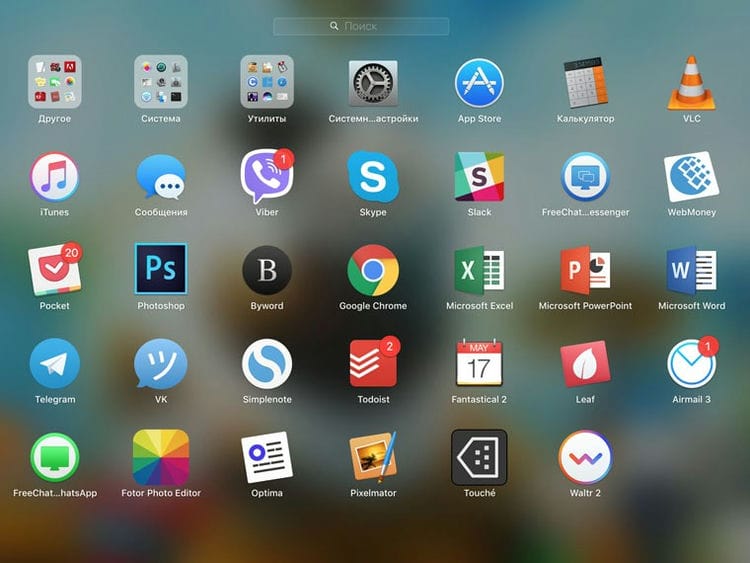
Over the past two years, thousands of programs have visited the personal MacBook, which were used to solve highly specialized problems, create scenarios for getting out of the OS problem and reviews.
They were installed from where they came from – official sites, dubious forums and torrent trackers. There were no problems even without antivirus software. The only thing is that I make a backup once a month, just in case. Everything.
I advise you not to fool your head with antivirus software, but turn it on during the installation of programs and games. If the source is Mac App Store, no problem. If different, think about reliability. And may there never be “worms” in your apples
Try these popular antivirus programs
Mac users with ten years of experience claim that macOS is not and never has been a virus. But this opinion is wrong. And today we regularly write about them on iPhones.ru. If you have no desire to fool your head with them, install an antivirus.
BitDefender (up to € 35 per year) – Today, fans of antivirus on macOS recommend this solution. It works in the background and does not bother the user – it detects malicious software and removes it.

Intego Mac Internet Security (up to € 80 per year) – Antivirus software package includes a shield against malware and phishing. The advantage is special. a set for protecting macOS and Windows via Boot Camp in pairs.
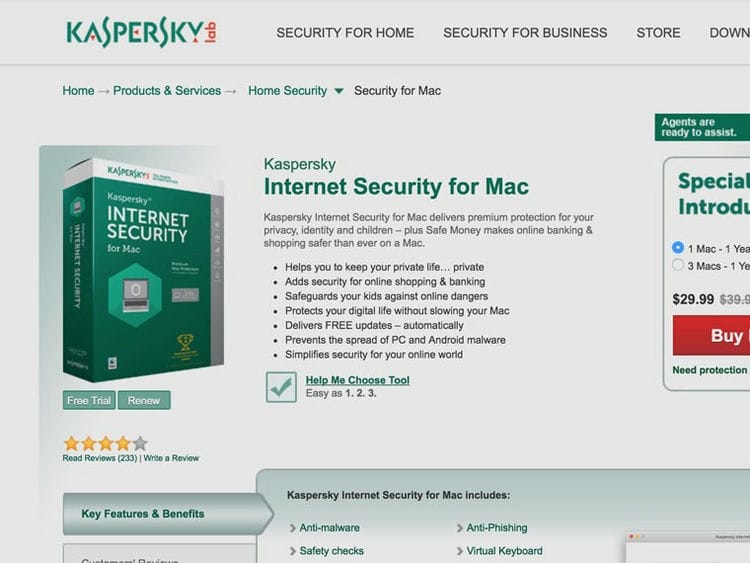
Kaspersky (up to € 40 per year) is the most popular antivirus for macOS and Windows in the post-Soviet space. Use it to add Mac virus protection. But the main thing is to prohibit the covert activation of the surveillance camera.
Malwarebytes (up to € 98 per year) – one, second, third and so on Western journalists claim that Apple employees use this antivirus. They install a Mac cleaning program when you contact the office. Services.
Bitdefender Antivirus
The best antivirus for Mac. Stops malware without slowing down your computer. Has VPN and ad blockers for more online protection.
- A trial version for 30 days is available.
- Sold by subscription. Protection of 1 Mac costs 910 rubles for 1 year.
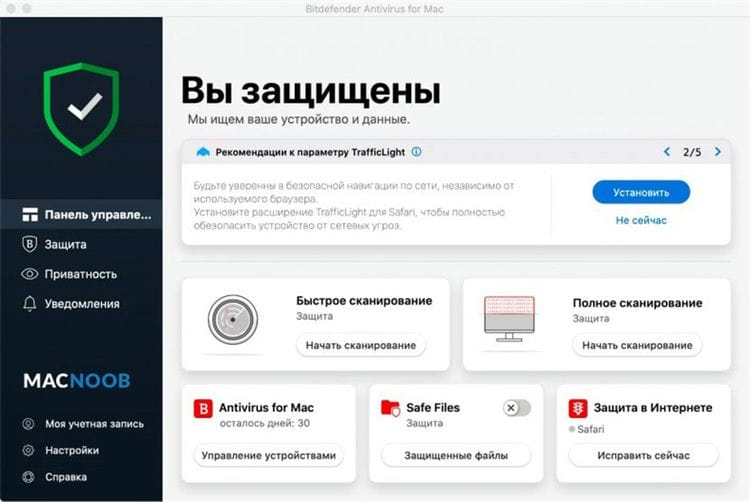
Bitdefender stopped 99% of threats during testing, even before they entered the quarantine folder. It also has additional security features as well as more licenses for multiple users.
The application uses several databases, obtaining up-to-date information and quickly blocking detected dangerous applications. It is able to recognize zero-day vulnerabilities that have not even been encountered before, and effectively stop them.
Bitdefender is also able to recognize and stop more malicious applications for Windows than other antivirus programs for Mac. This means you will not accidentally send malicious code to friends or family members while using your computer.
In addition to protecting against malicious applications, Bitdefender antivirus for Mac includes a vulnerability scanner and VPN service. It also blocks and removes ads, including targeted ads.
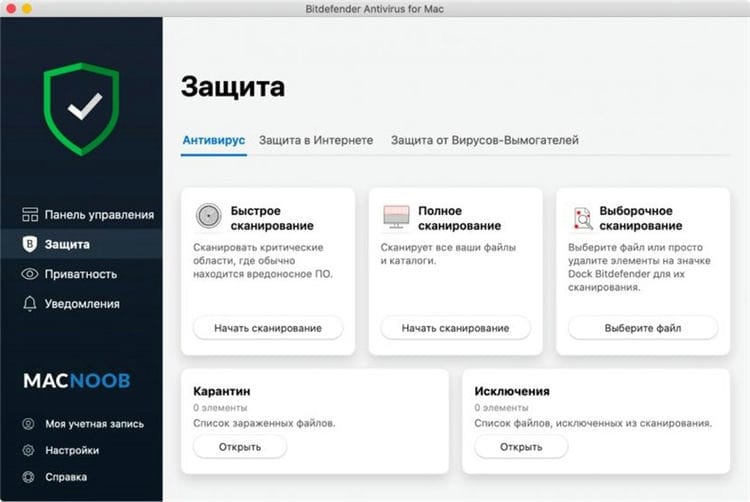
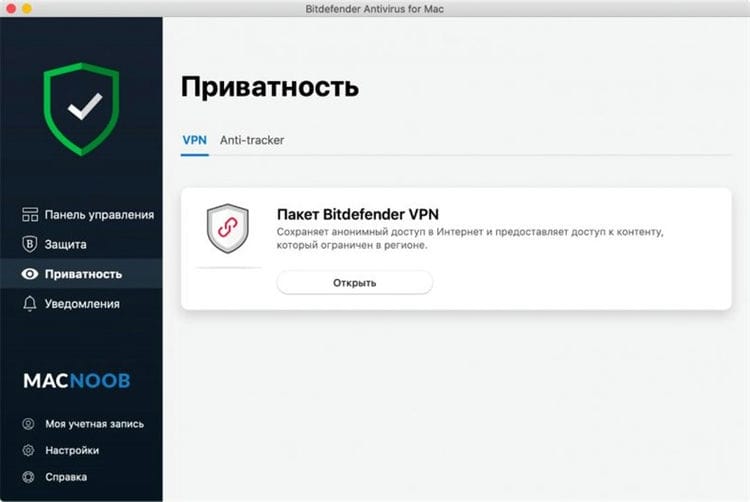
However, something is missing here, namely the firewall. There is also no additional protection for banking apps and online purchases.
The password manager is installed simultaneously with the antivirus as an additional application.
Otherwise, Bitdefender is a reliable and secure program that hardly slows down your computer.
A license is available for installation on multiple computers, allowing you to protect more than one device.
Built-in VPN
There is a vulnerability scanner
Russian language interface
Blocks ads
Password manager
No firewall
Cluttered interface
No microphone and camera control
Check out the features of Bitdefender Antivirus:
Kaspersky Internet Security (KIS)
The best in terms of price and quality. Prevents malware from infecting your computer, controls access to your webcam without your permission.
- There is a trial full-featured version for 1 month.
- Sold by subscription. Protection of 1 computer will cost 2390 rubles for 2 years (for 1 year you can buy only 2 to 5 licenses).
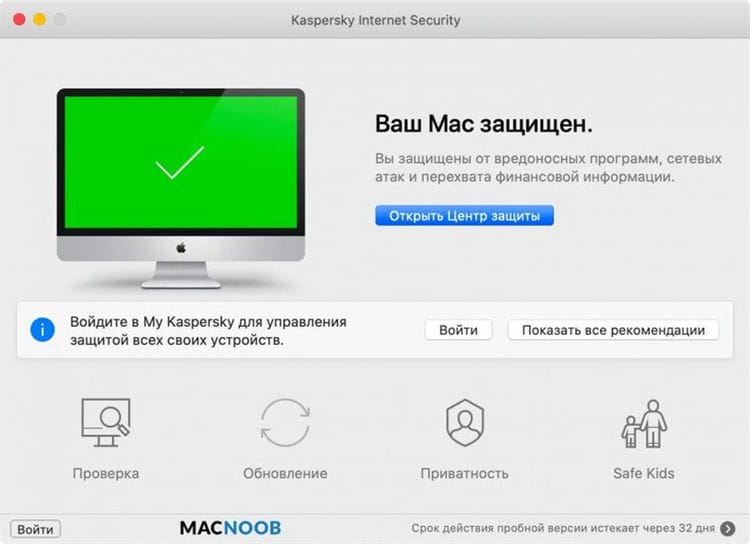
Kaspersky Internet Security for Mac is one of the few test programs that scores 100% protection against malicious applications.
The program reliably removes threats, preventing them from infecting your computer with a virus. At the same time, even with deep scanning for viruses, macOS does not slow down on modern Macs.
At this point, you can easily send emails with attached files, download programs, work in a browser and even watch online videos without brakes and buffering.
Kaspersky is excellent at stopping viruses on Windows too, reducing the risk of infection when different computers interact.

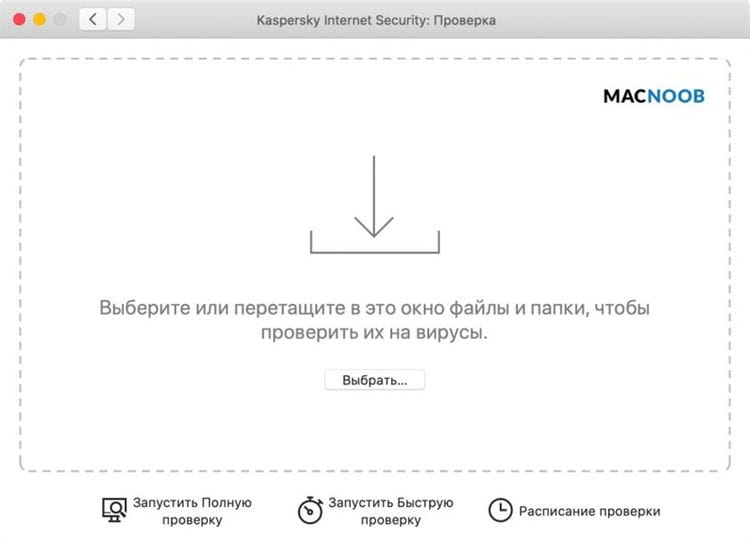
For its price, KIS offers many security tools that are not available in many simpler antiviruses for Mac. There is a password manager here that will securely store your logins and passwords for logging into different accounts.
There are also additional layers of protection, primarily for banking applications and online purchases, including inside the browser. For example, a virtual keyboard is supported, which would be difficult for keyloggers (programs that monitor keystrokes) to trace.
A notable security tool is webcam monitoring. The program monitors whether a person or another program has access to the camera without your knowledge.
The only thing missing is a vulnerability scanner that would help protect against hackers, but in addition, you can install free protection against ransomware applications.
Knows how to block a webcam
Contains tools for safe work with banking applications
In Russian
Built-in password manager
No vulnerability scanner
Can't buy 1 year license for one Mac
No microphone control
Check out the capabilities of Kaspersky Internet Security:
You can download a trial version for a month from the official Kaspersky website. It is perfect for finding out if there are viruses on macOS.
AVG Antivirus
The best free antivirus. Easy to use, has good malware protection, includes a vulnerability scanner.
- The paid version costs 1990 rubles per year.
- When you upgrade to a paid version, you get 2 months for free.
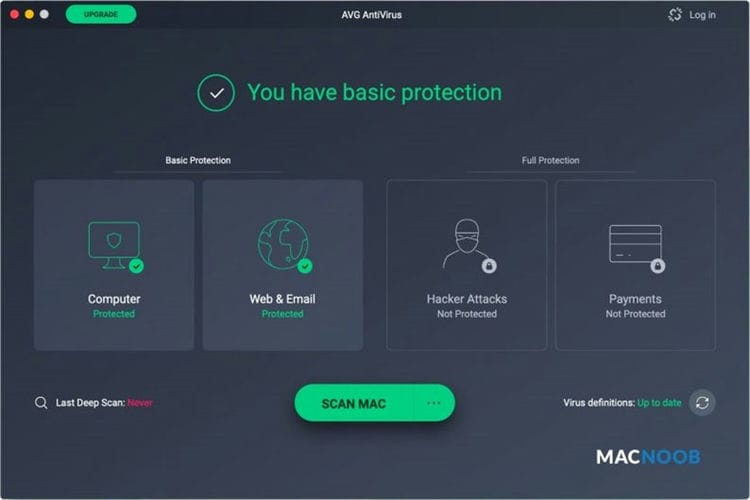
Although AVG antivirus is free, it has no shortage of security features. This program was able to stop 100% of threats on Mac computers and 95% on Windows computers.
The quality of recognition of text files in Zip format in the process of unzipping them is impressive. Instead of waiting for each individual file to be downloaded, the program quarantines the entire folder.
Even when the user gives permission to download some dangerous files, the application quickly finds them.
There isn't a lot of extra functionality here, but there is a vulnerability scanner. This tool looks for outdated programs and drivers where ransomware applications like to lurk. Then prompts are given about the need to update these applications.
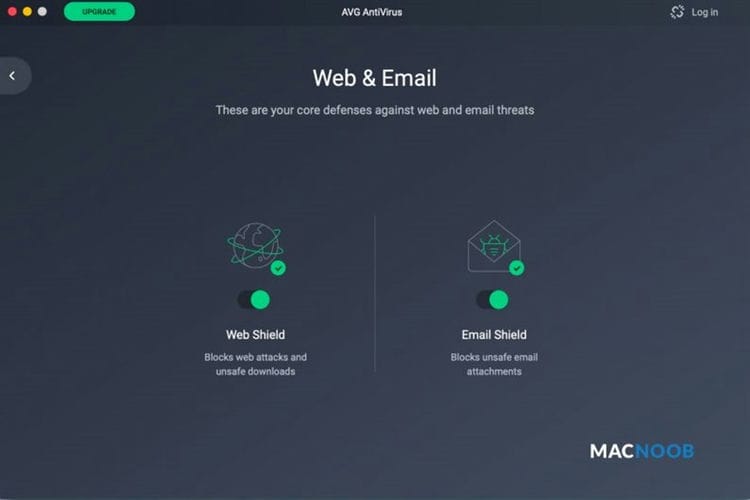
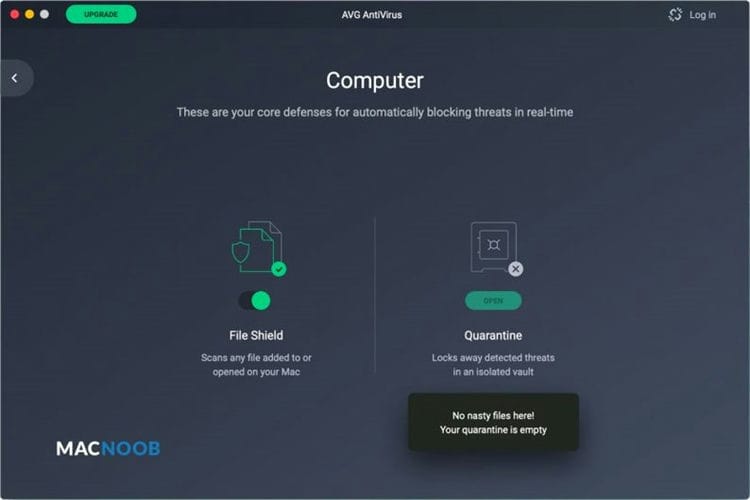
The antivirus is very easy to install and operate. Each function is indicated by a large icon that glows red when not configured and green when ready to use.
Since AVG antivirus is free, there are a lot of advertisements to endure. This is a common occurrence among free apps, but it makes ads just as annoying as you have to constantly close pop-ups.
Otherwise, AVG antivirus is an excellent free product for stopping malware.
Free
Easy to use
Good protection against malware
Inline ads
No password protection
Missing firewall
No Russian language
Check out the features of AVG Antivirus:
Avast Premium Security
Best premium protection. Blocks fake sites, prevents the download of malicious files, detects threats and phishing emails from emails.
- There is a free trial for 60 days.
- Protection of one computer will cost 1,490 rubles for 1 year.
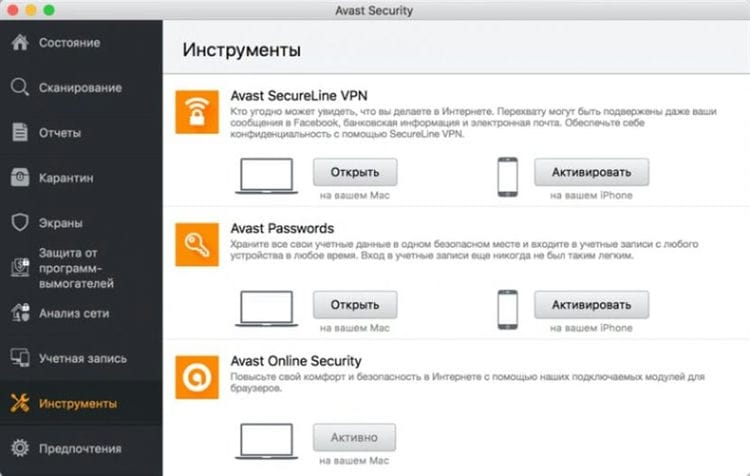
Avast is one of the most popular antivirus programs because it quickly stops malicious applications without slowing down your computer. In tests, it eliminated all threats in record time.
This program is easy to install and easy to use. Tools and functionality are clearly labeled and easy to find in the user interface.
Avast Premium Security includes a personal firewall to monitor everything that tries to get into your computer over your internet connection.
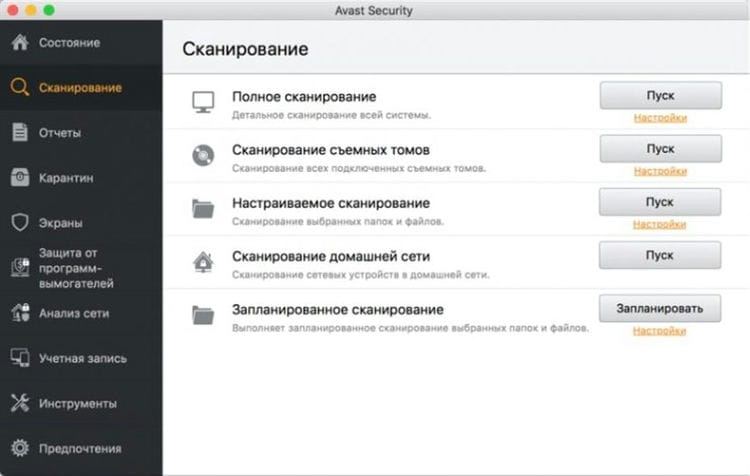
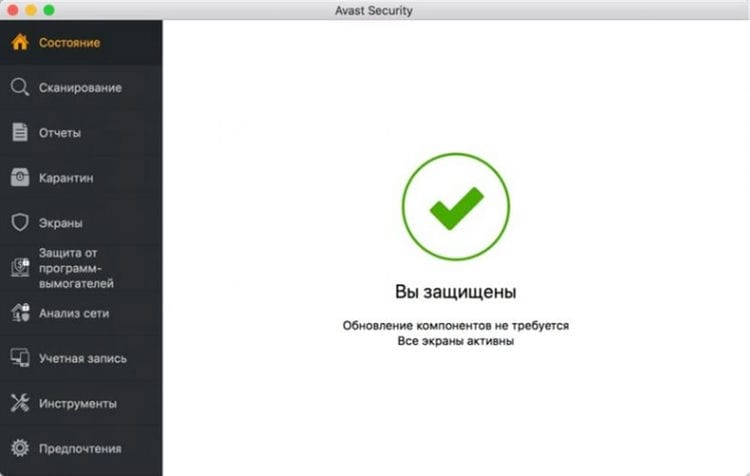
Webshield protects you from visiting fake websites where your personal information can be stolen. Instead, you will be taken to genuine sites.
There are several other tools like VPN, password manager, anti-tracking tool, system cleanup. But all these programs need to be downloaded additionally, configured and run separately. As a result, the transition between different programs is more difficult compared to other antiviruses for Mac.
Recognizes phishing sites
Personal firewall
Russian language support
It is impossible to download the trial version without entering a credit card
No camera and microphone control
Intego Mac Premium Bundle X9
The best exclusive antivirus for Mac. In it, Intego has combined all of its security software to maximize macOS protection, including firewall and parental controls.
- A trial version is available for 30 days.
- The cost for 1 year is 69.99 euros.
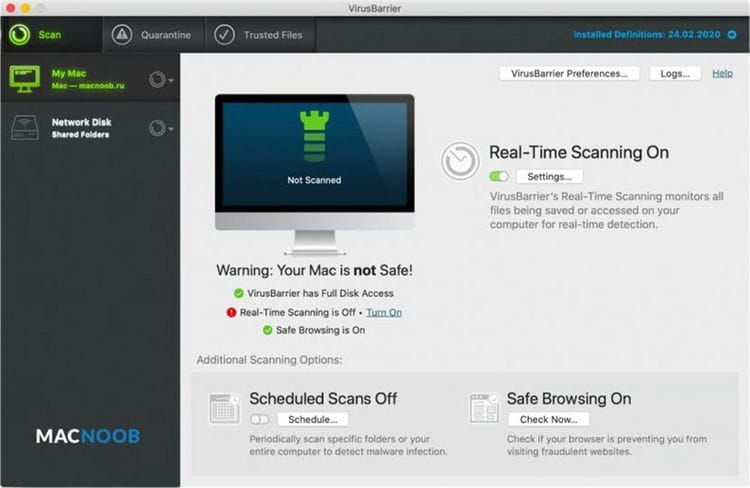
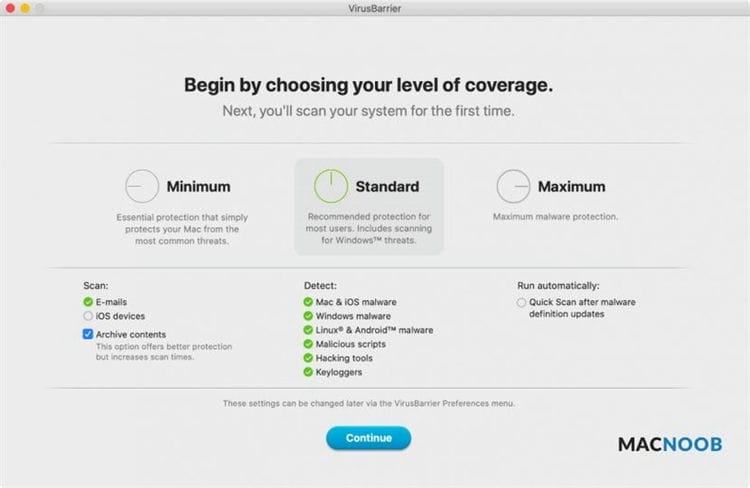
This antivirus is a group of separate Mac programs. This group includes the VirusBarrier, NetBarrier, ContentBarrier, WashingMachine, and Personal Backup applications.
The main antivirus is VirusBarrier, which detects 98% of threats. Other programs include a firewall and parental control with the ability to set the operating time and block content.
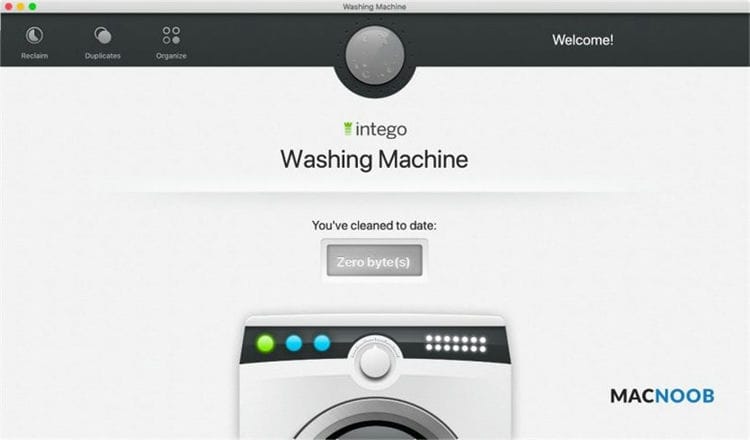
WashingMachine looks for junk files, outdated programs, files that you haven't accessed for a long time. He suggests removing or updating them to make the system run faster.
Intego takes a long time to download and install. After that, it noticeably slows down the computer. Since each tool is a separate program, you need to open them and navigate between them instead of accessing from the same panel.
Intego Mac Premium Bundle cannot recognize malicious Windows applications. Thus, you need to be careful when sending attachments and links to other users' computers so that you don't accidentally pass on something dangerous to them.
Built-in firewall
Parental control
Vulnerability Scanner
Mac slows down
No Russian language
Not the most convenient to use
Doesn't see Windows threats
McAfee Total Protection
The best family antivirus. Works on all your family's devices and includes parental controls.
- A trial version is available for 30 days.
- It costs 1,599 rubles a year to protect one device.
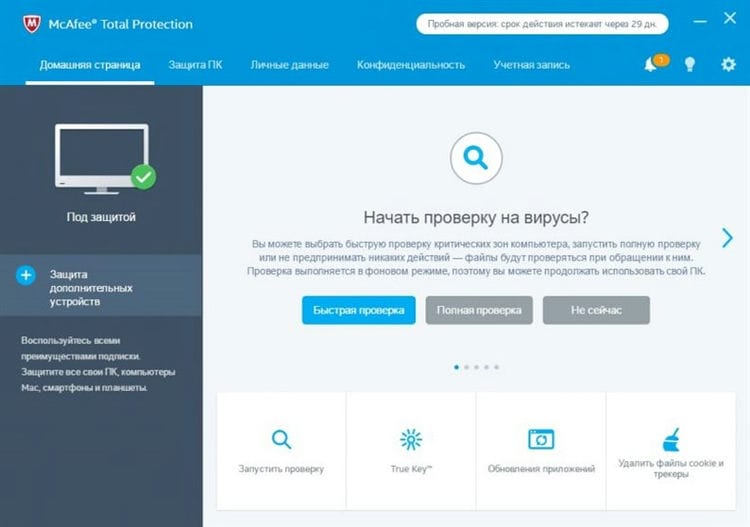
In the past, McAfee's reputation has been compromised because the program did not block malicious applications very well. At the same time, she wasted a lot of system resources, forcing computers to slow down. The developers have worked hard in recent years and now the antivirus is one of the best.
In testing, McAfee Total Protection quickly stops malicious downloads, blocks dangerous sites, and warns against phishing. For protection against all threats, the application received the maximum rating.
It is a great choice for family use when you need to protect multiple devices at the same time. The program works on computers, Android and iPhone in one account.
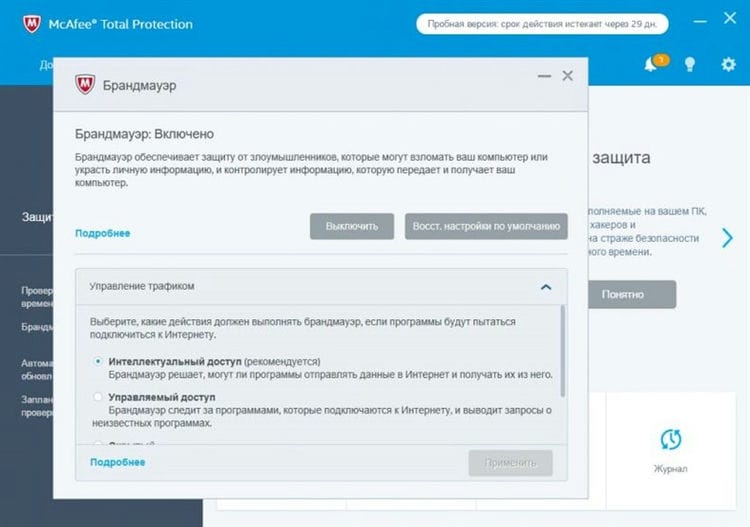
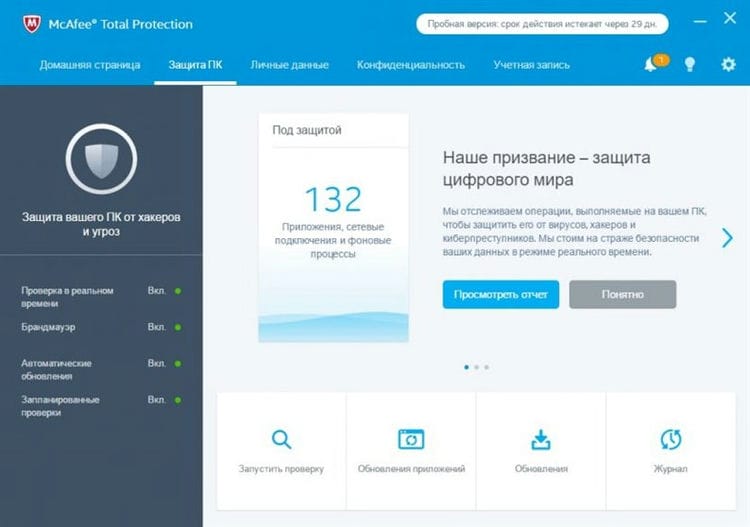
There are parental control tools that block content and allow you to monitor the length of your Internet use.
Because McAfee Total Protection is a premium program, it has an impressive array of additional tools. Among them are a personal firewall and programs for secure work with banking applications.
What makes McAfee unique is that it monitors cryptocurrency accounts to prevent ransomware and other threats from gaining access to them.
Vulnerability scanner and VPN missing. The latter is not so common in antiviruses, but vulnerability scanners are much more common. Thus, this can be considered a disadvantage of McAfee Total Protection.
Compatible with many devices
Parental control
Reliable protection without the brakes on Mac
Cryptocurrency protection
No vulnerability scanner
VPN missing
No camera and microphone control
How the testing was done
The main risk of antivirus testing is that the network can actually be infected with viruses. To avoid this, computers connected to a separate network were used.
During testing, only one computer on the network was connected to the Internet, and all other devices, including mobile ones, were disconnected from the global network. Test computers were used with factory settings and default programs.
After testing each anti-virus, these settings were reset. After installing each antivirus, all security features were disabled on both Mac and browsers.
A large compressed file containing several hundreds of malicious files was downloaded and opened onto the computer. It was immediately possible to see whether the antivirus was stopping the download process or detecting a threat only when the files were launched. Usually these files were sent to quarantine.
Once downloaded, the antivirus application scanner was used to check the Mac for viruses. Sometimes, threats were found that were not stopped during the boot process. They were also sent to the quarantine folder.
After testing the antivirus on a Mac, the tests were repeated on Windows. While malicious Windows applications cannot damage Macs, they can be redirected in messengers or via email from Mac, infecting Windows computers.
Extensions for browsers from each antivirus were checked, the security settings of the browsers themselves were disabled. This allowed us to see how antiviruses recognize and block malicious sites, especially phishing ones.
The latest testing consisted of installing programs on a home computer and on lab computers with many other applications installed.
In these cases, no attempts were made to download malware. Instead, it looked at how antiviruses work in a natural environment. First of all, the drop in the speed of the system during updates and virus scanning. This is the most annoying aspect of antivirus software when it interferes with the user by slowing down the computer.
This testing was carried out by Nicole Johnston, an iMore project expert who has been testing consumer products from food processors to parental control programs for over 13 years.
Antivirus rating
Bitdefender Antivirus for Mac showed the best protection among the reviewed antiviruses. It detected 99% of malicious files and a fair amount of Windows threats, so you don't accidentally transmit viruses to someone on Windows computers.
It has a VPN and an ad blocker, and it consumes little system resources. Bitdefender stops threats even before they download them to your computer. At the same time, it does not have webcam and microphone control, which solutions of other developers can boast of.
Kaspersky Internet Security
five
McAfee Total Protection
2
Norton 360 with LifeLock
2
Avast Premium Security
-one
Intego Mac Premium Bundle X9
-one
Sources used and useful links on the topic: https://leephone.ru/nuzhen-li-antivirus-na-mac-kak-zashhitit-mac-ot-virusov/ https://sonikelf.ru/nuzhen-li-antivirus- na-mac / https://www.iphones.ru/iNotes/mac-security-programms https://macnoob.ru/mac/antivirusy-mac-2020/ https://yandex.ru/q/question/nuzhno_li_ustanavlivat_antivirus_na_179bcb91 /
Post source: lastici.ru