
Top applications that improve the quality of smartphone shooting. Best cameras for Android

Which application to choose
There are many applications for working with the camera, both paid and free. If you are a beginner photographer or take pictures for your own pleasure, then it is better to try to start with the free app. The average price of paid applications is about 200-300 rubles, quite affordable options are available and much cheaper. Also, paid applications have free versions with limited functionality. To make sure whether this application is right for you, you can download the trial or free version first, and after reviewing it, buy the full one.
Manual Camera: DLSR Camera Professional
This is another Android app that will turn your stock camera into a DSLR. With this application, smartphone photos will be taken to a new, improved level.
Basic settings adjust white balance, ISO value, exposure, shutter speed and focus.
The functionality of the application also provides the ability to record videos in 4K format, but the smartphone itself must support this format. In addition, it is possible to record video in fast and slow motion.
It is easy to achieve high dlsr quality with adjustable settings. It became possible to take burst shots with a choice of time delay. And the functions of face recognition, changing the orientation without creating a pause make working with the application comfortable and as convenient as possible. Photo filters are applied in real time so you don't have to spend extra time editing them.
In addition, you can configure the flash, set the date and time, coordinates on the finished photograph. Photos are saved in jpg and raw format for DLSR photos.
The app has free and paid options. The functionality of the free version is slightly less than that of the paid version.
Advantages:
- Shooting 4K video;
- Quick setting of parameters;
- Applying filters.
Disadvantages:
- According to users, it works slowly.
Camera Cardboard
A distinctive feature of this application is the saving of VR shots. VR shots are virtual reality based shots. They allow you to save the whole picture happening around in three-dimensional mode and with sounds, while you will really feel which object is close and which is far away. By looking at such pictures, you can fully replenish the feelings associated with the event.
For the application to work correctly, you need access to the phone's microphone and the library to save and view pictures.
However, this application does not work on all smartphones that support the Android operating system. It requires a Google Cardbroad camera to work. To view photos in virtual reality, you need special Google glasses or you can add them to the virtual tour.
The app is absolutely free.
Advantages:
- View photos in virtual reality mode.
Disadvantages:
- Not suitable for all smartphones.
Rookie Cam
The application allows you to work with filters in real time. By selecting your subject, you can create a blur effect. Finished photos can be combined into frames, collage allows you to combine up to 9 photos in one frame. 116 popular effect filters will help you dilute boring photos, which for convenience have been combined into 10 thematic groups. Thanks to these effects, you can take a vintage photo, apply various textures, highlights and much more. There are also over 100 different fonts for inserting text and over 300 different stickers for expressing emotions and mood. You can save finished photos not only on your phone, but also immediately publish them to popular social networks.
The app is free to download, but there is paid content.
Advantages:
- Many filters are available;
- More sophisticated professional editing available.
Disadvantages:
- Photos will be saved in low resolution.
ABetterCamera
 FREE DOWNLOAD
Application for shooting video and photo editing for android. The built-in smartphone camera is transformed into a professional one: using the program's functionality, you can shoot a high-class video. Detail, richness of colors, clarity of images – all inclusive (HDR).
Built-in features of A Better Camera :
- Panorama 360 – panoramic shooting
- TimeLapse – time-lapse video shooting (you can make very beautiful videos, but in skillful hands)
- Exposure metering
- Night mode – high-quality videos and photos, in low light
- Pre-shot – shooting frames before pressing
- Removing unnecessary objects from the frame in the editor, etc.
You can also add filters or make individual adjustments to light, clarity, contrast, exposure and the photo will look natural.

MotionStills

FREE DOWNLOAD
Motion Stills free application for android phones and tablets is a real find for those who like to create clips, short videos and looping animations. Show your imagination and taste by creating panoramas, miniatures and cinemagraphs. The application offers: shooting short (up to 3 seconds) video, speeding up the recording to get a more concise video, gif images, combining several fragments into a full video, the ability to share your work on social networks, and much more.

Footej Camera is a fairly new app, but it will perfectly replace the standard camera on a smartphone. It has a fairly simple and intuitive interface that supports all the necessary functions. With this application, you can create a series of photos and Gifs. It has a function of slow motion video recording, as well as during video recording, you can additionally take pictures. During shooting, you can manually adjust ISO values, shutter speed, and focus if supported by your device. There is a selfie mode to help you improve the quality of your photos.
In addition to the free option, there is a Premium package. In this version of the application, you can record long videos, take a series of photos of more than 20 pieces. Also, the quality of photos and GIF-animations will be higher.
Advantages:
- Intuitive interface;
- Supports DGN format shooting.
Disadvantages:
- The free option does not support long video recording.
Bacon Camera
This is the first app to allow manual camera settings on devices that do not support the Google Camera2 API. After trying all the features of Bacon Camera, you will see how powerful your smartphone's camera can be.

The basic functionality of the application includes manual adjustment of white balance, ISO, and focus. You can also work with scenes and add various effects.
It is possible to create panoramic images and Gifs.
Each smartphone has its own distinctive characteristics, and for this reason, not all functions may work. To make sure of this, the manufacturer provides a table of compatibility between the functionality of the application and smartphone models. It is also not officially supported on devices with the Camera2 API.
The application can be downloaded absolutely free.
Advantages:
- Has good functionality;
- Not suitable for Camera2 API.
Disadvantages:
- Some functions may not work with certain smartphone models.
Camera360
This app is ranked # 1 in photography app rankings in seven countries around the world as the best beauty camera.
It is small in size, but has many useful and necessary features, and is supported on all Android devices.

The app has more than 10 filter and photo effects settings to help you take the perfect selfie and instantly share it on social networks. In addition to working with self-portraits, the application modes allow you to work with landscape and food photos. There are cartoon filters with which you can create cartoon photos and drawings.
Advantages:
- Ease of use;
- Ease of use.
Disadvantages:
- Complaints about the inoperability of individual filters
A Better Camera
A Better Camera is an amazingly functional camera app. It supports HDR images, panoramas up to 360 degrees, various multi-frame modes, night mode, and of course video recording functions. The photo quality is pretty good and it has additional features like removing objects in case something gets in the frame. The Pro version also unlocks some additional features. The app is a bit old and hasn't been updated since 2018. However, if the developer actively supports it, it deserves to be on this list.
FiLMiC Pro
Filmic Pro is one of the newer camera apps for Android. This is the most expensive app on this list. It has some unique features. Includes some very specific manual controls. For example, it has a dual slider for exposure and focus, a white balance adjustment matrix, and a gamma curve control. Other than that, there are some additional analytics, live RGB controls and more. Also, the developers seem to be actively taking user feedback and updating the app to fix bugs. Hopefully someday the app will be perfect.
Google Camera
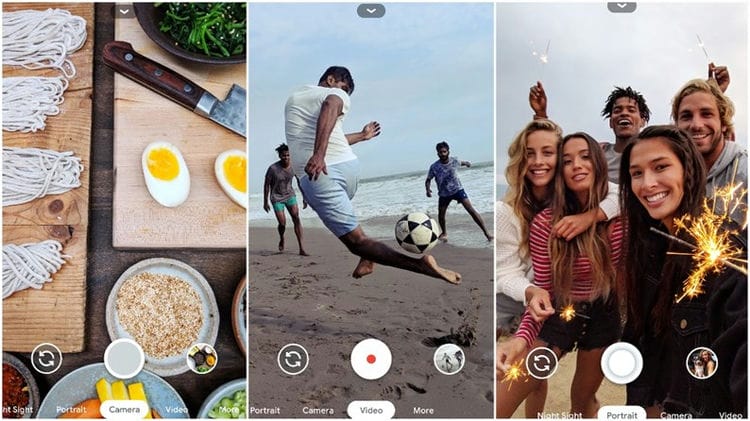
Google Camera is the official Google camera app. It is the same as most Google devices. Has a small but effective set of features. These include lens blur, slow motion (on supported devices), photo sphere, video stabilization, and more. The only drawback is compatibility. You can only use it on devices running Android 7.1.1 and above (at the time of this writing). Anyway, the app is free and it's really good. However, if you want all the features of Google Camera, you will need to download a modified version for your device.
YouCamPerfect
FREE DOWNLOAD
YouCam Perfect is an app for selfie games and photo editing. With it, you can turn a selfie into a video (video selfie with beauty function), use various filters, create collages with your own or automatic placement of objects. The application can be called a powerful editor, if only because the editing mode is detailed here: you can change the shape of the face, make smooth skin, add cosmetics or freckles, remove bags under the eyes or puffiness, and also raise the corners of the lips so that a smile harmoniously illuminates the face. In addition, you can remove the object in the background, or replace the background altogether.
Pixtica
Pixtica is one of the newer camera apps on our list. It has a bunch of nifty little gimmicks and decent post-processing. Some features include live filters, manual controls, exposure control, GIF recorder, slow motion, RAW file support, QR code scanner, and more. It even comes with a very simple gallery and photo editor. We love its wide range of features and all-in-one style. However, some features require a subscription and a stock camera app will probably do better post-processing.
9 LINE Camera
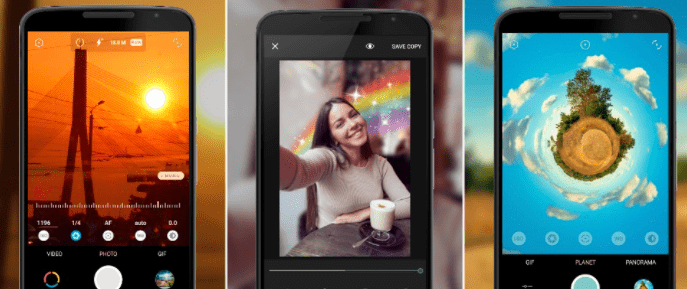
This app will be appreciated by all Instagram lovers. Allows you to apply filters in shooting mode, of which there are about 20 in the free version. Also in the photo mode, blur and vignette are available. As a bonus, you can turn on the grid and level, so the horizon will always be perfect. Takes pictures in three formats: 3: 4, 1: 1 and 9:16. Depending on the chosen composition, he removes collages. But they are not available in video mode.
It is noteworthy that LINE Camera can take not only photos, but also videos. The latter will come in handy if the standard filters for Instagram Stories do not suit you or are bored.
In editor mode, a standard set is available: a photo can be cropped, exposure can be adjusted (in shooting mode, it is not possible), brightness, contrast. White level and white balance are adjustable only in auto mode. There are also various frames, stickers, text overlay function. Note that the Internet is required to download frames, stickers, and access the store. The rest of the application works offline. There are also several stylish watermark designs to choose from, but it is up to the user to apply them or not.
In addition, the developers have not forgotten about the selfie lovers. In the editor mode, you can correct imperfections in skin or makeup, reshape the contours of the face and nose, remove acne, circles under the eyes, and add volume where it is needed.
In the paid version, as in similar editors, you will be offered a variety of sets of stickers, frames and filters.
The app is, in general, a good alternative to the built-in editor and camera for Instagram Stories.

SayCheese
SayCheese is a remote camera connection application with little functionality. It allows you to connect to a friend's phone and take pictures using the camera on your device. This is a great solution for situations where you want to take a group photo, but you don't have someone to take your photo. At the time of this writing, the app is in early beta, so there are some bugs. However, it worked pretty well in our testing and we expect more updates to add more stability.
Snap Camera HDR
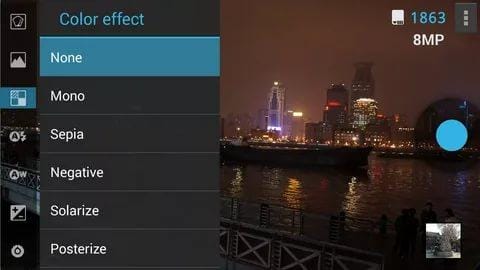
Snap Camera HDR is a good choice for serious and amateur photographers. There is support for manual camera control, 4K video recording, RAW support, HDR and file size options. It also includes fun shooting modes, effects, borders, color effects and vignettes. There are camera apps that have the best manual settings and apps that make fun filters. It's rare to find an app that does all of this as well as Snap Camera HDR. Be sure to try the free version before buying the pro.
HD Camera

FREE DOWNLOAD
HD Camera is an application for shooting HD photos, panoramas and video clips. The application contains all popular features: timer, autofocus, video capture; offers many filters and settings (white balance, exposure setting, location data, date and time of creation of the material, etc.).
Panoramic photography has several modes. The program has a photo gallery for easy viewing of photo and video material. Among the shortcomings of the application, users note a large number of advertisements and the lack of Russification.
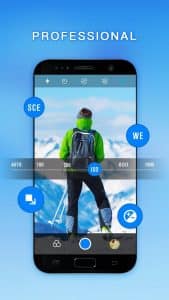
12 Soda
Another interesting selfie app. Soda uses facial recognition technology so you can transform your face in real time. Change the shapes, sizes and shades of features – the result is displayed even before you start shooting. Thus, you can easily fix a bad shot or play friends. While the program is completely free.
11 Retrica
The main advantage of this program is a huge collection of original filters that work with both photos and videos. Some of them are available for free, the rest can be obtained by subscribing for 169 rubles per month. In addition, Retrica can take a series of pictures and glue them into GIF-animations or collages.
Camera Style OS9
As the name of the app says, it's an iPhone-style camera. There is a familiar interface here. Android is only reminiscent of the three lower function keys that help you return to the desktop. Otherwise, this is a typical camera, which is endowed with the ninth version of the iOS operating system.
The utility was created by the developers from Night Shift Pro. This is not to say that the program is widely popular. No, as of May 2016, less than 10 thousand people installed it. However, one cannot fail to notice that the developers do not abandon their offspring, regularly updating it. For example, new effects have recently been added to the app. And in the fall of last year, the design was changed, in accordance with all the changes that have occurred with iOS.
The functionality of the camera depends on the smartphone you have. In any case, you will get the option of filming. Here you can also create a square image, thereby adapting it to Instagram. The shot is moved to the lower left corner. If you click on it, then you will start editing it. In particular, you can apply one of the eight offered filters to your photo.
Advantages:
- The presence of eight filters;
- The ability to turn on the flash (if available);
- Fast cropping for Instagram;
- The interface is exactly the same as on iOS 9;
- Self-timer (1, 5 and 10 seconds);
- Free distribution;
- Works even on old and budget smartphones.
Disadvantages:
- There could be more filters;
- Some devices have problems.
GEAK Camera
This application works on devices with the Android 4.0 operating system or a later version. The number of GEAK Camera installations has already exceeded 1 million for a long time. People love the fact that the program can apply filters in real time. This is the main difference between this utility and the official “Camera” application, which Apple smartphones are equipped with.
It is impossible to find fault with the interface available here. It is almost exactly the same as what the camera app looks like on iOS. At the same time, the utility weighs only 1 MB, due to which it is not difficult to download it even through mobile traffic. The program allows you to take photos and shoot videos, the resolution of which can be different, depending on the characteristics of the smartphone. As for the pictures, they can also be cropped here, turning them into the square photos that Instagram requires.
The developers promise regular updates to their creation, which will bring new functionality. However, the last time GEAK Camera was updated was in November 2015, which is somewhat sad. We can only be glad that the available functionality will be enough for most users.
Separately, it should be noted that the application is intended only for rear camera shooting. For unknown reasons, the picture from the front camera turns out to be soapy and of poor quality, as if the sensor resolution had dropped to 0.3 megapixels. I would like to fix this bug in the future, but there is no hope for it.
Advantages:
- Filters in real time;
- The interface is similar to that used in iOS 9;
- The ability to crop for Instagram;
- Free distribution;
- Possibility of video filming;
- Very fast start-up.
Disadvantages:
-
Forget about the front camera;
-
There could be more filters;
-
Expansion of functionality is not expected.
-
- *
8 Adobe Lightroom
Adobe Lightroom is a tandem of a good camera and a powerful image editor. You can choose the shooting mode “Auto” and entrust the quality to automatic or “Pro” – to adjust ISO, shutter speed, focus and other parameters manually. The application allows you to change the aspect ratio of the frame. There is RAW support.
As for the editor, there are tools for all occasions. Only the best ones are available by subscription – $ 5 per month. By paying, you can, for example, edit selected areas of the photo in a dotted manner and even control the perspective.
3 Photo Scanner from Google Photos
This free program, developed by Google, turns your camera into an analog image scanner. If you want to digitize old photos, launch “Photo Scanner” and move the lens over the picture, following the instructions on the screen. In a few seconds, a high-quality duplicate will be saved in the smartphone's memory.
2 Facetune и Facetune 2
These two apps are indispensable for selfie retouching. The difference is that the earlier version does not allow you to edit the photo in real time. Its “little brother” Facetune 2 is ready to demonstrate right on the screen of your smartphone how you will look with perfectly white teeth, correct the shape of your nose, highlight your eyes and smooth out skin irregularities. filters.
After the perfect selfie is taken, the app editor itself opens. For example, you can correct the contours of the face and make it visually slimmer. The free functionality of the application allows you to apply a light tan, add blush, play with color correction. But to remove bags under the eyes, you have to pay. Also in the paid version, background replacement is available.
It should be noted that, thanks to internal algorithms, the program copes with the task with a bang – the selection of the main object in the photo occurs without unnecessary “losses”. You can add both the proposed base background (sparkles, flowers, abstractions), and upload your own photo. In addition, in the paid version, you can change the lighting of the object. And if, for example, you have always dreamed of being a blue-eyed blonde, then the application will allow you to try on colored lenses. Paid access will also be able to brighten acne – the “patch” tool perfectly removes all irregularities and rashes on the skin. Remarkably, the paid and free versions of Facetune 2 work without watermarks. No internet connection required to work.
5 Selfie Master
A simple app that can dramatically improve your selfies. Not all modern smartphones are equipped with a front camera flash. Therefore, if you want to take a good photo in low light, then feel free to download Selfie Master. It is designed specifically for shooting in the dark. The principle of the application is simple: when photographing, a completely white screen is displayed with a small space for the camera image. Thus, the white light of the phone illuminates the face of the user, making selfies clear.
In the latest update, you can do color correction. For example, if a yellow lamp shines on the user, you can expose a purple screen, etc. The camera settings are also available – brightness, exposure, focus, white balance and the choice of shooting mode (sports, auto, AICHDIER, etc.)
Selfie Master is free to install, but there are ads in the app itself. Disconnected, as always, for a nominal fee. Works offline and does not leave the watermark.
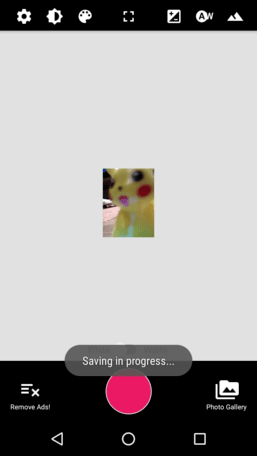
6 Glitch Photo Editor
A simple application for fans of glitch effects – various futuristic distortions. Turn on a photo or video camera, choose an effect, adjust – and you can press the shooting button. An easy way to give your selfies a cyberpunk look. The program is free, but it can be annoying with ads.
iCamera OS9 style
Another opportunity to download a camera like an iPhone. The application differs from its other competitors in its support for high resolution. This means that it will look good even on flagship smartphones, the screen resolution of which reaches incredible values. Also, the program is distinguished by regular updates – the developers try to introduce into it all the “chips” that the corresponding application receives, preinstalled on Apple smartphones. In particular, filters from iOS 9.3 were recently introduced into this utility.
The functionality of the iCamera OS9 style cannot be called very broad, but everything you need is present here. For example, the self-timer is not forgotten (valid values are 3, 5 and 10 seconds). The flash is also accessible to the user, if there is one on the back of the device. Pictures have minimal compression, due to which their quality is almost not affected. It is impossible not to note the video recording – it takes just one click of a button to start this process.
The app lets you turn off the shutter sound, so you can shoot completely unnoticed. If necessary, it is easy to make a photo square, so you can immediately upload it to Instagram. In a word, the developers did a great job. It remains to be regretted that so far only 5000 people have enjoyed this application.
Advantages:
- Free distribution;
- Crop for Instagram;
- The interface is the same as on iOS 9.3;
- Possibility of video filming;
- The ability to use a flash (if available);
- Regular updates.
Disadvantages:
-
Insufficient number of effects – there are more of them on the iPhone;
-
Problems with work on some devices.
-
- *
Best camera software for Android – TOP free
To explore the hidden capabilities of your camera, you should use specialized applications that can be downloaded from the official Play Market store. They are equipped with a huge list of tools that cannot be found in a standard application. There are both paid and free programs. Their difference lies in functionality. The last option will be discussed below.
10 ProCam X
The simplest and most convenient camera application is procam x. First of all, the user is provided with several modes that differ in a number of settings. The first and the simplest is automatic setup, which is immediately remembered by the phone system.
For more advanced photographers, there is a manual mode, that is, each time the owner of the device will need to re-adjust the camera to the surrounding conditions, etc. The user can independently set the white balance, exposure, focus and light sensitivity. A nice bonus is the ability to connect noise cancellation during bad weather conditions.

The program allows you to shoot videos in 4K format, the main thing is that the phone supports this feature. There is a burst and slow motion mode, timer and exposure with a delay of different levels. Bracketing is supported in the application. Pictures can be saved in PNG, JPG and RAW format. It is possible to refine the finished photograph in real time. That is, the user observes the instantaneous changes in the snapshot and can adjust, taking into account the dynamics of the transformation.
Simple interface and convenient control
Support for 4K format and bracketing
The ability to save pictures in RAW format
Wide range of functions
The program is unstable on most budget smartphones
Weak noise reduction
This application is considered the best option for replacing the standard smartphone utility. First of all, the interface is surprising, which is made in the style of minimalism. However, this does not affect the performance and functionality of the program in any way.
The user is given the opportunity to control the level of shutter speed, sensitivity and exposure. Manual control, shutter speed and focus are also supported. Pictures can be created in DNG format, so that the owner of the device will receive a picture of excellent quality.
In addition, there is the ability to create snapshots while filming. A special “Light Selfie” mode has been introduced for decent portrait photos. There are paid and free versions of the program.
DNG format support
Capability to create snapshots while shooting
Availability of the “Light Selfie” function
Manual and automatic setting modes
The free version is rather limited in features
Large amount of memory occupied by photos
8 Google Camera
This application is quite functional and effective, however it is developed by the company of the same name exclusively for Pixel mobile phones. Over time, a team of programmers decided to expand the capabilities of this software and developed a special version that fits almost all smartphones.
Those lucky ones who managed to install this utility can be convinced of its versatility. First, you should pay attention to the variety of shooting modes – spherical, slow motion, portrait and night. The application also allows you to stabilize videos and blur the lens. In addition, HDR + is supported.
Wide range of functions
Variety of modes
Excellent noise reduction, especially at night
Optimal stabilization
Not supported on all devices
Unstable operation on budget phones
7 Camera MX
Quite a powerful utility that is able to create a great picture even in the most terrible lighting conditions. This is facilitated by HDR + and auto focus. There is also a “Shoot the Past” function, with which you can view the pictures taken before the shutter was released. With this opportunity, the photographer will not miss a single detail. The application provides its own editor, whose arsenal of tools includes a brightness control, contrast, sharpness, saturation and hue change.
It is also worth noting the convenient function of automatic release, which is triggered at a certain time (set in the settings). There is a display flash for portraits and an auxiliary grid. Thanks to this, pictures are taken even in low light.
As for video shooting, there are several modes for this – slow, night, fast and spherical. You can also install various filters to improve the visual range.
Powerful functional range
Availability of the option “Shooting from the past”
Great built-in editor
Perfect shots in low light
Weak noise cancellation is periodically noticeable
Some tools are paid
Suitable for advanced users only
Low-light image quality
nine
A number of additional settings
eight
Total
7.6
Quite a powerful program for skilled users
6 VSCO Cam
This program can be safely called a full-fledged editor for professional photographers, as there are a variety of tools in the utility settings.
With this app, you can take RAW photos. Also worth noting is the ability to adjust sensitivity, white balance, grid mode and exposure. To adjust the level of shadows and highlights, there is a function “Split Tone”. The HSL tool is responsible for changing the brightness and saturation of the main color gamut.
An advanced user may notice how impressive the variety of filters is. Of course, there are drawbacks to the application. The main one is the limited arsenal of tools in the free version. In this case, the user can apply basic filters, adjust the color gamut and the ability to export finished materials.
Powerful program for advanced users
Huge selection of tools
Deep processing of photos
Having your own editor
Most of the tools are only available in the paid version
Complexity of management
Low-light image quality
eight
A number of additional settings
nine
Total
8.2
This utility is considered the best option for professional photographers.
5 Open Camera
This app boasts HDR +, automatic stabilization and remote control. The latter tool allows for control using voice commands. There are a lot of options in the application settings – changing scene modes, setting color effects, adjusting white balance, exposure compensation and focus correction.
You can take photos while creating movies. You can also connect a separate microphone to improve audio quality for video. If you want to create a video without sound, you can use the corresponding shutter deactivator for this.
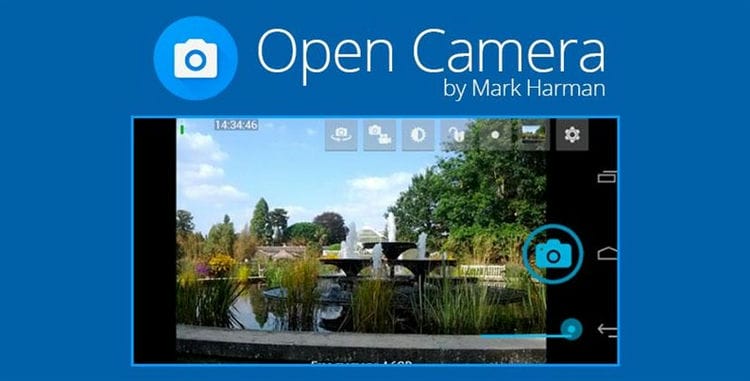
The main advantage of the application is the presence of a special noise suppressor, which is automatically triggered under conditions unacceptable for content creation. If the picture is of mediocre quality, and it is a pity to delete it, then you can use the optimization of the dynamic range, which can improve any photo.
Utility for professional photographers
The presence of an advanced noise reduction system
Voice command support
Ability to connect a microphone and completely mute the sound
The app is not suitable for inexperienced users
Low-light image quality
nine
A number of additional settings
eight
Total
8.4
One of the best utilities for creating high-quality images
4 Candy Camera
This utility is designed to create mostly portraits. For this, there are a number of special tools in the system settings. For example, the following filters are available: teeth whitening, setting big eyes, adding a smile, making the face smaller and larger, and creating a narrow waist. Program management is very simple. To select effects, just swipe to the right side of the screen.
It is also worth noting the possibility of silent shooting. The user can turn off the sound at any time in the application settings. For girls, this program will be useful because in the editor you can use virtual cosmetics that can improve the condition of the lips, eyes and face tone.
Simple controls and many effects
Suitable even for inexperienced users
Silent shooting capability
Availability of unique filters
The program is designed primarily for portraits
Low-light image quality
7
A number of additional settings
7
Total
7
A fairly simple program with interesting filters for creating portrait photos
3 Camera FV5
This difference of this program lies in the fact that it allows you to adjust all parameters yourself, without using automatic settings. This approach is typical for most professional cameras. The user can adjust the white balance, set the exposure metering mode, exposure compensation, ISO and independently set the focus. The display shows all the useful information related to taking pictures – aperture, exposure time, etc.
Possibility of self-setting of parameters
Wide range of tools
Displaying useful information on the screen
Advanced stabilization system
Most of the tools are available in the paid version
Low-light image quality
eight
A number of additional settings
eight
Total
7.8
Great camera app with manual installation option
2 Take
Of course, this program is not considered professional, but it is quite popular among connoisseurs of Android devices. In the system settings, there are all possible tools – an advanced stabilizer, silent mode, voice control, a timer for automatic shooting, as well as several types of lenses. The program allows you to take both standard and portrait shots.
To create the latter, the application has a number of special filters. You can also connect a selfie stick via Bluetooth.
Simple interface with clear settings
A huge number of tools
Many different effects
Selfie stick support
Not supported on most budget smartphones
Low-light image quality
7
A number of additional settings
nine
Total
7.6
Great app for inexperienced users with a wide range of settings
1 Zoom Camera FX
This option is considered one of the best free applications for Android phones. This is due to a simple and intuitive interface, many settings, good performance and incredible shooting speed (50 frames per second).
The program has many tools for adjusting images, the ability to shoot in RAW format and ISO settings. Voice control and timer setting are supported.
High shooting speed
Simple interface
Availability of voice control and timer
RAW format support
Few tools in the free version
Image stabilization Low light quality
eight
Low-light image quality
eight
A number of additional settings
nine
Total
8.4
One of the best programs with high shooting speed
Aillis
The Aillis camera, formerly known as the LINE Camera from LINE Corporation, is arguably one of the best choices for hobby photographers. This application bypasses the standard image quality in almost all cases. Aillis shoots quickly and the photos are pretty sharp. At the same time, the night mode does not “sag” as much as the Better or MX cameras.
This application also has a set of filters for post-processing. Also in Aillis there is one “trick” that will appeal to portrait photographers. The BEAUTY function allows you to change the brightness and smoothness of the skin, remove acne and moles, retouch the shape of the face, etc.
Camera HDR Studio и HDR Camera +
The next two programs are exactly those cameras, because of which you should not use all sorts of HDR and DRO modes in other applications.
For those who do not know, high definition rendering is a technology for working with images and video, the brightness range of which exceeds the capabilities of standard technologies. To achieve the HDR effect, the camera takes three shots with exposure “-2”, “0” and “+2”, and then combines them into one, highlighting the dark areas and darkening the bright ones.
So Camera HDR Studio is suitable for those who like the deepest HDR. At the same time, it is almost impossible to use the camera without using filters (only if you have a tripod). As you can see, everything turns out to be blurry (and ugly or something):
GIF Camera
Special mention is made of GIF Camera, with which you can create your own GIFs. From the settings, only the frame rate is here. And then you just take a picture and it is converted to GIF. It's simple.
True, it will not be possible to change the orientation of the image using standard means, you should remember this, because I did not know and this is what happened: Click to start the animation
That, in fact, came to the end of the TOP of the best cameras for Android. Do not hesitate to write in the comments the names of the applications that you use in order to capture the most valuable moments of your life and, perhaps, they will appear in this TOP.
VSCO Cam
Getting into the TOP of this application is due to its extremely high popularity in the social network for photographers – Instagram. Very often, under the photos in the specified service, you can find the tags #vsco, #vscocam, etc. What's so special about this app?
It should be said right away that as a camera, VSCO Cam should not be used at all. It's like a standard camera, only without the ability to configure any parameters. But this application is often used for post-processing of existing images. In VSCO Cam, you can apply ready-made filters, or adjust each parameter manually. The interface here is pretty nice and straightforward, which makes this editor quick to learn. And the functionality in VSCO Cam is decent. Still, with the editor Camera360 Ultimate I managed to get more different effects. Gallery of edited photos in VSCO Cam:
Best Camera App for Android – TOP Paid
As a rule, paid camera applications for Android phones are distinguished by a more advanced functional range. Some options may offer a simple interface and easy customization of basic parameters. However, most of these utilities are designed to create extremely professional photographs.
5 Snap Camera HDR
An excellent application with a powerful interface and graphical editor. Wide popularity is due not only to a large variety of tools, but also to simple operation.
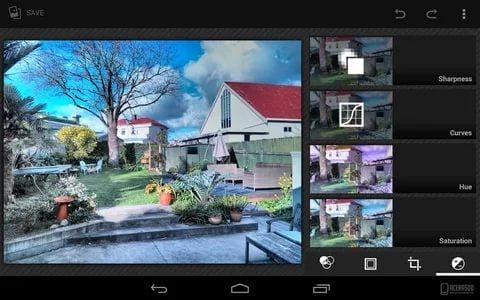
Huge selection of effects and filters
Complete photo editing
Availability of burst, night and slow motion shooting
Possibility of self-adjustment of all color parameters
Low-light image quality
eight
A number of additional settings
7
Total
7.4
Powerful utility with a number of effective tools
4 ProCapture
It's the perfect replacement for the stock camera app, offering a simple interface and incredibly advanced settings. The user can adjust the pictures depending on any of his wishes.
Simple controls
Advanced editor
Low cost
Ability to cancel any action
Periodic system crashes
Low-light image quality
eight
A number of additional settings
7
Total
7.8
The best option for a low cost
3 Manual Camera: DSLR Camera Professional
One of the best paid software that provides a lot of opportunities for advanced users. Differs in high performance and quality of images.

Possibility to set the frame rate for video
Shutter speed supported
Powerful editor
Manual focusing
Complex controls
High price
Low-light image quality
nine
A number of additional settings
7
Total
8.4
An excellent application that creates high quality images
1 BlackCam Pro — B&W Camera
The latest and most powerful application that allows you to create incredible photos with high quality and detail. Advanced users can use manual adjustment of parameters without using automatic mode.
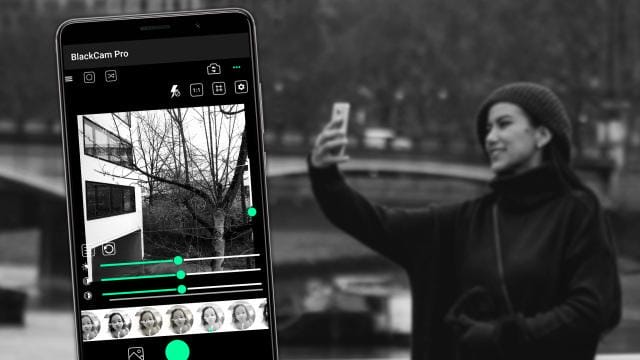
Huge variety of filters
Large arsenal of tools
Possibility of adding film grain, black vignettes, black and white filters
A special slider is used to change the color parameters.
Movie shooting is not supported
Low-light image quality
nine
A number of additional settings
nine
Total
8.6
The best option for an affordable cost
| Name | Description | Rating |
| BlackCam Pro — B&W Camera | The best option for an affordable cost | ★★★★★ |
| Selfie Camera Pro | One of the most powerful mobile phone camera apps | ★★★★ ★ |
| Manual Camera: DSLR Camera Professional | An excellent application that creates high quality images | ★★★ ★★ |
| ProCapture | The best option for a low cost | ★★ ★★★ |
| Snap Camera HDR | Powerful utility with a number of effective tools | ★ ★★★★ |
Sources used and useful links on the topic: https://vyborok.com/rejting-luchshih-prilozhenij-dlya-kamery-na-android/ https://androfon.ru/article/luchshie-kameryi-na-android https: / /xpcom.ru/luchshee-prilozhenie-kamera-dlya-android.html https://club.dns-shop.ru/blog/t-78-smartfonyi/20036-top-10-prilojenii-uluchshauschih-kachestvo-semki- smartfona / https://Lifehacker.ru/apps-for-android-camera/ https://SetPhone.ru/prilozheniya/kamery-dlya-android-s-interfejsom-kak-u-iphone/ https: // tarifkin. ru / mobilnye-os / luchshaya-kamera-dlya-android https://trashbox.ru/link/top-android-camera
Post source: lastici.ru